Microsoft Office software
- Office 365 Personal
Work in Word, Excel, and PowerPoint
With Copilot AI functions
Including Outlook
For 1 user
Subscription for 1 year
From
99,-
- Office 365 Family
Work in Word, Excel, and PowerPoint
With Copilot AI functions
Including Outlook
For 6 users
Subscription for 1 year
- Office 2024 Home
Work in Word, Excel, and PowerPoint
Permanent suite
No Outlook
No OneDrive cloud storage
For 1 user
From
149,-
- Office 2024 Home and Business
Work in Word, Excel, and PowerPoint
Permanent suite
Including Outlook
No OneDrive cloud storage
For 1 user
From
299,-




Microsoft Office software
You know Microsoft Office (now Microsoft 365) from well-known programs like Word, PowerPoint, and Excel. You can use these productivity apps, the security, and the storage from Microsoft for work and personal use. We have the most recent versions of the Microsoft Office suites in different editions, both as a yearly subscription or as a fixed license.
Office 365
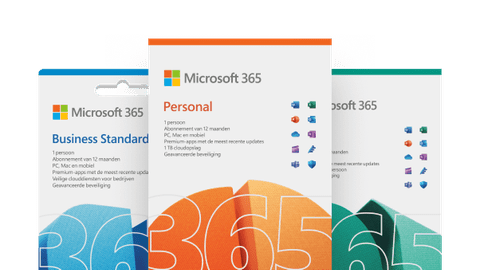
You can use Microsoft 365 on Windows, macOS, ChromeOS, Android, and iOS. This means you have fast access to your files on your smartphone or tablet via the cloud. Are you on the go and do you have a great idea for your PowerPoint presentation? No problem, you can quickly make an adjustment. You can keep working on location via your laptop or desktop. You can store up to 1TB of files on OneDrive and apps are automatically updated to the latest versions, now also with AI functions.

Office 2024
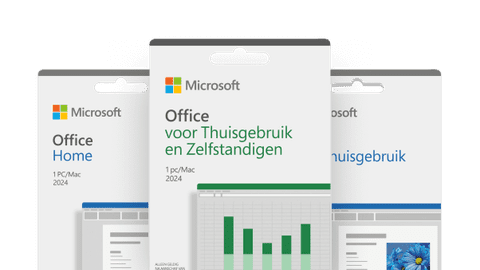
Microsoft Office 2024 is a permanent package you can buy in one go. You can install this package on a single Windows PC or Mac and you can't use it on your smartphone or tablet. This package contains the standard programs like Word, Excel, and PowerPoint for your PC or Mac. Office 2024 doesn't have the extra services that you receive with Microsoft 365, like 1TB OneDrive storage or support via chat and phone. You also don't automatically receive new updates and functions.
Microsoft 365: what can I use it for?
There are different Office suites you can choose from, like Microsoft 365 Personal and Family, or Microsoft Office 2024. Because there's a lot to choose from, it's important to consider carefully which suite is the best for you. Our expert is happy to explain what the differences are and which suite fits your usage situation best.

What's Microsoft Copilot?
Microsoft Copilot is a useful AI assistant from Microsoft and is integrated in Word, Excel, PowerPoint, OneNote, and Outlook. The advantage of Copilot is that it makes all your daily work even easier. Copilot only uses information from Microsoft programs, such as your calendar and emails. Want to know how Copilot works and what the advantages are? You can read it in this article.
How do you use Copilot in Microsoft 365?
With Copilot, you can quickly generate texts, emails, presentations, or graphs in Microsoft 365. Copilot makes your work easier in every Microsoft 365 program. We're happy to explain how you can activate your license and what Copilot does for you per program. That way, you can get started with this useful AI tool during your daily work.

Number of users
Most suites are suitable for use by a single person. Want to use Office with your family? Choose the Office 365 Family subscription. You can link this yearly subscription to up to 6 accounts. All 6 accounts can use the programs on every device on which the linked Microsoft account is logged in. All accounts also receive 1TB of OneDrive storage. With Office 365 Personal, you can do this for a single person. With Office 2024, you can only use these programs on a single Windows PC or Mac.

Personal or business
Want to use the Office programs at home for private use or with your whole family? Choose one of the Office 365 subscriptions or Office 2024 Home and Student. That way, you have everything you need for your daily use. Are you a business owner or are you using Office for business purposes? You need to use a business Office suite, like Office 2024 Home and Business. You get the advantages of the Office suites and access to Microsoft Bookings and Customer Manager for Outlook.