
Written by Maurits
Edited on
12 November 2024
·
15:00
Get started with your Bose QuietComfort Headphones
You just received the Bose QuietComfort Headphones and want to listen to music as soon as possible. In this article, we'll help you set up your headphones. This way, you can listen to your favorite music soon.
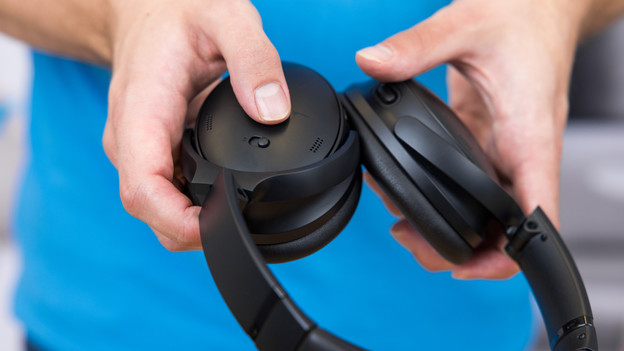
Get started with the Bose QuietComfort Headphones
With the following 5 steps, you'll get the most out of your Bose QuietComfort Headphones.
Step 1: connect your headphones
Step 2: download the app
Step 3: adjust the noise canceling
Step 4: adjust the sound preferences
Step 5: adjust the shortcut function

Step 1: connect your headphones
When you turn on the headphones for the first time, they search for a Bluetooth connection right away. Switch on Bluetooth on your smartphone, laptop, or tablet as well. 'Bose QC Headphones' will appear on your screen. Put on your headphones and select this device. You'll hear 'Connected to' and the name of your device. You've now connected your headphones.
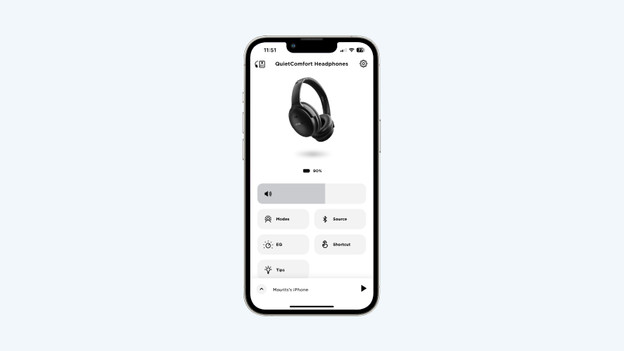
Step 2: download the app
When you connect your headphones to a smartphone or tablet, download the Bose Music App. Use this app to go through steps 3, 4, and 5.
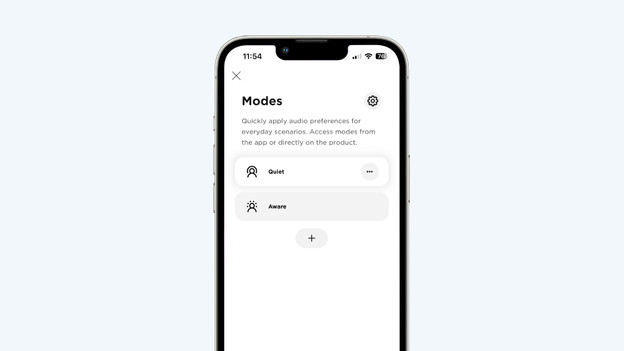
Step 3: adjust the noise canceling
With the Bose Music App, you determine how much ambient noise you want to hear. Go to 'Modes' in the app. This contains 2 noise canceling options. Choose 'Silent' if you don't want to hear anything from your surroundings. Want to hear ambient noise? Select 'No NC'. And with the + icon, you can choose from various presets to determine the intensity of ambient noise reduction yourself.
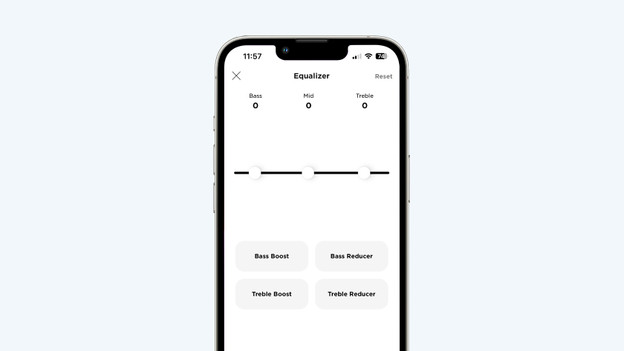
Step 4: adjust sound preferences
You can adjust your sound preferences in the Bose Music App. This allows you to listen to music the way you want. Go to 'EQ' in the app. Then, set your sound preferences with the 3-band equalizer. For example, you can emphasize the bass and treble, while the mids remain the same.
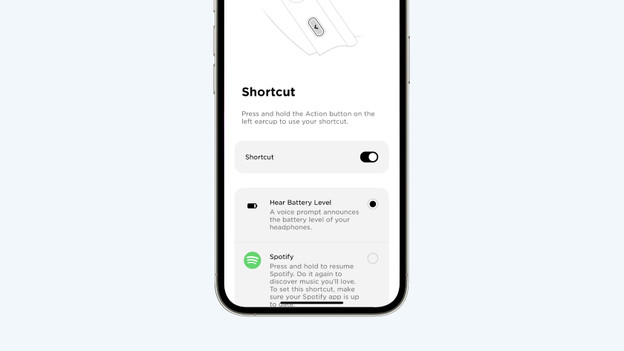
Step 5: adjust the shortcut function
Press and hold the left ear cup to hear the battery level of your headphones. In the Bose Music App, you can adjust the function. Go to 'Shortcut' and choose between 'Hear battery level' and 'Spotify'. Did you choose Spotify? Spotify will provide suggestions according to your taste if you press the button.