
Written by Lodi
Edited on
26 May 2023
·
15:02
How do you extend the battery life of your bike navigation?
You don't want your navigation system to switch off during your bike ride. That's why your bike navigation system should last longer. We'll give you 5 tips to extend the battery life of your bike navigation system.

5 tips to extend the battery life
There are different ways to extend the battery life of your bike navigation system:
- Turn on the power saving mode.
- Lower the brightness of your screen or switch if off completely.
- Turn off Bluetooth and ANT+ when it's not connected to sensors or a smartphone.
- Turn off GPS when you don't need it.
- Delete files you don't use.

Tip 1: turn on the power saving mode
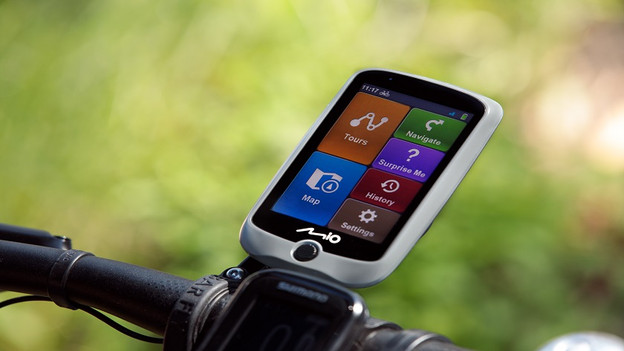
Bike navigations often have a power saving mode. This mode dims the screen backlight and ensures your screen doesn't light up for as long. It often disables connections like Bluetooth and ANT+ as well. What the power saving mode does exactly differs per bike navigation system. You can turn on this mode via the 'Settings' on your bike navigation system
Tip 2: lower the brightness of your screen
The screen of your bike navigation system causes your battery to run out the most. That's because it's always switched on, which consumes a lot of energy. But sometimes, there are moments when you don't need your screen. When you're on a long, straight road or know the way, for example. To save battery, you can lower the brightness or switch off your screen completely until you need it again.

Tip 3: disconnect sensors and your smartphone
If you regularly connect sensor or your smartphone to your bike navigation system, Bluetooth or ANT+ is often switched on. These functions consume a lot of energy, even when no devices are connected to it. That' why you should switch off these connections when you're not using them. You can do so via the settings of your bike navigation system.

Tip 4: turn off GPS and navigation
This may sound like a strange tip. You use bike navigation system to navigate, right? Right, but not always. Sometimes, you use your bike navigation system just to measure your workout data, such as your speed and time. You don't always need your GPS and navigation in those cases. Or when you're going somewhere and know almost the entire way. If that's the case, only turn on your GPS when you need your navigation to get to your destination. This saves a lot of battery.

Tip 5: delete files you don't use
The last tip is to check which files on your bike navigation system you don't use, such as downloaded routes you've already taken. Or stored routes that you haven't transferred to your computer yet. These types of files slow down your bike navigation system, which causes it to consume more energy. In addition, they unnecessarily take up storage space you could use for something else. How to delete files from your bike navigation system differs per brand. Usually, you have to connect your bike navigation system to your computer for this.
Want to be sure you have enough battery for your long bike ride? View our power banks.
