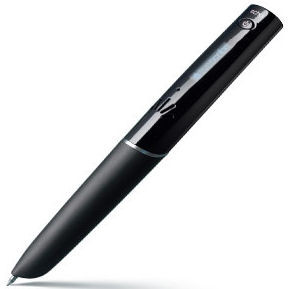
I had already heard about this pen a year ago and when the 4GB model was on sale at CoolBlue, my choice was made quickly, especially since they did not charge postage.
Incredibly fast delivery too: I ordered it at 9.30 pm and the next morning at 8.30 am the postman was already at the door with the package.
Immediately unpacked and started using it.
Everything was immediately clear, only the menu did it only in English at first.
If I have something new, I usually immediately start working with it and then I read the manual later.
Likewise in this case. I thought I knew everything immediately, but I discovered some nice extras and after downloading the Livescribe desktop and a firmware upgrade, the menu and the built-in voice suddenly turned out to be in Dutch.
Although it was a bit strange at first to talk and write, just to try it out, I immediately found out that this is a super invention.
You can print the special paper yourself (on a color laser printer, that is) and that works fine.
Basically you create your own livescribe blocks.
Tried a few things with the kids in the evening. My 16 year old daughter was so excited she claimed this is better than an iPod.
One of the discoveries I made, which I find very essential, is that when playing, you can add notes, which are then directly linked to the audio. This can even be done on another block or any other place in your block. It must of course be on the special paper. This paper is an invention of Anoto and Livescribe is licensed to it. The pen has a built-in camera and knows exactly where it is on the paper, even on another page or in a different block.
This means that when using multiple blocks you also have to take blocks with a different number, otherwise the notes will overlap.
You can also record only audio. If you play that later, you can make notes that are directly linked to the audio.
Handy if you're working on music eg: You just record the music and then you play it back and put numbers, or symbols on your block, and then you have a super remote control for that piece of music. Useful for music students who want to make notes on their own recordings.
You could even print a piece of sheet music on a sheet of the special paper.
A small disadvantage is that you also record the sound of the pen on paper, but this is remedied if you connect the earphones and stereo microphone that can be ordered separately. They pick up the sound from where your ears are.
You also hear beeps when you start or stop recording, but in practice you record a long time in succession, you can always add notes later and refine your document.
I recorded a brainstorming session of one and a half hours in its entirety and it works perfectly. You can also listen back at an increased speed, without it becoming Donald Duck voices.
I am very satisfied with the product, in retrospect I would have preferred to opt for the 8GB version, which they now have on offer at CoolBlue, including the earphones and luxury writing folder.
My 13-year-old son is also very enthusiastic and I promised him (and my daughter too) such a livescribe pen at the next school report. I think it would be a great thing for those children at school to take notes during lessons.
The functionality of the (downloadable) software on the computer is also fine, you get to see your notes on your screen and can also click on them with the mouse pointer and you will then hear the corresponding audio.
These so-called "pencasts" can also be distributed by mail or placed on a website and everyone can then view and hear them.
That way you can also download pencasts from others or view them online.
In this way, a math teacher puts all her 45-minute lessons online. You can follow her explanation as if you were looking at a blackboard and jump back or forward to each piece if desired. This is really fantastic.
Actually, I can only mention 1 annoyance: Livescribe promotes the fact that you can program the pen yourself. This really appealed to me because there is a lot more possible with it than is standard. But my disappointment was that the company Livescribe no longer makes the entire programming environment (the software development kit or SDK) available, no longer provides support for it and has therefore made it impossible for you to improve / adjust the pen in any way. to your own needs.
Otherwise an excellent product and an absolute must for meetings, brainstorming sessions and lectures.