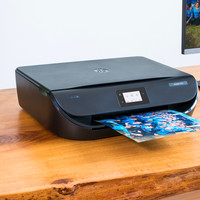
Epson EcoTank ET-3600

Never available again
View alternatives in the sidebar
View alternatives in the sidebar
According to our printer expert
With this Epson EcoTank ET-3600, you can print 11,000 pages in color or black and white. Ideal for print-happy homes or (home) offices. The costs per page are low too because you get so many prints from this ET-3600. You'll also save on paper with (automatic) duplex printing. Scanning and copying in color is possible as well. When it's out of ink, you can refill it yourself with the accompanying ink bottles. Print all your jobs on the go using the Epson Connect app and they'll be waiting for you when you get home.
Print technology | Inkjet | |
|---|---|---|
Printer type | All-in-one | |
Automatic duplex printing | ||
Automatic document feeder (ADF) | ||
Color printer | ||
Maximum print size | A4 | |
Photo paper drawer | ||
Built-in WiFi |
5 stars
10
4 stars
20
3 stars
2
2 stars
1
1 star
0
The Epson EcoTank 3600-ET is a beautiful and pleasant printer.
The supplied bottles of ink are well packed. When installing the printer, simply follow the included quick step-by-step user manual. It clearly states what to do.
Filling the ink reservoirs is remarkably easy. Cut off a piece of the spout, put the bottle in the right tank and with a pinching movement the tank is full. Handy to wear gloves and just to be sure I had put an old newspaper under it. Turned out to be unnecessary, thankfully. The further installation is also simple. After the ink filling, the printer started to get ready for use, in the meantime I filled the paper tray.
The printer wanted to confirm that it contained normal A4 paper. So that confirmed with OK. Date and time were set logically.
Then it was time to set up the WiFi. Our network was found in no time and with entering the password it was also quickly beeped. The iPhones and iPads immediately detected the printer, on the Windows laptop I first had to install the supplied driver. That also went fine, put in the disc and follow the steps.
Copying is fast and with a decent resolution. In color there is really no distinction between original and copy.
Yesterday a large piece of work, with many images, printed from our adolescent son. The quality of the printing is impressive. Even on plain white paper, the inserted photos are razor sharp.
I have not tried the scan function yet. But confident that it will be just as good as copying and printing.
The only minor downside is the noise during printing. You can clearly hear the printer doing its job.
What I'm really happy about is that I don't have to worry about ink cartridges anymore. That always bothered me.. with every new printer a different type of cartridge had been developed, so that you could throw away the one from your previous printer.
Now you just buy bottles of ink, much more content than the largest cartridge and you fill the tanks. Lasts much longer, is cheaper and therefore more sustainable.
I am happy with this printer.
Paul Bosscher
14 February 2017
Automatically translated from Dutch
I went looking for a new printer for the whole family , and now I think I have found a good one . The biggest advantage of this printer is the wireless printing from around the house. The kids can use the printer from their own room without being disturbed , which really reduces the pressure on my desk . Another big advantage is that cartridges are no longer needed. Filling is really a job that anyone can handle , because at first I thought it would be such a mess again . I do hope that the nozzle can last a little longer than with my previous printer (Canon). It is also handy that you can keep an eye on the ink supply at all times without having to open the print program. The print quality is really more than okay, photos on smooth paper are also very nice. Also useful is the scanning of documents and the option to immediately save them on your tablet or smartphone. Double-sided printing is also a blessing, especially with children who regularly have to print entire courses. Think it's a good printer for the whole family, maybe a bit too high the price for home use only.
Laureyssens Dirk
21 November 2016
Automatically translated from Dutch
Appearance: The Epson is nicely designed and has reasonable dimensions. It fits me well on a corner of the desk. The ink tanks stick out slightly, but it certainly doesn't look out of place on the printer. The build quality is of decent quality. I can certainly say this about the buttons. The display is black and white and somewhat on the small side. It should have been a color touchscreen for me, my previous HP Photosmart of €100 has this. However, this works well. This did not cause any problems during setup and use. The paper tray has sufficient capacity, which is a big plus. In terms of connections, the printer is well put together, USB (cable), LAN, WIFI and a radio power cord. The latter has the advantage that you do not have a large adapter in the stomach (transformer is internal). The lack of a USB stick and memory card connection may be a loss for some of us.
The installation: The printer is well packed and supplied complete with cables, booklets (also quick start) in several languages, CD and even 2 ink sets. With the ink supply you can print up to 22 reams of paper, AMAZING! This makes a huge difference in costs compared to the expensive cartridges. The spare bottles of ink are also reasonably priced. Refilling went without a mess, but it is recommended to use gloves. The ink stays on the skin for days. Once connected to 220 I ran into a message on the printer. This indicated that I had to check the extensive manual regarding filling. It is necessary to connect another 3 seconds after topping up. be pressed on the reset, this was not in the quick start guide. So pay attention to this. I myself use the printer in combination with WIFI. This is how it was set up. The printer then needs 20 minutes to charge the ink. You have to be patient for this.
Operation: Copy: One-sided copies are fine and smooth. For duplex, the document must be flipped manually. If you plan to make such copies very often, buy the model with speed feeder on top (eg ET-4500).
Printing: This goes perfectly, with the speed as a small point of attention. The latter is still a bit behind laser printers, but is acceptable for smaller offices. Double-sided printing is perfect, no more flipping. The Epson does this for you. The print quality is good. Keep in mind that the printer prints wet and that large images have to dry for a while. Printing from my iPhone works fine, even double-sided. Please note that you must be connected to the same WiFi network for this. Otherwise, using Epson's webprint is an alternative.
Scanning: This can be done via a USB cable to a computer. I find the cloud and scan 2 mail function much better. Via the IP address of the printer you can set the functions on the WEBUI (administration menu) in a web browser. An account with Epson Connect must be created for this. This is so beep. The desired destination can then be selected on the printer's display.
Maintenance: The Epson ET-3600 has a built-in maintenance menu. With this you can clean the printheads, check the printhead, reset the ink level (after refilling), align the printhead and clean the paper guide. This without tinkering. Finally, the eco mode is very good for the green person among us.
Eric Otten
19 October 2016
Automatically translated from Dutch
Product number | 740160 | |
|---|---|---|
Manufacturer code | C11CF73401 | |
Brand | Epson | |
Warranty | 2 years | |
Processing of your defect | Carry-in warranty |
Width | 48,9 cm | |
|---|---|---|
Depth | 30 cm | |
Height | 16,9 cm | |
Color | Black | |
Weight | 4,7 kg |
Printer type | All-in-one | |
|---|---|---|
Photo printer | ||
Portable (mobile use) |
Print technology | Inkjet | |
|---|---|---|
Number of cartridges/toner cartridges | 4 | |
Color printer | ||
Print speed black (ISO) | 13,7 ppm | |
Print speed color (ISO) | 7,3 ppm | |
First black page ready after | 10 seconds | |
Maximum print resolution height | 1200 dpi | |
Maximum print resolution width | 4800 dpi | |
Maximum print size | A4 | |
Automatic duplex printing | ||
Borderless printing | ||
Maximum print size duplex printing | A4 |
Scan functionality | ||
|---|---|---|
Maximum optical scan resolution width | 2400 dpi | |
Maximum optical scan resolution height | 1200 dpi | |
Scanner type | Flatbed scanner | |
Maximum scan size | A4 (21x29.7cm) | |
Automatic document feeder (ADF) | ||
Scan sizes | A4 | |
Scan speed (PPM) | 12 ppm | |
Color depth output | 24 bpp | |
Scan to | Dropbox, Email address, Evernote, FTP, Google Docs, PC (network), USB |
Copying functionality |
|---|
Fax functionality |
|---|
Built-in screen | ||
|---|---|---|
Color screen | ||
Touchscreen |
Compatible with operating system | Android, ChromeOS, Windows, Windows Phone, iOS, macOS | |
|---|---|---|
Apple AirPrint | ||
Email print | ||
WPS (Wireless Protected Setup) | ||
NFC | ||
Built-in WiFi | ||
Bluetooth | ||
WiFi direct | ||
USB port |
Manual input tray | ||
|---|---|---|
Photo paper drawer | ||
Output capacity output drawer | 30 | |
Maximum print size standard paper tray | A4 | |
Input capacity standard paper tray | 150 | |
Number of standard paper trays | 1 |
Memory card | SD | |
|---|---|---|
Memory card reader |