Ring Intercom
Never available again
View alternatives in the sidebar
View alternatives in the sidebar
According to our smart intercom expert
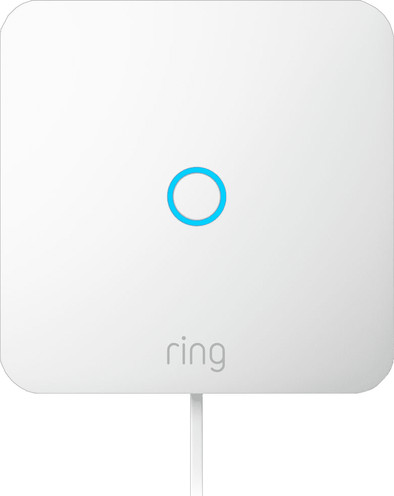
Thanks to the Ring Intercom, you can give your current intercom extra smart functions.
You can connect the intercom to your Ring IP cameras and doorbells.
To use the Ring Intercom, you don't need a Ring subscription.
The Ring Intercom is an addition to your own intercom, not a separate one.
You need a good WiFi signal in the spot where you install the Ring Intercom.
Check if you can connect the Ring Intercom to your own intercom before you buy it. Fill out thequestionnaire to make sure it works.

Product number | 951696 | |
|---|---|---|
Manufacturer code | B0CKGQ5913 | |
Brand | Ring | |
Warranty | 2 years | |
Processing of your defect | Via Coolblue |
anything for a smile
With the Ring Intercom I give my smart intercom extra smart functions, for example I can talk to visitors remotely and open the door for them. I do need some technical knowledge for the installation.
All inclusive The Ring Intercom is not a separate intercom, but an addition to my own intercom. It looks sleek and isn't very big. So it doesn't take up much space on my wall. The box contains everything I need for installation. Even a double-sided screwdriver. This way I can get started with the installation straight away.
Technical installation, but clear explanation As with all Ring devices, I install the Ring Intercom using the steps in the Ring app. I find that each step is clearly described by the images. What makes the installation a bit more difficult is that I have to work with wiring. I'm not very handy myself, so the installation takes me about an hour and a half from start to finish. That is slightly longer than Ring itself indicates.
Always know who is ringing the doorbell My own intercom gets a number of extra functions thanks to the Ring Intercom. I talk to visitors remotely via the Ring app and open the door for them. Even when I'm not at home. I share access to the intercom with my parents. They receive an email with instructions on how to use it and download the Ring app. For example, now they can go inside if I'm not home yet. I can also set times so they only open the door at certain times. I don't think this is necessary for my parents. This is useful if, for example, you have home care.
A Ring device without a subscription What strikes me is that I do not need a subscription to use this Ring device. For example, for my Ring doorbell I need a subscription for image storage and smart notifications, which I consider a minor drawback. But that is not necessary for this smart intercom. I use the smart functions at no extra cost.
Isa
24 July 2024
Automatically translated from Nederlands
This is a product that you didn't know would add value to your (smart) home! Remotely open the door when someone is at your door. I have already given the parcel delivery person access to the building several times. The sound quality is fine for both parties. It has also worked every time so far. It is very nice that my (dumb) intercom also continues to work. It has a screen where I can also see who is at the door. Unfortunately, that is not possible with the Ring Intercom. You can only have a conversation via audio via the Ring app. Another disadvantage is that the Ring Intercom only works via the Ring app. So there is no integration with, for example, Apple HomeKit. There is an integration with Alexa. If you have a smart speaker with Alexa support, you can link the Ring Intercom to Alexa. If someone rings the doorbell, you will also receive a notification on your smart speaker, including talking to the person at the door and you can also open the door via a voice command. Alexa only works in English. I didn't install the Ring Intercom that quickly. After some email contact with Ring support, it turned out that I had not followed the instructions in the app properly.
The biggest advantage of this product for me is that I can open the door via the Ring app. I have had a smart lock on my own front door for some time now, with the addition of Ring Intercom I can now leave the house keyless.
I am glad that I was able to test the product, it is a nice addition.
Jeff
19 August 2024
Automatically translated from Nederlands
Nice product and easy to install and operate. Does have a delay of a few seconds after actually calling and passing on in the app. (Like most ring doorbells)
Bas
15 January 2025
Automatically translated from Nederlands