Written by Uhro
Edited on
17 May 2024
·
14:36
Boost WiFi in a townhouse
Do you live in a townhouse of average size where you don't have good WiFi upstairs? There are different solutions if you don't have WiFi in a terraced house or corner house. This way, you'll also get wireless internet upstairs, and you'll have WiFi in the whole home. I'll explain what the different options are in this article.

I want WiFi in a spot where I don't have a wireless signal right now
Do you have no wifi in the bedroom or do you want wireless internet in the attic? With a powerline adapter you create a Wi-Fi network in a place where you do not have a reception right now. This is simple: you plug the adapter into the wall socket and connect it to your router. Then, for example, plug the second adapter into the socket in the bedroom. So you have internet upstairs without cables. The network traffic runs through the power network in your house.
I want to amplify my current WiFi signal
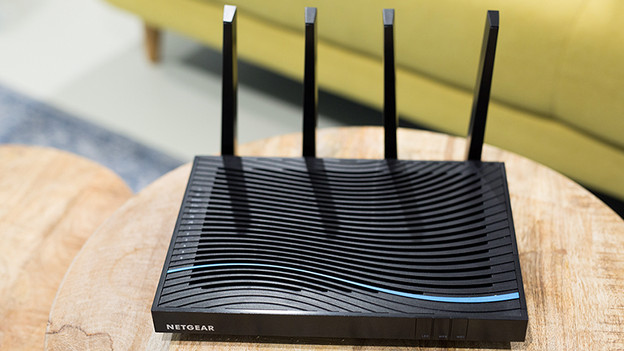
Are you happy about your current router or modem, but do you want to extend the signal? To make sure you also have WiFi upstairs? Expand your current router. With some brands and models, you can use a special expansion. For example, an extra station for multi-room WiFi, Asus AiMesh, or a repeater with Netgear Nighthawk. These devices create a wireless connection with your current router, so you have 1 network at home. Do you use a different router type, like the one from your provider? You can expand your wireless network with a powerline adapter. This way, you can create an extra WiFi network. The internet runs via the power grid. You don't need to run any cables.

I want to replace my current router
Do you have Wi-Fi in your terraced house with your current router or modem or is the Wi-Fi above bad? Then you can also think of a Wi-Fi router with a large range. Multiroom wifi with 2 or 3 stations is the best solution for your average home. You place these stations scattered around your house. This way you create 1 WiFi network with the same name. The stations are in contact with each other wirelessly, so that you have a good signal everywhere. Even when you walk from top to bottom with your smartphone.
We recommend 3 stations for an average single-family home.