
Written by Rowan
Edited on
30 December 2024
·
08:50
Everything on watchOS 11
With WatchOS 11 and the new AI functions, you can focus on your health even more. The new Vitals app lets you know if your health differs from the average, for example. And with Training Load, you'll know whether your workout was too heavy or too light for you. Want to know what the other new functions are? Read it in this article.

Carefully monitor your health in the Vitals app
The Apple Watch charts all your personal health information, but the Watch now analyzes this information as a whole thanks to watchOS 11. That way, you can see connections faster. You'll also notice more easily when something differs. Does your health information differ a lot from from your regular values? You'll get a warning. This ensures that you're always informed in time.

Discover the workout intensity with Training Load
Not sure whether a workout was too heavy or too light for you? With Training Load in the Activity app, your Apple Watch takes charts the average of all your workouts. Your Watch does this over a period of 28 days, so you can see right away whether there's a difference or not. You can also indicate the intensity of a workout, based on a scale from 1 to 10.

Personalize your Apple Watch
It's about functionality, but also about how it looks. With watchOS 11, you can personalize your Watch even more and easily match it to your outfit. You can adjust the size and font of the time, for example. AI helps you choose the right design.

Change your activity goals
The activity rings on your Apple Watch are movement goals that the Watch sets for you. Did you reach a movement goal? You'll get a medal. You may have days when you don't work out, and you'll lose your streak as a result. With watchOS 11, you can easily adjust the rings and pause them for as long as you like. That way, you won't lose your progress.
Get the most out of your smart widgets
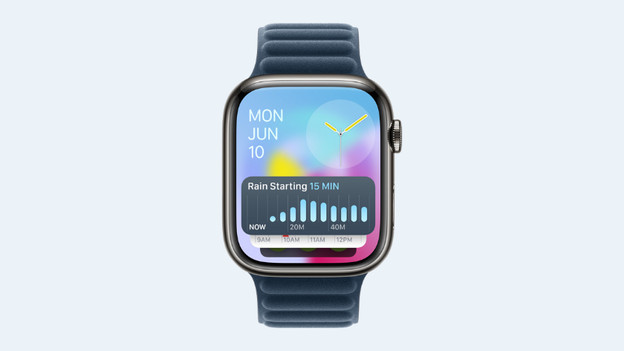
Your widgets adjust themselves according to your activity. That's also new with watchOS 11. Are you traveling? The Translate app will appear among your widgets. Is it going to rain later? You'll see the Weather app pop up. There are some new widgets as well. Find out the title of that nice song you're hearing in the store with Shazam, scroll through your memories with Photos, and track your running distance with Distance.

Other new functions
That's not all. There are other new interesting functions:
- Track pregnancy symptoms in Cycles
- Get the most out of your workout routine with Apple Fitness+
- Let a family member know when you're going for a run with Check-in
- Find a translation with the Translation app
- Enjoy walking routes in Apple Maps
- Receive summarized notifications thanks to Apple Intelligence
- Transfer Apple Cash with Tap to Cash
