Written by Dewy
Edited on
15 December 2023
·
15:26
How do you set up the Apple Watch for left-handed use?
When you purchase a new Apple Watch, you will soon discover that it is set to right-handed use as standard. But what if you are left-handed? Nothing wrong. You wear Apple Watch on every wrist. All you have to do is adjust some settings. We'll tell you how to do that.
Why should you change the Watch orientation?
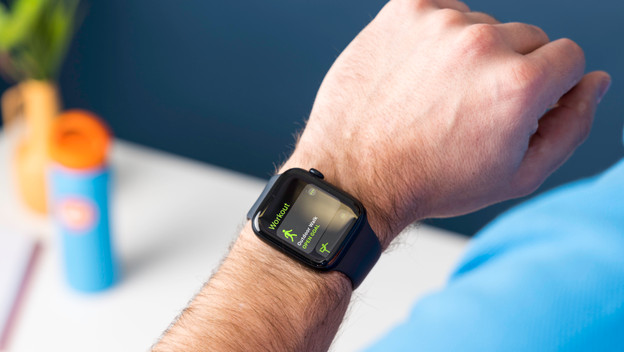
You may be wondering what exactly is different for left-handed people on the Apple Watch. To control the Apple Watch, you regularly need the Digital Crown. That's the round dial on the side. When you wear the Apple Watch on your left wrist, you'll notice that it's not very useful if the button is on the 'wrong' side. Do you actually like having the Digital Crown on the other side? Reverse the rotation direction so you can use the dial the same way you would when it's on the other side.
How do you change the watch orientation via the Apple Watch?
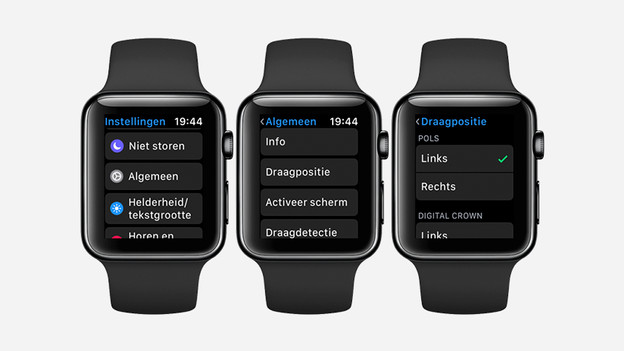
The first way to change the orientation of the Apple Watch, is via your smartwatch itself.
- Open the Settings app. You can recognize this app by the icon of the gray cogwheel.
- With the Digital Crown, you can scroll down until you see General. Tap this.
- Via this menu, you can adjust the Watch orientation as left or right. You can also indicate on which side the Digital Crown is, so your Apple Watch can adjust the rotation direction accordingly.
How do you change the Watch orientation via Apple iPhone?
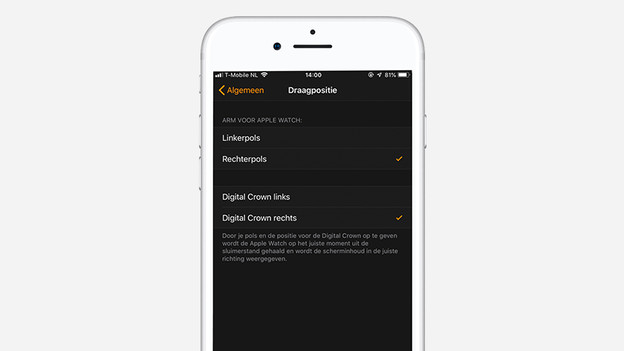
The second way to change the orientation of the Apple Watch is via the Apple iPhone.
- Open the Watch app on your iPhone.
- To change the settings, go to General.
- Tap Orientation. This is now set to Right wrist.
- To change the orientation, choose Left wrist. This is also the place to choose on which side you want to have the Digital Crown.
Do you need a different watch strap as a left-handed user?
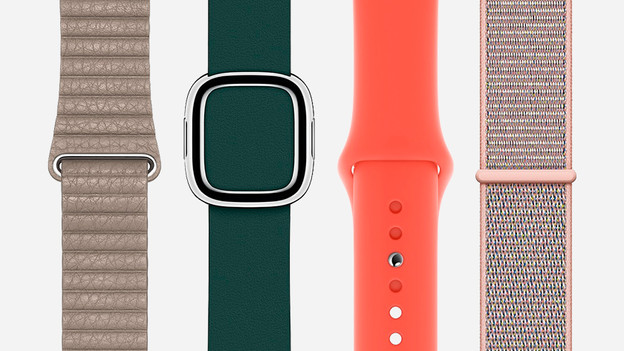
If you're left-handed, you don't need a special watch strap. You can use the original watch strap, but you only have to attach it the other way around. This way, you can still connect the watch strap naturally, without a different strap.