Written by Maurits
Edited on
3 December 2024
·
15:08
How does the fit test work on the AirPods Pro 2?
An advantage of the Apple AirPods Pro 2 is that there are 4 different sizes of silicone earbud tips: extra small, small, medium, and large. There's always a size that best fits your ears. But how do you know which earbud tips are best for you? Apple has a nice trick. I'll explain how that works.
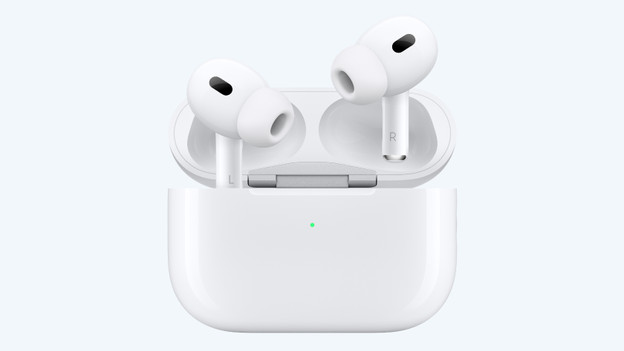
Choose the right size
One of the features of the AirPods Pro is the active noise canceling. This way, you can isolate yourself from ambient noise, so you can listen to your music without distractions. To take full advantage of this feature, the earbud tips have to fit your ears. Are your earbud tips too loose? The noise suppression won't work optimally, which is a shame. Use the trick below choose the right size.
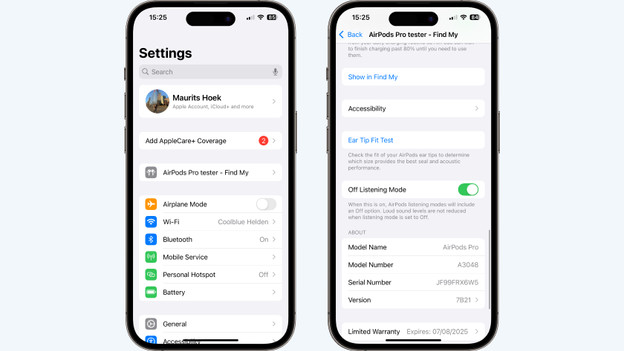
How do I choose the right earbud tips?
1: connect the AirPods to your iPhone or iPad 2: navigate to Settings 3: open Bluetooth and connect to your Apple AirPods 4: tap the i-button next to your AirPods
Your device will now show the settings of your AirPods. Here, you can tap Ear Tip Fit Test. Tap Continue and start the fit test. Make sure 1 of the earbud tips is on your AirPods and put the AirPod in your ear. It now plays a sound. You can see the results which indicate if the earbud tip is a good fit.
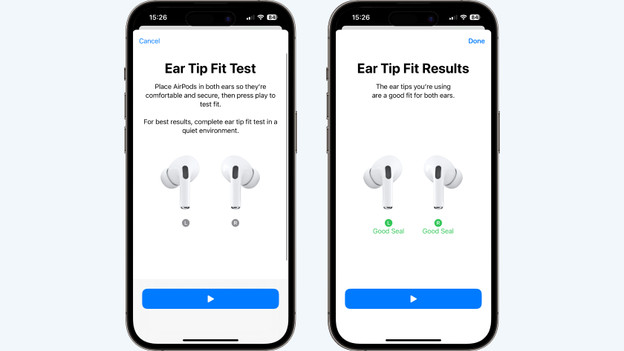
Results of the fit test
Did the fit test succeed? Check the results. You'll see a green or orange color there.
- Green: the AirPod fits your ears well.
- Orange: try a different ear tip.
The test is performed per AirPod. Not everybody has the same size ears, so you might have a different size ear tip on your right than on your left. Did you perform the test left and right? Use the recommended earbud tips and enjoy all functions of the Apple AirPods Pro 2.