Written by Kayleigh
Edited on
21 March 2025
·
16:32
How do you solve an error code from your Canon printer?
Is the paper in your printer jammed, doesn't it recognize the cartridge, or does it repeatedly show an error at the wrong time? In this article, we'll discuss the most common problems with Canon printers and how to solve them.
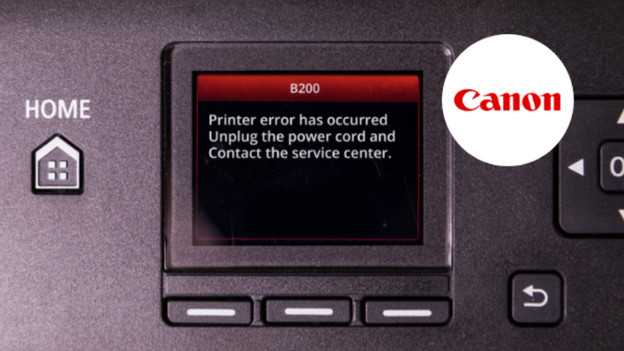
Solve Canon printer errors
Your canon printer shows an error code. This error code indicates what the problem is. Sometimes, you also see a support code that describes the problem more accurately. In this article, you can read more about common problems with Canon printers and how to solve them.
- The printer doesn't recognize the cartridge.
- The paper is jammed.
- There's a printer error.
- Reset the Canon printer.
Error codes printer doesn't recognize the cartridge
| Error code | Support code |
|---|---|
| E05 | 1401 |
| 1403 | |
| 1430 | |
| 1485 | |
| E04 | 168A |
| E07 | |
| E09 | 1890 |
| E14 | 1684 |
| E15 | 1682 |
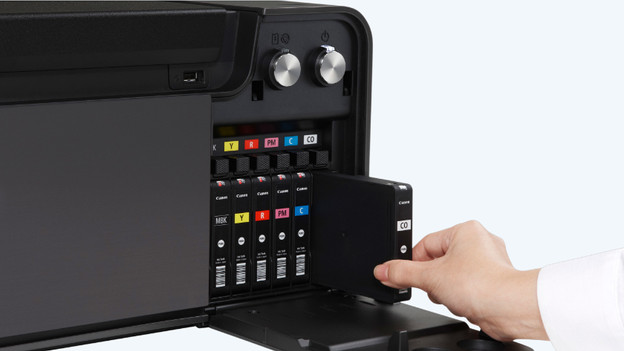
The printer doesn't recognize the cartridge.
You want to print an important document for a presentation, but the printer indicates that it's out of ink when you just replaced it. Or, the printer indicates that it doesn't recognize the cartridge.
- Turn off the printer and open the hatch of the printer.
- Remove the protective materials from the printer.
- Check if the cartridges have been placed correctly. If not, take them out and put them back in. You should also check if your cartridges are compatible with your printer.
- Restart the printer.
- Do you still see the error code? The cartridge may be damaged. If that's the case, contact the place where you bought your cartridge.
Error code paper is jammed
| Error code | Support code |
|---|---|
| E03 | 1300 |
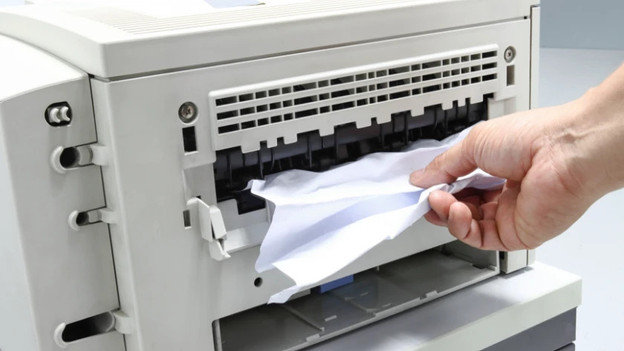
The paper is stuck
Halfway through printing, the paper gets stuck. That's called a paper jam, which means that there's a blockage somewhere in your printer. This could have many causes, such as the type of paper or a paper clip. To solve a paper jam, you need to open the hatch. Read the following article for more information on solving and preventing a paper jam.
Other error codes
| Error code | Support code |
|---|---|
| P07 | 5B00 |
| 5B12 | |
| 5B14 | |
| 1485 | |
| P03 | 168A |
| P08 | |
| P09 | 5050 |
| P10 | B202 |
| B203 | |
| B204 | |
| B205 | |
| P20 | 5200 |

A printer error has occurred
Do you see one of the codes above? Turn off the printer and unplug the plug from the socket. Restart the printer. Do you still see the error code? You probably can't solve the problem yourself. Contact our customer service or Canon.
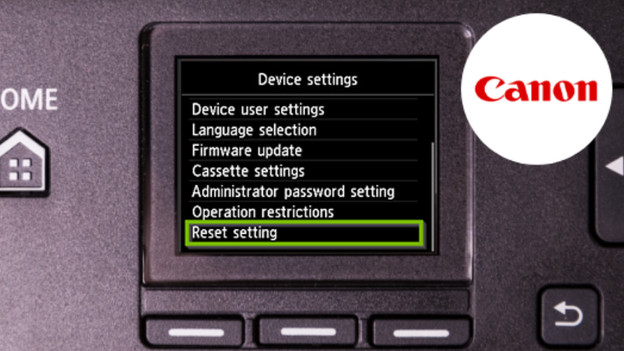
Reset the Canon printer
Your printer shows an error message, but you can't seem to find the problem. It could help to reset the printer. This is how you reset the printer:
- Press 'Setup'.
- Go to 'Device settings' and press 'OK'.
- Go to 'Reset' and press 'OK'.
- Go to 'Reset everything' and press 'OK'.
- Select 'Yes'.
- Press 'OK'. Your printer has been reset.
Article by Kayleigh
Printer Expert.