Written by Sem
Edited on
7 October 2025
·
09:59
5 tips for the best Gran Turismo 7 racing setup
You want the best racing setup for Gran Turismo 7. For this, you need certain accessories and the right settings for your game. In this article, we'll explain what you should do to create the best racing setup for Gran Turismo 7.
Get started with Gran Turismo 7
In Gran Turismo, you drive over the race track to the finish line. You get to know the motor sport world in this game. To make this experience realistic, you have to purchase a good racing setup. We'll give you a couple of tips to get started with Gran Turismo 7.
- Tip 1: use good in-game settings
- Tip 2: adjust the racing wheel settings
- Tip 3: choose a racing wheel
- Tip 4: choose a racing chair
- Tip 5: choose a gearbox
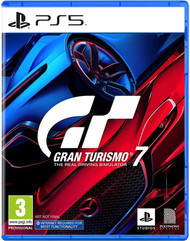
Gran Turismo 7 PlayStation 5
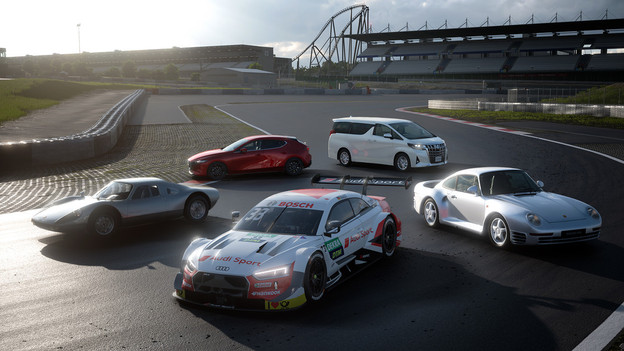
- Thanks to the many tracks and racing cars, you'll need many hours to discover everything in this game.
- Play this game together with friends in the offline multiplayer mode.
- If you want to receive updates for this game, your console needs to be connected to the internet.
Tip 1: use good in-game settings
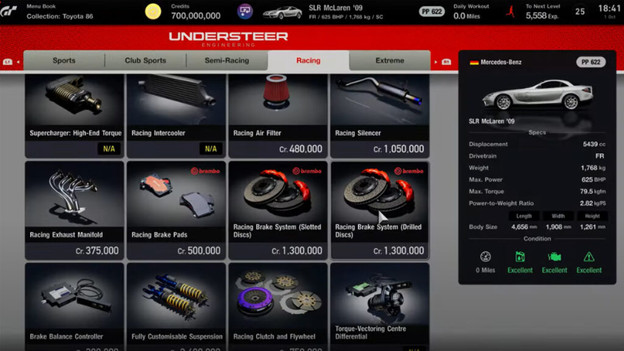
One of the most important tips is to use the right settings for your game. This gives you an advantage over your opponents and improves your racing experience. You can adjust these settings to your liking or copy them from the internet. The best tip is to play with the settings yourself, since every racer has their own style. Our expert made an overview of the best setups to help you get started.
Settings
| Speed settings | Automatic |
|---|---|
| Assist preset | Adjusted |
| Traction control | Standard (5) |
| ABS | Stand |
| Auto-drive | Off |
| Driving line assistance | All |
| Braking indicator | On |
| Braking area | On |
| Replace Car After Leaving Track | On |
| Active Stability Management | On |
| Countersteering Assistance | Weak |

Tip 2: adjust the racing wheel settings
Are you racing with a racing wheel? You can adjust extra settings like the force feedback of the racing wheel. This determines how much resistance the wheel offers when you drift through a curve. You can make it feel as realistic as possible. The racing wheel settings can make or break your Gran Turismo carreer, so make sure you drive a couple of practice laps before you adjust the settings of your steering wheel. Once you've got the hang of your racing wheel with the right setting, no one can stop you.

Tip 3: choose a racing wheel
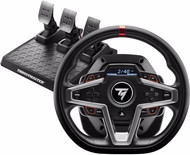
The best accessory for your racing setup is a racing wheel. You can experience Gran Turismo 7 even more realistically with the Thrustmaster T248 for the PS4 or PS5. Set the intensity of the force feedback, so your virtual race feels even more realistic. You can also set the pedal pressure, which gives you more control over your racing car. With the magnetic paddle shifters and 25 action buttons, you can react faster than your competition. That way, you'll break every lap record and everyone else bites the dust. Connect the racing wheel to your PlayStation 4 or 5 and get started right away.
Thrustmaster T248 Racing Wheel
- You can choose the intensity of the force feedback yourself to recreate a realistic racing experience.
- The display shows you useful information like what gear you're in or your speed.
- The force feedback system runs on belts, so it's more silent and wear-resistant than a system with gears.
- The paddle shifters on this racing wheel make noise when you shift gears.
292,-
Delivered tomorrow
Tip 4: choose a racing chair
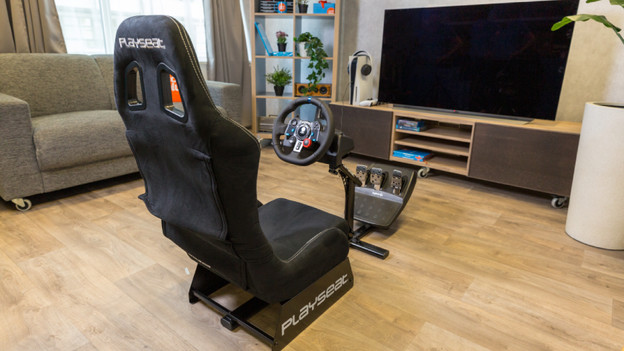
Another thing that's important is a good racing chair. And preferably a comfortable one. You'll spend many hours in your sim racing cockpit, so it's important that you come out without any back or neck complaints. The PlaySeat Evolution is a good example. This chair is compatible with all racing wheels and pedals on the market. Are you done racing? Simply fold the PlaySeat Evolution. The PlaySeat is designed for drivers with a length between 1.20 and 2.20m, with a weight between 20 and 112kg.
Tip 5: choose a gearbox
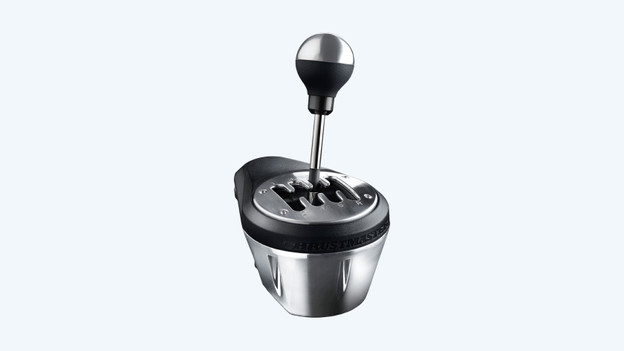
A gearbox makes your Gran Turismo experience complete. It gives you more control over your car and makes your races more realistic. The internal mechanism, gear stick, and clamping system of the TH8A are entirely made of metal. In addition, the gearbox has a contactless, magnetic sensor instead of moving parts that can wear due to contact. That means you don't have to worry that the gearbox will wear. A nice bonus is that the 13cm high stick has a detachable knob and is compatible with the knobs of real shifter knobs, like the ones you can buy in a 'real' car garage.
Thrustmaster TH8A Shifter
- You can save preferred settings to the internal memory.
- Can be mounted to tables and desks with a thickness of up to 5cm.
- The firmware of the TH8A Shifter can be upgraded (via the PC).
- The Thrustmaster TH8A shifter isn't 100% compatible with every racing game.
169,-
Delivered tomorrow
Article by Sem
Gaming Expert.