Written by Dewy
Edited on
23 June 2025
·
13:51
Apple Pay is now available at Coolblue Belgium!
You're in the checkout line in the Coolblue store. The cashier asks: 'Do you want to use your debit card?'. You open your wallet to grab your debit card. To your horror, you discover that your debit card isn't there. You smile awkwardly at the cashier. You suddenly realize that your debit card is in your pocket. The pocket of the jacket you were wearing yesterday. This situation is a thing of the past. Apple Pay allows you to pay with your smile. OK, your smile and your Apple device.
What's Apple Pay?
From now on, you can confirm all your purchases at Coolblue with Apple Pay. Apple Pay is Apple's portable payment service. It works the same as contactless payment, only without having to use your debit card. Paying for something has never been this easy. You don't even need your wallet anymore. Want to know how Apple Pay works? In the video on the left, Jasper, our Apple vlogger, will show you how he buys things with Apple Pay.
The following banks support Apple Pay in Belgium:
- AION NV/SA
- BNP Paribas Fortis
- Bunq
- Buy Way
- Curve
- Fintro
- Hello bank!
- iCard
- Monese
- N26
- Revolut
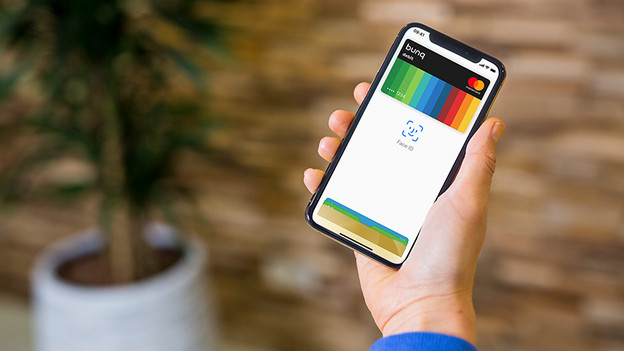
Pay with Apple Pay in the Coolblue store
Do you own an Apple iPhone or Apple Watch and do you want to pay for something in our store? Checking out has never been this easy. Simply hold your iPhone or Apple Watch against the payment terminal and your payment will be complete. You no longer need to take out a debit card or credit card. That saves time. This way, you'll be home earlier to unpack your new product. You can pay with Apple Pay in the store, you can do this with any iPhone and Apple Watch.
Pay with Apple Pay online and in the Coolblue app
In addition to your iPhone and Apple Watch, you can also pay with Apple Pay on your iPad (in the Coolblue app or website) or Mac (website in Safari). You can't use your iPad or iPad with 4G to pay in the store. This means you can purchase via our app or via the website with a single gesture. You can confirm payments on your iPad, MacBook Pro, and MacBook Air (2018) with Touch ID or Face ID. Do you have a MacBook without a Touch ID? You'll need an iPhone or Apple Watch to confirm your payments.
The advantages of Apple Pay
Pay faster in the store
Unless you're a shopaholic, you don't have your debit card in your hand all the time. That means you have to find your wallet in your bag, which was too full to begin with, find your debit card, and stick it in the payment terminal. This can easily take up to 30 seconds. Apple Pay only takes 5 seconds. The customers behind you will be thankful!
Pay online with 1 click
You can also pay online with Apple Pay. Earlier, a new screen opened when you chose your desired payment method. Apple Pay is much easier to work with. You choose Apple Pay as the payment method. Put your finger on the fingerprint sensor or smile at your Face ID camera and the payment has been completed. The downside is that we'll all become poor now that paying for things is this easy.
Apple Pay is safer
If you want to pay over € 25, you have to enter your PIN code. What if someone is looking over your shoulder after stealing your debit card? You might find your bank account empty. Apple Pay uses your fingerprint or smile as a password. No one can steal your smile.

How secure is Apple Pay?
Pay with your smile? Sounds easy, right? It is. But is it safe? Absolutely. In the list of advantages of Apple Pay, we noted that someone else can't fake your face or fingerprint. Try to hold a photo of your face in front of your device. It won't work. In addition, Apple Pay uses a device*specific number and a unique transaction code every time you purchase something. We'll never store your card number on your device or on the Apple servers. Payments will always remain private and your card number won't be shared with us.
Article by Dewy
Apple Expert.