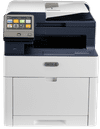
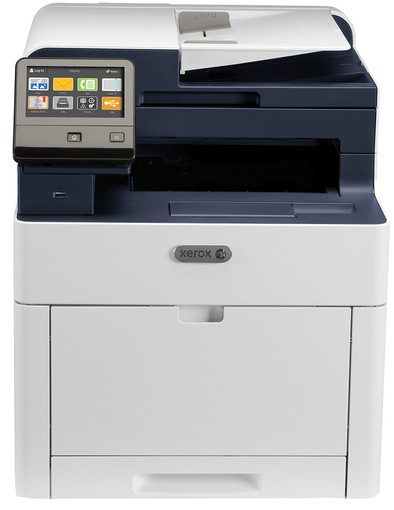
Xerox WorkCentre 6515DNI
Never available again
View alternatives in the sidebar
View alternatives in the sidebar
Print technology | LED technology | |
|---|---|---|
Printer type | All-in-one | |
Automatic duplex printing | ||
Automatic document feeder (ADF) | ||
Automatic duplex scanning | ||
Color printer | ||
Maximum print size | A4 | |
Photo paper drawer |
According to our printer expert
The Xerox WorkCentre 6515DNI laser printer is the ideal printer for shared use in a medium-sized office to print, scan, copy, and fax all your documents. The printer has WiFi, so it's no problem to send your print jobs to the printer wiressly. Thanks to the LED technology, the printer has fewer moving parts, so it's more reliable. The print speed is 28 pages per minute. It'll duplex print automatically, so you'll reduce paper usage as well. Thanks to the automatic document feeder, scanning goes quickly. Does your Android smartphone has NFC? Hold the smartphone close to the printer and your print job will be sent wiressly. Do you have an iPhone or iPad? Send your print jobs wirelessly to the printer using Airprint.
5 stars
18
4 stars
29
3 stars
9
2 stars
1
1 star
2
Considering the price / possibilities a very good printer. Toners are on the pricey side, but you get a good quality print in return. Dimensions and sound are very acceptable given the possibilities. With the toners that are supplied, the printer indicates that you can make 1000 color and 1500 black and white prints. Printer has been in the house for a week now so I can't share the long-term experiences yet.
Remco
30 August 2017
Automatically translated from Dutch
We as an association were looking for a good printer. I had quite high expectations. Printer itself looks neat, not really bulky. And easy to place anywhere. I've had the printer for 1 week now and I must say I haven't discovered many strange things yet. I'm trying everything out. You have a nice app via my phone for sending pictures via the app is fine. It takes a while, but then you have something. Double-sided printing is also very easy and saves paper. I also used the USB stick, it is recognized immediately, it will appear on your screen, press it and the photo will roll out. Entering documents to the computer via the printer, mail is also fine, easy to set up via WiFi, no problems encountered and works well. So I have to say I haven't found any real negatives so far.
Aaron
4 August 2017
Automatically translated from Dutch
The software that Xerox offers for linux doesn't include the driver (.ppd file), just some tools that I don't see the point of. By default, the driver is not included in the Linux distributions. In the end, this helped me: https://www.openprinting.org/printer/Xerox/Xerox-WorkCentre_6515DNI_MFP Incidentally, on OSX (Apple) installation is a piece of cake. Setting up the option to scan to a network storage (via SMB) also turned out to be a puzzle for me. In the end, it turned out to be the most convenient to include the SMB data in the printer's address book and make that entry "favorite". You should know.
Herald van der Breggen
20 December 2017
Automatically translated from Dutch
Product number | 752632 | |
|---|---|---|
Manufacturer code | 6515V_DNI | |
Brand | Xerox | |
Warranty | 2 years | |
Processing of your defect | On-site service |
Width | 50,6 cm | |
|---|---|---|
Depth | 42 cm | |
Height | 50 cm | |
Color | Gray | |
Weight | 36,2 kg |
Printer type | All-in-one | |
|---|---|---|
Photo printer | ||
Portable (mobile use) |
Print technology | LED technology | |
|---|---|---|
Number of cartridges/toner cartridges | 4 | |
Color printer | ||
Print speed black (ISO) | 28 ppm | |
Print speed color (ISO) | 28 ppm | |
First black page ready after | 12 seconds | |
Maximum print resolution height | 1200 dpi | |
Maximum print resolution width | 2400 dpi | |
Maximum print size | A4 | |
Automatic duplex printing | ||
Borderless printing | ||
Maximum print size duplex printing | A4 |
Scan functionality | ||
|---|---|---|
Automatic duplex scanning | ||
Maximum optical scan resolution width | 600 dpi | |
Maximum optical scan resolution height | 600 dpi | |
Scanner type | File scanner, Flatbed scanner | |
Maximum scan size | A4 (21x29.7cm) | |
Automatic document feeder (ADF) | ||
Maximum paper size ADF | A4 | |
Scan sizes | A4 | |
Scan speed (PPM) | 37 ppm | |
Color depth output | 24 bpp | |
Scan to | FTP, PC (network), USB | |
ADF capacity | 50 |
Copying functionality |
|---|
Fax functionality | ||
|---|---|---|
Color fax |
Built-in screen | ||
|---|---|---|
Color screen | ||
Touchscreen |
Compatible with operating system | Linux, Windows, iOS, macOS | |
|---|---|---|
Apple AirPrint | ||
Email print | ||
WPS (Wireless Protected Setup) | ||
Number of Ethernet ports | 1 | |
NFC | ||
Built-in WiFi | ||
Bluetooth | ||
WiFi direct | ||
USB port |
Manual input tray | ||
|---|---|---|
Photo paper drawer | ||
Output capacity output drawer | 150 | |
Maximum print size standard paper tray | A4 | |
Input capacity standard paper tray | 250 | |
Number of standard paper trays | 1 |
Memory card reader |
|---|
Receive more coverage in case of damage than with your standard warranty. Coolblue takes care of everything: from taking out the insurance to repairs. Is a repair not possible? You receive the purchase price as CoolblueCredit.
XCover is allowed to arrange and process insurances on behalf of the insurer. The insurances are governed by Belgium law. If you have a complaint, you can contact the or our customer service.
First, add your printer to your shopping cart. On the next page, choose the Protection Plan below. You always have a 30-day return window and pay no deductible in case of damage.
The insurance can be canceled every year, even if you have paid in advance. If you cancel earlier, you will receive a refund for the overpaid amount.