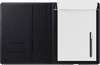
Wacom Bamboo Folio Small

Never available again
View alternatives in the sidebar
View alternatives in the sidebar
Compatible with operating system | Windows | |
|---|---|---|
Multi-touch | ||
Connection type | Wireless | |
Width | 20 cm | |
Depth | 1,9 cm |
According to our drawing tablet expert
With the Wacom Bamboo Folio Small, you can take notes and draw with pen on paper and then convert them to digital files. Save your notes in various file formats including JPG and PDF. You can synchronize, edit, and save them on a smartphone or tablet that you connect with via Bluetooth. You also export files to the cloud to store them. The ergonomic pen gives you a good grip to draw clean lines. Using the pressure sensitivity of the pen, you can determine the thickness of the lines and letters that you draw. When you don't use the pen, turn the top half of the pen so that the tip is protected against damage. The Bamboo Folio Small is similar to an A5.
5 stars
7
4 stars
7
3 stars
5
2 stars
0
1 star
0
Accuracy
Screen quality
Size
The tablet is a nice product. But at least the handwriting recognition is not very accurate for my handwriting. With a colleague who certainly doesn't write better, he works almost flawlessly. You have to find out for yourself how it works. There is no manual and the Wacom website doesn't really help you either. Combining 1 sheet annotations works well. Make sure that the tablet is turned on. It turns itself off after a while. But how you can email multiple pages at the same time is not clear, is this even possible?
J. Zwaan
14 December 2017
Automatically translated from Dutch
The bamboo folio fully meets my needs and the synchronization with onenote is also very pleasant to use.
Note: Note that you do the pairing via the app during installation, because Android (9) cannot find it otherwise.
When you set up the link in windows 10, you have to download the inkspace app from the windows store, the one from the site does not work and I only found that after a lot of messing around.
Mike Hageman
31 July 2020
Automatically translated from Dutch
I'm still off the paper and can't type so quickly without thinking, so I still make notes in writing, which I often lose. This writing pad combines the two. Write and convert to typed text to save. Delicious.
robbert
17 September 2019
Automatically translated from Dutch
Product number | 775466 | |
|---|---|---|
Manufacturer code | CDS-610G | |
Brand | Wacom | |
Warranty | 2 years | |
Processing of your defect | Carry-in warranty |
Drawing tablet has integrated screen | ||
|---|---|---|
Lines per inch (LPI) | 0 lpi | |
Height of active drawing area | 0 cm | |
Width of active drawing area | 0 cm | |
Multi-touch | ||
Number of buttons | 0 | |
Programmable buttons | ||
Tilt sensitive | ||
Compatible with operating system | Windows |
Connection type | Wireless | |
|---|---|---|
Bluetooth | ||
Bluetooth version | 4.0 |
Weight | 460 g | |
|---|---|---|
Width | 20 cm | |
Depth | 1,9 cm | |
Height | 25,7 cm |
Power source | ||
|---|---|---|
Power supply type | Via a different product | |
Cable length | 1 m |
Receive more coverage in case of damage than with your standard warranty. Coolblue takes care of everything: from taking out the insurance to repairs. Is a repair not possible? You receive the purchase price as CoolblueCredit.
XCover is allowed to arrange and process insurances on behalf of the insurer. The insurances are governed by Belgium law. If you have a complaint, you can contact the or our customer service.
First, add your drawing tablet to your shopping cart. On the next page, choose one of the Protection Plans below. You always have a 30-day return window and pay no deductible in case of damage or theft.
The insurance can be canceled every year, even if you have paid in advance. If you cancel earlier, you will receive a refund for the overpaid amount.