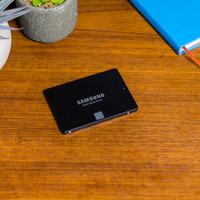
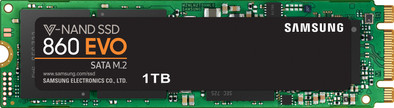
Samsung 860 EVO M.2 1TB
Never available again
View alternatives in the sidebar
View alternatives in the sidebar
Total storage capacity | 1 TB | |
|---|---|---|
Type of SSD | M.2 SATA | |
Maximum read speed | 550 MB/s | |
Maximum write speed | 520 MB/s | |
With heatsink |
According to our solid state drive (SSD) expert
Note: this M.2 SSD has a PCI Express (NVMe) interface and will only work if your system supports PCIe/NVMe. Make sure to check this in the manual of your laptop or motherboard.
The Samsung 860 EVO 1TB M.2 is an internal SSD for your ultrabook or desktop PC. This M.2 card lets you expand your computer's storage space and gives your computer's performance a speed boost. The SSD has been developed with 64 layers of V-NAND technology. This makes the Samsung 860 EVO 250GB up to 25% more energy-efficient than its predecessor. This way, you can save energy with your desktop computer and your laptop will last longer on a fully-charged battery. Thanks to a write speed of 520MB/s, you can transfer large files such as HD movies and high-resolution photo collections in a few seconds. You can transfer a file of 5GB in under 10 seconds and the AES 256-bit encryption protects your data, so all your files remain unchanged.
5 stars
21
4 stars
11
3 stars
0
2 stars
0
1 star
0
Fast delivery, even on Sundays! This SSD is easy to install and worked within 5 minutes. Fast data transfer, load games in an instant! This SSD is highly recommended to install as extra data storage. I am very satisfied with it.
Jan van der Grift
12 November 2019
Automatically translated from Dutch
Is perfect for an ICT/security training
Michael Snip
30 September 2019
Automatically translated from Dutch
Product is perfect - It remains a sata ... but that has to do with the motherboard ... You probably have to write down the BIOS first and put it in default mode to force the motherboard to recognize the new memory card - otherwise the computer will refuse to boot start. To go to the Biois press "del" key and start. Chances are you'll need to plug an "old" USB keyboard into a specific USB slot. Take a good backup beforehand (Macrium free ?). Afterwards you will probably have to adjust the boot order in the BIOS.
Eddy Abts
2 March 2022
Automatically translated from Dutch
Receive more coverage in case of damage than with your standard warranty. Coolblue takes care of everything: from taking out the insurance to repairs. Is a repair not possible? You receive the purchase price as CoolblueCredit.
XCover is allowed to arrange and process insurances on behalf of the insurer. The insurances are governed by Belgium law. If you have a complaint, you can contact the or our customer service.
First, add your solid state drive (SSD) to your shopping cart. On the next page, choose the Protection Plan below. You always have a 30-day return window and pay no deductible in case of damage.
The insurance can be canceled every year, even if you have paid in advance. If you cancel earlier, you will receive a refund for the overpaid amount.

Product number | 801986 | |
|---|---|---|
Manufacturer code | MZ-N6E1T0BW | |
Brand | Samsung | |
Warranty | 5 years | |
Processing of your defect | Via Coolblue |
Total storage capacity | 1 TB | |
|---|---|---|
Type of SSD | M.2 SATA | |
SSD-controller | Samsung | |
Memory type (SSD) | Multi Level Cell (MLC) |
M.2 SSD connector type | B+M | |
|---|---|---|
Compatible with product type | Desktop, Laptop | |
With heatsink |
Depth | 2,215 cm | |
|---|---|---|
Height | 0,328 cm | |
Width | 8,15 cm | |
Color | Black |
Speed class M.2 SSD | Mid-range | |
|---|---|---|
Cache memory | 1024 MB | |
Maximum read speed | 550 MB/s | |
Maximum write speed | 520 MB/s | |
Output operations per second (IOPS) | 98000 | |
Input operations per second (IOPS) | 90000 | |
Mean Time Between Failure (MTBF) | 1500000 hours |
Energy-efficient | ||
|---|---|---|
Durability class | Mid-range |