Netgear GS116E


Never available again
View alternatives in the sidebar
View alternatives in the sidebar
Product number | 814765 | |
|---|---|---|
Manufacturer code | GS116E-200PES | |
Brand | Netgear | |
Warranty | 25 years | |
Processing of your defect | Via Coolblue |
Managed switch | ||
|---|---|---|
Smart managed | ||
Fully managed | ||
Number of Ethernet ports | 16 | |
Ethernet speed | Gigabit Ethernet (1000Mbps) | |
Switching capacity | 32 Gbit/s | |
Performance options switch | IGMP Snooping, LACP Link aggregation, Quality of Service (QoS), VLAN support | |
SFP/GBIC ports | 0 | |
Quality of Service (QoS) | ||
LACP Link aggregation | ||
IGMP Snooping | ||
VLAN | ||
Maximum number of VLANs | 64 | |
Jumbo frame support | ||
Port mirroring | ||
Professional use | ||
Suitable for business use in | Small business network |
PoE support |
|---|
Fan present | ||
|---|---|---|
Mounting possible | ||
Suitable for 19-inch rack mount | ||
Weight | 0,84 kg | |
Color | Gray | |
Height | 2,6 cm | |
Width | 28,6 cm | |
Depth | 10,1 cm | |
Material | Metal |
Number of Ethernet ports | 16 | |
|---|---|---|
Managed switch | ||
Ethernet speed | Gigabit Ethernet (1000Mbps) | |
PoE support | ||
Switching capacity | 32 Gbit/s | |
Quality of Service (QoS) | ||
Mounting possible |
According to our network switch expert
Configure this managed switch completely to suit your needs.
Decide who gets access to which part of the business network through virtual networks.
With Quality of Service, you give priority to important internet traffic.
Network cables aren't included. Check out our bundles.
The switch doesn't have Power over Ethernet, so you can't supply power to devices via the network cable.
Expand your home or office network with the Netgear GS116E switch. It provides you with sufficient network ports for multiple computers, access points, or game consoles to connect to your wired network. This switch is managed, meaning that you can configure it to suit your needs. For example, you can configure up to 64 virtual networks to restrict access to parts of your network. You can prioritize specified network traffic thanks to the Quality of Service. This lets you give online gaming and streams priority over the downloading of large files.
5 stars
88
4 stars
44
3 stars
4
2 stars
0
1 star
0
Energy consumption
Speed
Installation & user friendliness
Options
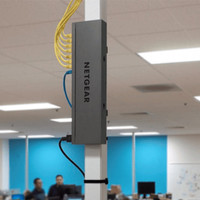
On the advice of the helpdesk, I chose the Netgear GS116 for installing a home network in a new-build home. Because science is still debating the harmful or not harmful effects of wireless networks, we erred on the side of caution and filled the house full of UTP connections. I use the Netgear Switch to connect to the modem of the internet provider. It couldn't be simpler: just hang it up, plug in the cables, plug in the power cable and you're done! Only remark: fixing the switch to the wall is done with two screws supplied. A little bit of measuring work is required to confirm the device properly
Johan Boxstaens
9 November 2010
Automatically translated from Nederlands
Situation sketch: At home I had a WiFi router from netgear and a NAS server from Qnap. Both my ISP's modem and my netgear router acted as DHCP, resulting in two different IP ranges. The Qnap has a double Gigabit LAN connection and I wanted to make the most of that, as far as my network allows.
Solution: This gigabit switch provides an extra boost in my network. All devices between which data must be exchanged (PC, laptop, NAS, AVR, ...) can now be neatly connected to one swtich. The future rooms can also each have their own network connection. To keep it simple, I set up my netgear router as an Access Point. Maybe a waste of the router but easier for the configuration of my network, there is now only one ip-range left.
Advantages
Cons
Bart Clarebout
17 December 2012
Automatically translated from Nederlands
The big difference between this switch and its smaller brothers lies in the LAG capabilities. If you have multiple switches with LAG and computers with Network interfaces that support link aggregation ( intel network cards (internal and external) e.g. or any working card in Vsphere ( ESxi ) or Linux ) you can double your bandwidth, triple and more through multiple cables to connect.
The smallest gs105e is the only model that does not support flow control, the 8 ports and others do. Make sure to disable flow control on ports that have 100mbit cards attached and cards/switches that don't support flow control. At first sight it will work, but after some time you will see performance drops. If you buy new, opt for these 16 ports or at least 8 ports.
The VLAN capabilities of this entire family of switches are fantastic. gs105e gs108e gs116e and the various poe models.. Also full featured standard 802.1Q VLAN, no custom build. Suppose you have internet with a VDSL provider, you use the interactive services of Telenet, you have a guest network for when visitors come, then you use a separate vlan for each of these. You can then connect your switches with trunks, these switches have access to each of these vlans. You can then set port per port on which network you end up when you connect a device to it. With the necessary OS support, you can also connect a trunk to your device, which then has individual access to the different vlans. You see these as individual network connections. (in linux interfaces eth0.2 eth0.3 eth0.4 etc..)
If 10GBE networks are still a bit too expensive for you, but you still want to create 2 and 3 gigabit networks, this switch is ideal. Due to the fact that you connect your computers and switches with multiple cables at the same time, 16 ports are certainly not too much. Mix & match is no problem either. You can safely connect your file server with 3 cables and the rest of your devices with 1 or 2.
The price is phenomenal for what this switch can do.
In the latest iterations of the firmware (now installed by default with purchase) everything is also configurable via web interface. Linux / BSD / Apple users can now configure everything without needing a Windows computer (although for some troubleshooting scenarios the windows tool can do a little more with detecting the switch)
Images are the configuration screens via prosafe tool and via web.
Dominique
25 June 2019
Automatically translated from Nederlands