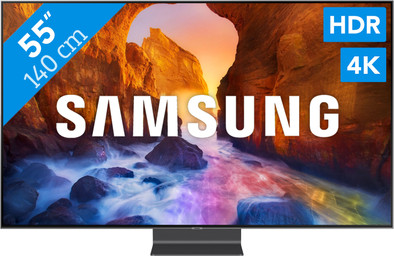
Samsung QE55Q90R - QLED

Never available again
View alternatives in the sidebar
View alternatives in the sidebar
Product number | 827631 | |
|---|---|---|
Manufacturer code | QE55Q90RALXXN | |
Brand | Samsung | |
Warranty | 2 years | |
Processing of your defect | At your home |
Image quality | Very good | |
|---|---|---|
Screen type | LED-LCD | |
Screen size | 55 inches | |
Sharpness | 4K (UHD) | |
Refresh rate | 100 Hz | |
Color depth | 1 billion colors (10-bit) | |
Recommended for television use | Optimal gaming, Stream series and movies, Watch sports optimally, Watch standard channels |
Quality viewing angle | Good | |
|---|---|---|
Pixel structure | RGB | |
Local dimming | ||
Type local dimming | Full Array | |
HDR support | ||
Type of HDR | HDR10, HDR10+, HLG | |
Input lag | 15,4 ms | |
Picture Quality Index (Samsung) | 4000 Hz |
Smart TV | ||
|---|---|---|
Smart platform type | Extensive | |
Smart platform | Tizen | |
Not supported popular apps | Ziggo GO | |
Built-in WiFi | ||
Bluetooth | ||
DLNA | ||
AirPlay | ||
AirPlay version | AirPlay 2 | |
Media player |
Built-in soundbar | ||
|---|---|---|
Number of speakers | 4 | |
Continuous/nominal total output capacity (RMS) | 20 W | |
Subwoofer | ||
Dolby Atmos support |
Ambient Mode | ||
|---|---|---|
Art Mode | ||
Sleep timer | ||
Light sensor | ||
Best tested | ||
Pivotable stand | ||
Ambilight |
Controls via app | ||
|---|---|---|
Controlled via Android app | ||
Controlled via Apple app | ||
Voice control |
CI/CI+ slot | ||
|---|---|---|
Digital tuner | ||
Digital video signal | Cable (DVB-C), Digitenne (DVB-T), Digitenne (DVB-T2), Satellite (DVB-S), Satellite (DVB-S2) | |
DVB-T Twin tuner | ||
DVB-S Twin tuner |
Female HDMI Type A port version | 2.0b | |
|---|---|---|
Digital optical connector | ||
Headphone jack | ||
USB port | ||
Component video connector | ||
Composite connector | ||
Network connector | ||
RCA connector | ||
VGA connector |
VESA mount option | ||
|---|---|---|
VESA mount | 200x200mm |
Energy label | B |
|---|
Color | Black | |
|---|---|---|
Height | 70,81 cm | |
Width | 123,12 cm | |
Depth | 3,99 cm | |
Weight | 20,4 kg | |
Height including stand | 79,67 cm | |
Width including stand | 123,12 cm | |
Depth with stand | 23,53 cm | |
Total weight including stand | 24,6 kg | |
Year introduced | 2019 | |
Product line | Q |
Screen size | 55 inches | |
|---|---|---|
Image quality | Very good | |
Smart platform | Tizen | |
Refresh rate | 100 Hz | |
Screen type | LED-LCD | |
Sharpness | 4K (UHD) |
According to our television expert
The Quantum Dot panel produces rich, true colors, and a high screen brightness.
Thanks to Direct Full Array 16x local dimming, the black parts of the image are truly black.
Thanks to the One Connect Box, you can connect all your peripherals to the TV with 1 cable.
The television doesn't have a headphone jack.
The Samsung QE65Q90R allows you to enjoy sharp and colorful image quality. This QLED TV produces a color level of 100%. As a result, you can see every subtle shade in the clouds or in the hide of an animal. Thanks to the high level of brightness, colors come to life on the screen. In addition to bright colors, black levels are also displayed realistically thanks to the Direct Full Array 16x local dimming. This technique darkens the dark parts of the image, while lighter parts are displayed extra brightly. Thanks to the Apple TV sync, you can watch all movies and series in your iTunes library. Or use AirPlay 2 to stream them from your iPhone, iPad, or Mac to the TV.
5 stars
59
4 stars
20
3 stars
1
2 stars
0
1 star
0
Sound quality
Image quality
Design
Image & sound: The image is very detailed and the colors are very bright. There are many different options for setting colors, so you can set everything exactly to your own preferences. The sound is also fine. And when the sun shines on the TV, everything is still very clearly visible, even dark images.
Ambient mode: The ambient didn't work very well in the beginning via the smartthings app. Tried again later, it went better, but the only option I would possibly use would be the news headlines. I think the ambient mode would have more added value if we hung the TV on the wall.
Remote control: The remote control took some getting used to, because there are so few buttons on it, it is sometimes really hard to find how to do certain things. The big advantage of the remote control is that we can operate everything that is connected to the TV without having to set up a lot. There are 3 buttons on it for Netflix, prime video and rakruten TV, they should have gone. It would have been ideal if these buttons had been adjustable so that we could launch 3 apps of our choice. Missed opportunity.
Casting & Google Home: I am not very happy with the cast functionality. Finally connected our external Chromecast again. Casting videos to YouTube worked, but was much slower than through our own Chromecast. Also tried to link the TV to Google home. That worked, but I didn't get much further than turning it on and off. I would expect that I could start something on Netflix via Google home, for example, but I couldn't manage that. This works with external Chromecast.
Smartthings app: I occasionally use the smartthings app to control the TV if I can't find the remote, but it doesn't happen that often. As a remote it works fine, the ambient mode options give occasional problems.
Karin
27 April 2019
Automatically translated from Nederlands
We have had the 55-inch QLED 4K Q90R at home for a few weeks now and are now experts in the use of all kinds of gadgets. The installation of the TV was effortless, there is only one thin, almost invisible cable from the TV to the One Connect Box to which other devices are connected. So no visible cables, ideal for the interior! In addition, all remote controls are neatly stored because the TV is accompanied by a Smart Remote Control remote control: a modern, simple design with only a few buttons and yet all functions within reach. The first times it was a bit of testing how the remote control works correctly, but once you get used to it, it works really simple. Again, just a modern-looking remote on the coffee table, my interior is grateful to Samsung. If I happen to be in the kitchen, the remote control is still on the coffee table and if I want to listen to the next song on my Spotify account, I use my smartphone as a remote control. The first time I saw the TV I thought it was on the large side, but that just makes the TV experience cinema-worthy. Razor-sharp quality, full warm colors and pure sound. Films, series, photos and camera images are shown in high quality in my living room. With a Netflix subscription at home, a cinema visit is unnecessary. The One Connect Box ensures that all our devices are wirelessly connected to the TV: computer, smartphone, tablets, cameras, Netflix, our personal NAS, a network drive that contains all our personal photos, videos and the like. The One Connect Box has ensured that we have been able to remove a lot of other devices from the TV cabinet. The device has an Ambient Mode. This is an option where you can set the TV as a photo frame, so that the TV completely blends into the interior. You can choose to paint the TV the same color as the wall, or display your favorite photo so that the TV looks like a canvas.
AschaGoossens
13 May 2019
Automatically translated from Nederlands
Image quality Compared to our previous TV, a Samsung LED (about 7 years old), the image quality is a lot better. The image is much sharper and the colors much brighter. In addition, the black is now really black and reflects much less light than our old TV. For us, this is a big advantage, because the TV often has partial sun on the screen at the end of the day. With the previous TV we often suffered from this and the curtains often closed to be able to watch TV properly. Fortunately, with this TV, that is no longer necessary. Even at an oblique angle (looking at the screen from outside), this TV gives a very good image.
Sound quality The sound quality of this TV is also vastly improved. With the previous TV we still had a bit of a tinny sound, but that is significantly better with this TV. Especially the bass tones come out better. At first I heard sounds that I hadn't heard before on the same broadcasts.
Ambient Mode The Ambient Mode is a fun function in itself, but we have the TV on a cabinet and then I see the added value less. Perhaps this is different when you hang the TV on the wall. The Ambient Mode settings are also a bit disappointing to me. You have a limited number of options. You also have the option to add your own photos with the Smart Things app, but this still worked very slowly and it took a very long time before the photos were shown on the TV.
One Invisible Connection This TV comes with the One Connect Box. This is an extra box to which all peripherals of your TV can be connected. For example, the box has 4 HDMI, 3 USB 2.0 ports and a port for your CI+ module. However, the USB ports should have been USB 3.0 or better. From the One Connect Box, only 1 thin cable goes to your TV. So you no longer have to hide all the cables, because you can easily place the One Connect Box in a cabinet, where it is not or barely visible.
Premium One Remote Control In the beginning, this remote control really took some getting used to, because it only has a limited number of buttons compared to our old remote control. However, the navigation works very well and you get used to the operation of the remote control very quickly. Another great advantage is that this remote control can be used for almost all devices and not just the TV itself. As a result, there is no longer really the need to use multiple remote controls. We now also use the One Remote Control for the receiver of the TV and for Kodi. There are 3 buttons on it for Netflix, prime video and rakruten TV and as far as I'm concerned the last 2 are a bit redundant. It would have been much nicer if you could have linked these buttons to an app yourself. The remote control is made of metal instead of plastic and that gives it a chic look.
Mark Horenberg
23 April 2019
Automatically translated from Nederlands