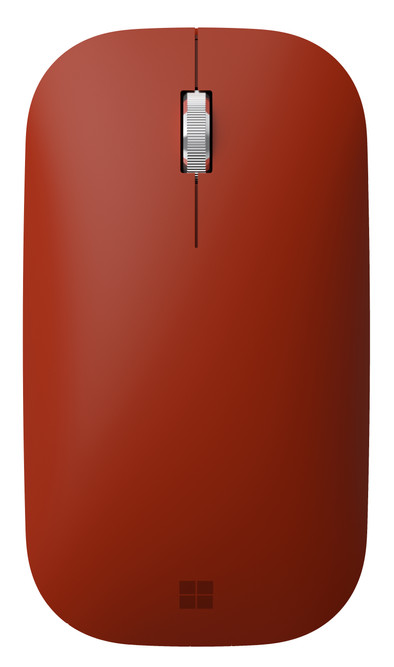
Microsoft Surface Mobile Mouse Bluetooth Red
Never available again
View alternatives in the sidebar
View alternatives in the sidebar
Connection type | Wireless | |
|---|---|---|
Bluetooth | ||
Mouse model | Standard | |
Ergonomic design | ||
Left or right-handed | Left-handed, Right-handed | |
Suitable for gaming | ||
Silent mouse | ||
Depth | 11,5 cm |
According to our mouse expert
This mouse is suitable for both left-handed and right-handed users.
You can use this mouse on virtually any surface thanks to the BlueTrack technology.
Thanks to its compact size, you can easily take this mouse with you on the go.
Because it doesn't have thumb buttons, functions such as next and previous are less easy to operate.
The red Microsoft Surface Bluetooth Mouse is the solution for flex workers or if you're often on the go for appointments. Thanks to its compact size, you can easily transport it in your bag. The design of the mouse is tailored to that of the Microsoft Surface, so it completes the look of your workplace. The mouse has Microsoft's BlueTrack technology, which means you can use the mouse on virtually any surface, such as rough wood.
5 stars
77
4 stars
42
3 stars
2
2 stars
2
1 star
0
Connection options
Ergonomics
Accuracy
Size
Design
I had to search quite a bit on the internet to find the off button. It turns out to be the (pear) bluetooth button. Very easy to put this in the manual, I think.
A. Bianchi
17 March 2019
Automatically translated from Dutch
Wireless and stylish
Lies D.S.
27 November 2018
Automatically translated from Dutch
Handy mouse to take with you and connection via Bluetooth works like a charm. Mouse is flat and that takes getting used to and ergonomically not quite right
Vita
6 December 2018
Automatically translated from Dutch
How large is a mouse exactly? It's often difficult to see on a photo. That's why we thought of the thumb rule below.
Choose a mouse that takes up more than half of the surface of the dimensions of your hand. You can find the dimensions of the mouse under the specifications.
Your hands are often 2 times longer from your wrist to the tip of your middle finger than that it's wide from your little finger to the knuckle of your thumb. The closer the length and width a mouse come to 60% of the length and width of your hands, the more likely it is that the mouse feels comfortable in your hand.

Product number | 860003 | |
|---|---|---|
Manufacturer code | KGY-00052 | |
Brand | Microsoft | |
Warranty | 2 years | |
Processing of your defect | Via Coolblue |
Mouse model | Standard | |
|---|---|---|
Input | Optical | |
Number of buttons | 2 | |
Ergonomic design | ||
Left or right-handed | Left-handed, Right-handed | |
Adjustable DPI | ||
Mouse controls | Buttons, Scroll wheel | |
Suitable for gaming | ||
Programmable buttons | ||
Lighting peripherals | ||
Silent mouse | ||
Horizontal scrolling | ||
Mouse surface | Any surface | |
Product family | Surface |
Connection type | Wireless | |
|---|---|---|
Nano receiver | ||
Bluetooth | ||
Bluetooth version | 4.2 | |
Number of devices that can be paired | 1 |
Plug and Play | ||
|---|---|---|
Compatible with operating system | Windows, macOS |
Power supply type | Rechargeable battery | |
|---|---|---|
Battery level indicator | ||
Replaceable battery |
Color | Red | |
|---|---|---|
Mouse size | Medium | |
Width | 6,4 cm | |
Height | 3,4 cm | |
Depth | 11,5 cm | |
Material | Plastic | |
Finish | Matte and glossy |