

This is the one
Elgato Video Capture

Current product

79,-
129,-
94,-
Recording
Recording, Streaming
Recording, Streaming
Mac, PC (Windows)
Mac, Nintendo Switch, Nintendo Wii U, PC (Windows), PlayStation 3, PlayStation 4, PlayStation 5, Xbox 360, Xbox One, Xbox Series S, Xbox Series X
Mac, PC (Windows)
No
Yes
Yes
Via a different product
Via a different product
Via a different product
According to our game capture expert
Game capture function | Recording | |
|---|---|---|
Computer platform | Mac, PC (Windows) | |
Power supply type | Via a different product | |
HDMI connector |
5 stars
14
4 stars
10
3 stars
2
2 stars
3
1 star
0
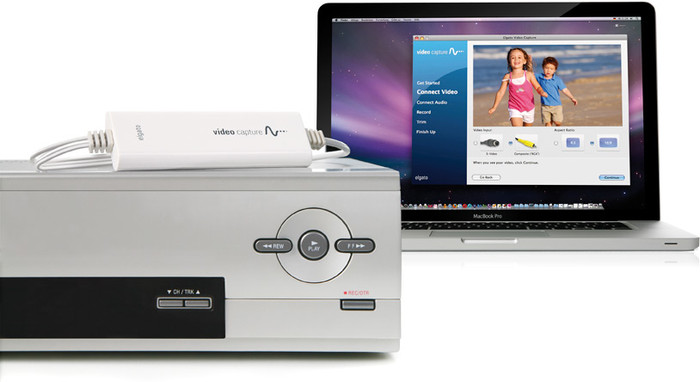
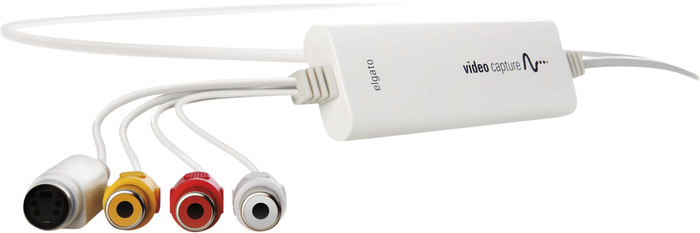
A pile of old VHS tapes and video-8 tapes up to 40 years old are rotting away in the attic. Time to digitize. But that's not that simple. Find an old VHS video player and an old Sony video-8 camcorder that can still play those tapes. But then? The solution is the Elgato video capture: in the box it comes with a composite cable and a scart-composite adapter. That goes in the back of the VHS video player. Fit the other end to the Elgato adapter. Then plug the USB (A, unfortunately no USB-C so adapter A-C is needed, but a MacBook user has it as standard...) in the computer. Download the appropriate app software on the Elgato website, launch it and you're done. Turn on the VHS player, press the record button in the software, and wait. You have to play those analog tapes in real time. No possibility of accelerated dubbing, which of course makes sense. Anyway, this works fine, and you don't have to be wrong all the time. You can indicate after how much time you want the recording to stop automatically (useful at night) or you can stop it yourself. Recordings of 3 hours is no problem. The video-8 camcorder must be connected with an S-video cable. This cable is not included. Luckily I have one left. The Elgato itself does have the S-video connection, so you can simply connect to it. Quality is great. Actually, the quality is mainly determined by the VHS player and the camcorder. They have to be unscrewed for a while to clean the heads properly first. Years of collecting dust leave its mark. Nostalgia for the past: a little medical alcohol on a cotton swab and clean the head with it. What also helps is to first fast forward the old tapes and then fast rewind so that the old tape does not stick and runs in the device. Video is saved in mp4 format, so can be used on any computer. An mp4 file of 3 hours with the resolution of yesteryear produces files of approximately 2GB. So no problem. Very satisfied with it. Does what it should do, no more, no less.
Ignaz
4 April 2023
Automatically translated from Dutch
Does what it promises to do
Jan Ooms
28 December 2022
Automatically translated from Dutch
There are three things that need to be changed after downloading: A security kernel in Windows needs to be disabled In the system.xml file you need to make a change. In Windows you need to allow the camera of the elgato app.
Maarten
6 September 2024
Automatically translated from Dutch
Product number | 920534 | |
|---|---|---|
Manufacturer code | 1VC108601001 | |
Brand | Elgato | |
Warranty | 2 years | |
Processing of your defect | Via Coolblue |
Game capture function | Recording |
|---|
Computer platform | Mac, PC (Windows) |
|---|
HDMI connector | |
|---|---|
USB port |
Power supply type | Via a different product |
|---|