Epson EcoTank ET-4950
Choose your printer:
No extra ink bottles
Choose the better printer that you can print large files with faster
Epson EcoTank ET-5805
Better model
Choose your printer:
No extra ink bottles
Better model
Print technology | Ink tank | |
|---|---|---|
Printer type | All-in-one | |
Type of ink | Ink bottles | |
Automatic duplex printing | ||
Automatic document feeder (ADF) | ||
Automatic duplex scanning | ||
Color printer | ||
Maximum print size | A4 |
According to our printer expert
5 stars
0
4 stars
5
3 stars
2
2 stars
0
1 star
0
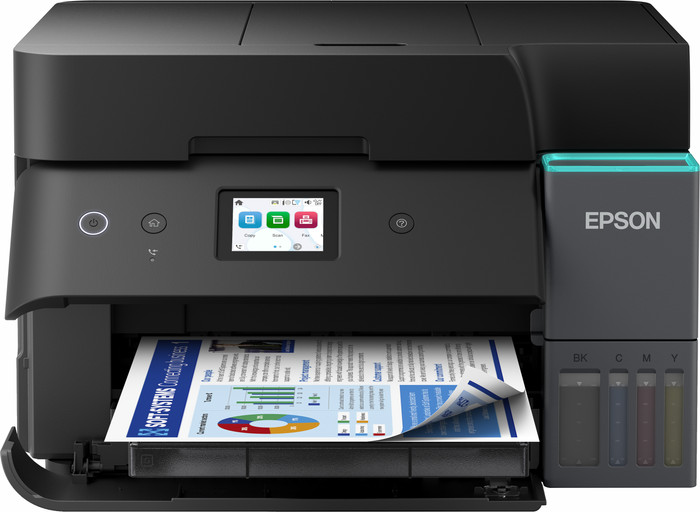
With the Epson EcoTank ET-4950, I print all my documents and images in good quality. Installation is easy, and I connect the printer to my laptop or iPhone quickly via Wi-Fi or Wi-Fi Direct. However, I do find it a pity that the screen becomes unreadable if I am not sitting directly in front of it.
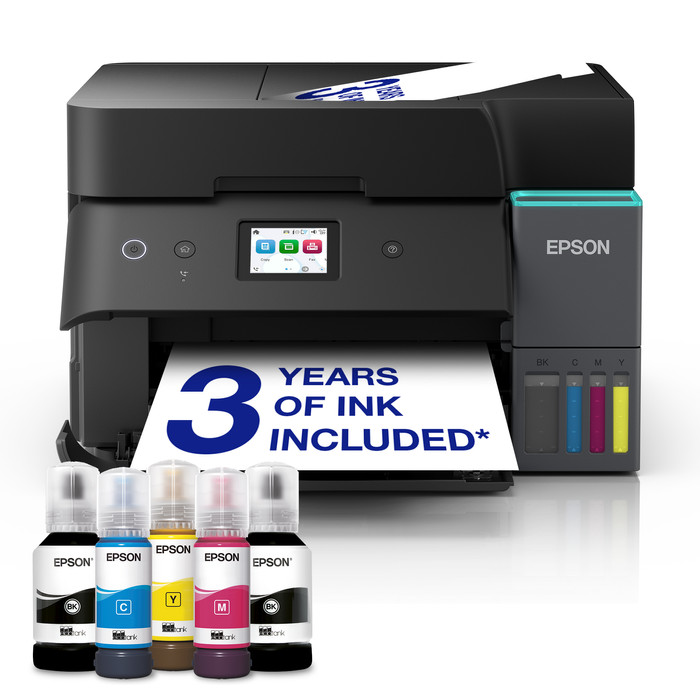
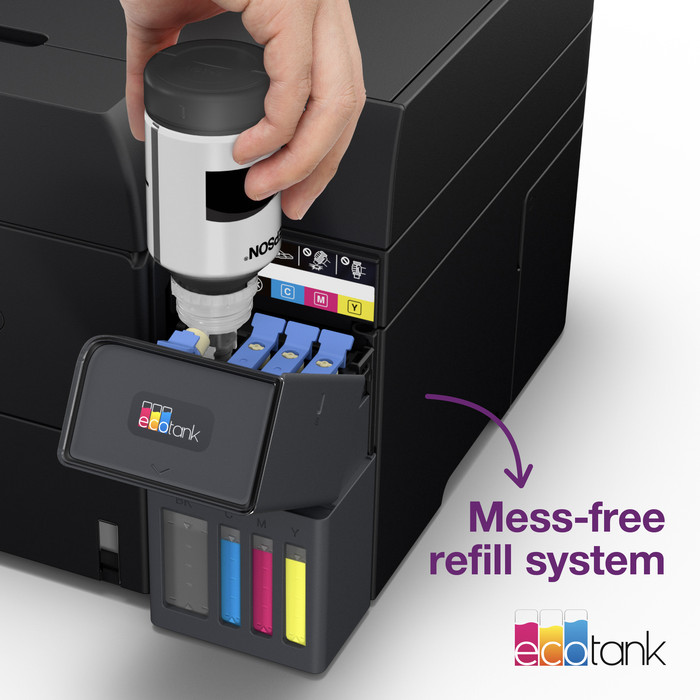
First impression In the box, I find the printer, a manual, and a power cable. There are also 5 ink bottles in the package: 2 black, 1 magenta, 1 cyan, and 1 yellow. The printer is in a plastic bag, making it easy to take out of the box. This EcoTank then guides me step-by-step through the installation via the touchscreen on the front. I carefully place the ink bottles one by one upside down onto the correct reservoir so that the ink flows into the printer. When the reservoir is full, I remove the bottle. After this, I place a stack of A4 paper in the paper tray and adjust the guides. The paper tray is located at the front of the printer, so I can safely place it in a cupboard or against a wall. Always a stable connection with Wi-Fi Direct
Now that the printer is loaded, I start the connection process. On the touchscreen, I select Wi-Fi Direct, after which a new window opens with a password. At the same time, the ET-4950 appears in the Wi-Fi list on my laptop. I select the printer, enter the password, and am connected immediately. Because the printer does not use a router with Wi-Fi Direct, I am not browsing the internet in the meantime. Fortunately, I switch Wi-Fi connections quickly, and the printer remembers my laptop, so I don't have to enter the password again and again. I always prefer Wi-Fi Direct because it prevents potential Wi-Fi problems with false signals.
Fast printing with Apple AirPrint
I often simply print my documents using my iPhone. For this, I use the handy Apple AirPrint. Apple AirPrint is standard on every Apple device, allowing me to connect my printer quickly. If I want to print something directly from apps like Safari, Mail, and Photos, I do so via the share menu. I select the printer and adjust the paper size. Double-sided automatic document feeder With this Epson, I quickly scan or copy a large stack of paper double-sided using the double-sided automatic document feeder. The prints look sharp and have beautiful colors. The quality is fine for when I print color images, for example, for someone's birthday.
Rowan. Printer specialist.
3 April 2026
Automatically translated from Dutch
Good print quality and easy to connect.
Arjen
12 March 2026
Automatically translated from Dutch
So far a nice dinner
Arie
26 February 2026
Automatically translated from Dutch
Receive more coverage in case of damage than with your standard warranty. Coolblue takes care of everything: from taking out the insurance to repairs. Is a repair not possible? You receive the purchase price as CoolblueCredit.
XCover is allowed to arrange and process insurances on behalf of the insurer. The insurances are governed by Belgium law. If you have a complaint, you can contact the or our customer service.
First, add your printer to your shopping cart. On the next page, choose the Protection Plan below. You always have a 30-day return window and pay no deductible in case of damage.
The insurance can be canceled every year, even if you have paid in advance. If you cancel earlier, you will receive a refund for the overpaid amount.
Current product
429,-
379,-
666,-
501,-
578,-
Yes
Yes
No
Yes
No
Yes
Yes
No
No
No
A4
A4
A3
A3+
A4
No
No
Yes
No
Yes
Product number | 969989 | |
|---|---|---|
Manufacturer code | C11CL40402 | |
Brand | Epson | |
Warranty | 2 years | |
Processing of your defect | Via Coolblue |
Printer size | Medium | |
|---|---|---|
Width | 37,5 cm | |
Depth | 34,7 cm | |
Height | 24 cm | |
Color | Black | |
Weight | 7,46 kg |
Printer type | All-in-one | |
|---|---|---|
Photo printer | ||
Print quality photos | Stand | |
Portable (mobile use) | ||
Recommended for use printers | Business printing |
Ink bottle series | Epson 102 | |
|---|---|---|
Usage costs for 1 page | 1 eurocent | |
Print technology | Ink tank | |
Type of ink | Ink bottles | |
Number of cartridges/toner cartridges | 4 | |
Color printer | ||
Print speed black (ISO) | 18 ppm | |
Print speed color (ISO) | 9 ppm | |
First black page ready after | 8,5 seconds | |
Speed class | Good | |
Maximum print resolution height | 1200 dpi | |
Maximum print resolution width | 4800 dpi | |
Maximum print size | A4 | |
Automatic duplex printing | ||
Borderless printing | ||
Maximum print size duplex printing | A4 |
Scan functionality | ||
|---|---|---|
Automatic duplex scanning | ||
Maximum optical scan resolution width | 1200 dpi | |
Maximum optical scan resolution height | 2400 dpi | |
Scanner type | File scanner, Flatbed scanner | |
Maximum scan size | A4 (21x29.7cm) | |
Automatic document feeder (ADF) | ||
Maximum paper size ADF | A4 | |
Scan sizes | A4, A5, A6 | |
Scan speed (PPM) | 6,5 ppm | |
Color depth output | 24 bpp | |
Scan to | App, Application, Cloud, Dropbox, Email, Email address, Email server, Evernote, FTP, File, Folder, Folder with images, Google Docs, Image, Microsoft Excel, Microsoft PowerPoint, Microsoft SharePoint Connector, Microsoft Word, Network, PC (local), PC (network), PDF, PDF/A, Searchable PDF, Secured PDF, USB | |
ADF capacity | 30 | |
OCR |
Copying functionality | ||
|---|---|---|
Copy speed black (ISO) | 11,5 ppm | |
Copy speed color (ISO) | 6 ppm | |
Maximum copy resolution height | 1200 dpi | |
Maximum copy resolution width | 4800 dpi |
Fax functionality | ||
|---|---|---|
Color fax |
Built-in screen | ||
|---|---|---|
Color screen | ||
Touchscreen |
German awards | ||
|---|---|---|
Awards DE | Stiftung Warentest | |
Result Stiftung Warentest | Good |
Compatible with operating system | Android, ChromeOS, Linux, Windows, Windows Phone, iOS, macOS | |
|---|---|---|
Connection type | Wired, Wireless | |
Apple AirPrint | ||
Email print | ||
WPS (Wireless Protected Setup) | ||
Female standard USB-A port version | 2.0 | |
Ethernet port | ||
NFC | ||
Built-in WiFi | ||
Bluetooth | ||
WiFi direct | ||
USB port |
Manual input tray | ||
|---|---|---|
Photo paper drawer | ||
Output capacity output drawer | 30 | |
Maximum print size standard paper tray | A4 | |
Input capacity standard paper tray | 250 | |
Number of standard paper trays | 1 |
Memory card reader |
|---|