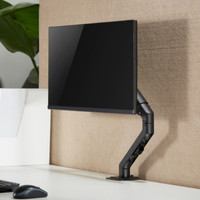
The Neomounts NEXT Core DS70PLUS-450BL1 Monitor Arm ensures a tidy workspace and an ergonomic posture. I can easily place a second monitor without my desk becoming messy. Installing the monitor arm takes little time and is not difficult, although it would be nice if a screwdriver was included. There is a small Allen key with which you can install the monitor arm.
Easy to install
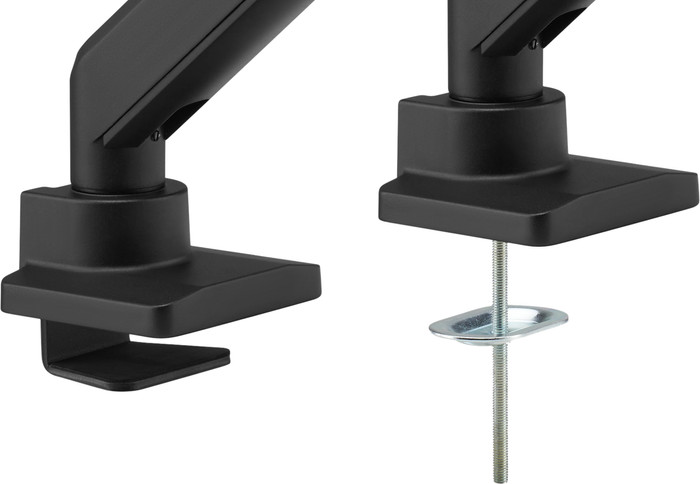
Assembling this monitor arm is quick and easy. Thanks to the thumbscrew, I can install this monitor arm on any desk. For example, I use it in my office and place it on different types of desks. Installation is not difficult thanks to the included manual. The arm only has 2 parts. The only disadvantage is that there is no screwdriver in the box, so don't forget it when you install the monitor arm in the office. Despite that, there are 2 Allen keys in the box, which you use for installation.
Ergonomically adjustable
I use the monitor arm for my 24 inch monitor and tilt it regularly throughout the day. This way, I don't have to worry about reflections from the sun. In addition to tilting and turning the monitor, I also adjust its height. For example, I place it next to my other monitor or laptop at the same height. When I work standing up, I adjust the monitor arm up to 55 centimeters in height. I use little force when I adjust the arm, thanks to the gas spring. This allows me to adjust the monitor arm without any effort. This ensures that I don't suffer from neck or back pain when I sit in the office for a long time.
Hiding cables
There are 2 cable ducts under the monitor arm where I put the cables from my monitor. I don't have to worry about cables floating above my desk and getting in the way. I slide the ducts open without any problems and hide my cables. This also gives the arm more freedom of movement, because the cables are not taut. The cables also don't catch dust due to the cable management. This keeps my desk neat and clean.