Written by Steven
Edited on
2 September 2022
·
10:47
How do you choose an internal SSD?
An internal SSD is much faster than an internal hard drive, sometimes up to 50 times. It also lasts longer, and it's more silent and energy-efficient. But which SSD do you need exactly? We'll help you choose between a 2.5-inch and an M.2 SSD and we'll explain which storage capacity and speed suits you best.

Choose internal SSD
Before you buy an SSD, you have to check a few things. If you choose the wrong one, it won't fit in your PC, for example. Ask yourself the following questions:
- Which SSD type do you need?
- How much storage capacity do you need?
- How fast should the SSD be?
- Do you want a durable SSD?
- How long should the SSD last
Which type of SSD do you need?
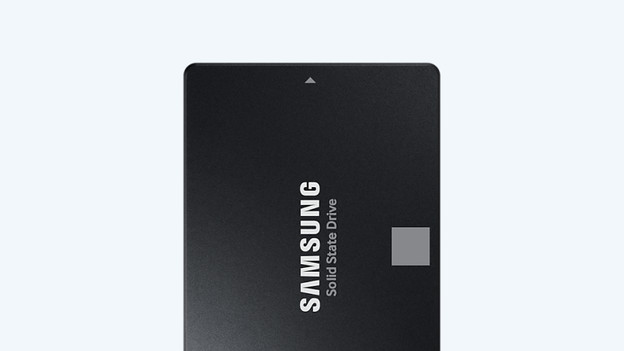
2.5-inch SATA
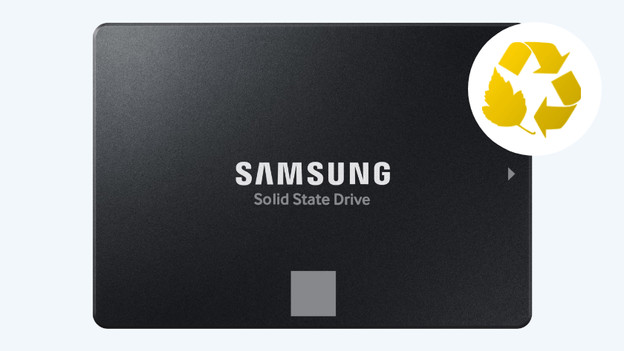
A 2.5-inch SATA SSD is the most common internal SSD type. You can install them in your desktop or laptop with a bracket and SATA cable. They're up to 10 times faster than a regular internal hard drive. These drives can reach a maximum read and write speed of about 600MB/s. You can transfer a 4K movie in about 30 seconds as a result.
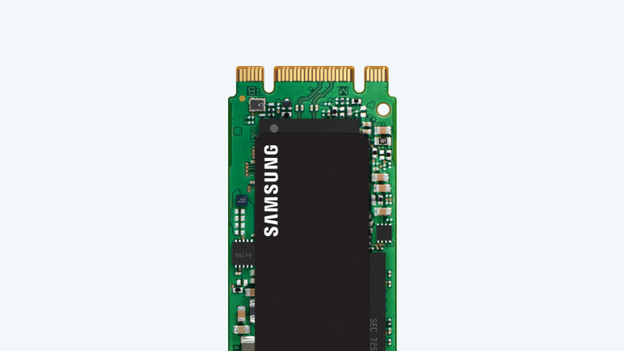
M.2 SATA
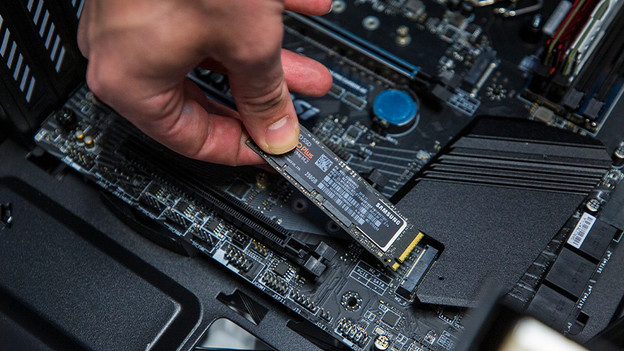
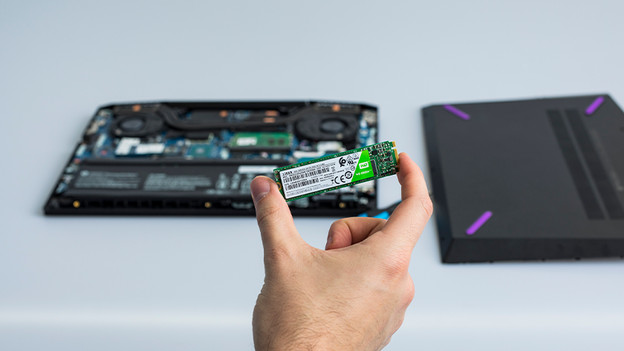
In addition to the 2.5-inch size, there are also M.2 SATA SSDs. M.2 SSDs are small bars that you place upright and directly on the motherboard via the pins on the top. You can recognize a SATA M.2 SSD by the 2 keys on the top. The B key consists of 6 pins and the M key consists of 5 pins. Carefully check the connectors on your motherboard so you know which one to use. In terms of speed, an M.2 SATA SSD is just as fast as a 2.5-inch SSD.
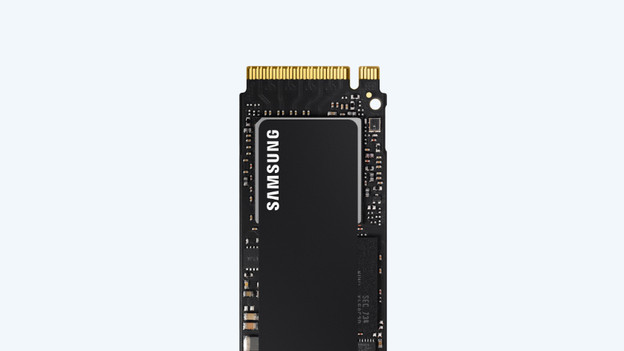
M.2 NVMe
If you're looking for the fastest SSDs, choose an M.2 NVMe SSD. These SSDs can reach read and write speeds up to 7000MB/s, which allows you to transfer files in mere seconds. Be careful when you buy an M.2 NVMe SSD, because it has to fit on your motherboard via the M key. So carefully check whether the M.2 PCIe SSD you want is suitable for your device.
How much storage capacity do you need?
SSDs are made for storing files. That's why it's important to know how much storage capacity you need for your usage situation. It could be that you only store the operating of your PC on the SSD, for example. In that case, an SSD with 250GB is enough. For business use, go towards 1TB. That's enough to store photos, spreadsheets, data, and more. Do you need one for professional use? Choose a 2TB internal SSD. That way, you're sure that you can store large files and media with high resolutions on the drive.
How fast does the SSD have to be?
An SSD is up to 10 times faster than a regular HDD, but there are also differences between SSD types. The maximum speed of a SATA SSD is about 600MB/s, while an NVMe SSD reaches speeds up to 7000MB/s. Unfortunately, choosing the right speed isn't completely up to you. Always check the manual of your motherboard first. That way, you know which M.2 key you need and if you even have space for an SSD.
Do you want a sustainable SSD?
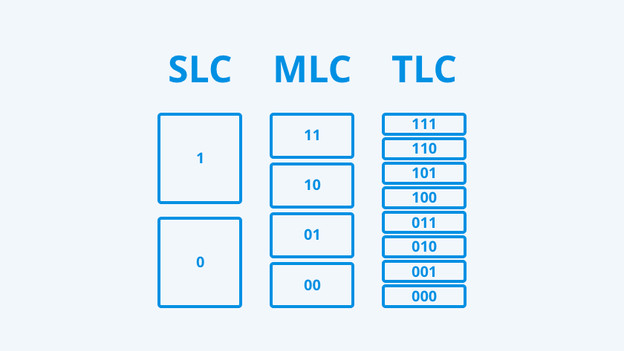
The memory type of an SSD determines how durable it is. The memory type indicates how much energy it consumes, but also how accurately the SSD works. Single Level Cell SSDs are fast and accurate, but they consume the most energy. In addition, the memory type also affects the price. Triple Level Cell SSDs aren't as accurate, because they only use 3 bits per cell. But the advantage is that they're easier to come by and more affordable than SLC or 3D NAND.
How long should the SSD last?
In addition to durability, the memory type also affects the lifespan of your SSD. The less cells it uses per task, the longer the SSD lasts. A SLC SSD has a longer lifespan than a MLC SSD. You can tell by the number of terabytes written, which indicates how much terabytes you can write until the SSD stops working. That's why it's good to choose an SSD with a high number of terabytes written if it's for professional use, such as a 600TB TBW.
More advice on SSDs
Want to read more about SSDs? For example about how to build in and install an SSD? Or what to keep in mind when buying an M.2 SSD? Click the link below to go to the advice hub for SSDs. You'll find more advice on SSDs and what to keep in mind there.
Article by Steven
Internal SSD Expert.