Written by Bram
Edited on
13 October 2025
·
14:36
How do you connect your Spotify to your Philips Hue lights?
Philips Hue and Spotify have teamed up. You can now easily connect the Spotify app to your Hue app. That way, you can let your Philips Hue smart lights dance to your favorite Spotify playlist. Your house party will turn into a party in the club that way. Here, you can read what this is and how you can connect your lights to the Spotify app and how to set them up.

This is how you connect your Spotify account to Philips Hue
- Open the latest version of the Philips Hue app.
- Go to the tab 'Discover'.
- Click 'Philips Hue + Spotify' and confirm.
- Go to the tab 'Synchronize'.
- Log in with Spotify and follow the steps on the screen.
- Press 'Start synchronization'.
- Start to play Spotify.
What's Philips Hue + Spotify?
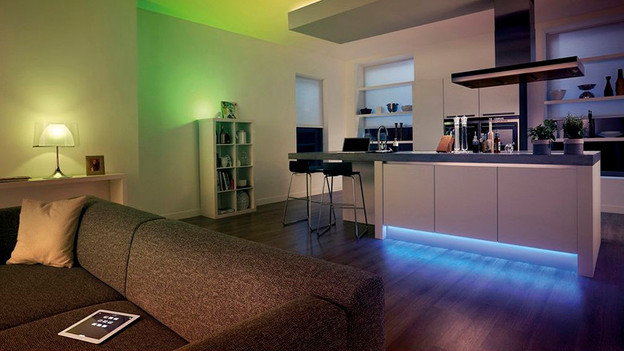
With Philips Hue + Spotify, you can have your smart lights dance along to your favorite music via Spotify. This makes it feel like you're in a night club, even though you're at home on the couch. If you connect the Hue app to your Spotify account, the app collects data of all your music. This allows the app to adjust the atmosphere to what you're listening to. From romantic mood lighting with your favorite ballad to bright flashing lights during that song that makes everyone's hands go up.
Set your lights entirely according to your own liking
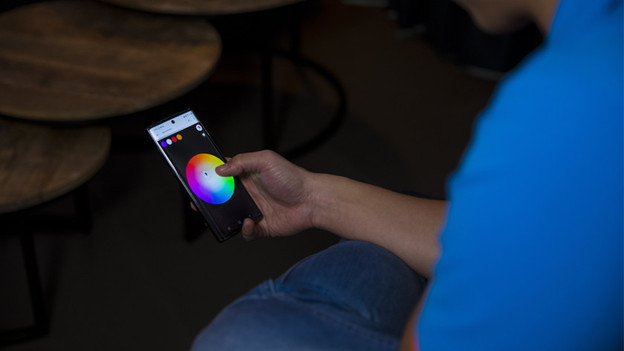
At first, the Hue app selects the lighting that matches your music. Luckily, you can easily adjust everything to your own liking. That way, you can choose your own color palette and set the intensity of the lighting according to your mood. You can do all of this via the Hue app.
What do you need?
You'll need Philips Hue smart lights to start. These have to be connected to a Hue bridge, because they won't work without. The bridge is the connector between the Hue lights and the Hue app on your phone. Philips Hue + Spotify only works with colored smart lights, not with the White and White Ambiance lighting. You'll also need a Spotify app. A Premium account isn't necessary.
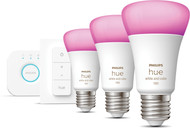
Philips Hue White & Color Starter Pack E27 with 3 Lights, Dimmer + Bridge
- With this set, you can connect Hue directly to Spotify so you're ready to party.
- You can set this light to 16 million colors and all shades of white.
- You can expand this set with up to 50 Philips Hue smart lights.
- You need a stable WiFi network to control the lights.