Written by Prescious
Edited on
9 November 2026
·
15:02
Get started with GTA VI
Ready for your adventure in Vice City? Get more out of GTA VI with the Vintage Vice City Pack pre-order bonus or with extra vehicles, weapons, and locations from the Ultimate Edition. We'll explain how to activate the pre-order bonus before 19 November and how to upgrade the Standard Edition on your PS5 or Xbox. After 19 November, the pre-order bonus will no longer be available.

Klaar voor de start
Get your pre-order bonus and choose whether to add the extras from the Ultimate Edition. Below, you can read how to do both on your console:
- Activate the Vintage Vice City Pack pre-order bonus before 19 November
- Upgrade your Standard Edition to the Ultimate Edition

Activate the Vintage Vice City Pack before 19 November.
The Vintage Vice City Pack has a 1955 Vapid Stanier, a garage, outfits, hairstyles, and an exclusive weapon pattern. This allows you to give your character and weapons a different look. With a physical pre-order, the bonus is included with the game code. You won't receive an extra code for the pre-order bonus. If you buy the Standard Edition or Ultimate Edition digitally on or before 19 November, you'll receive the pack with your purchase.
If you redeem the game code after 19 November, you'll no longer receive a pre-order bonus.
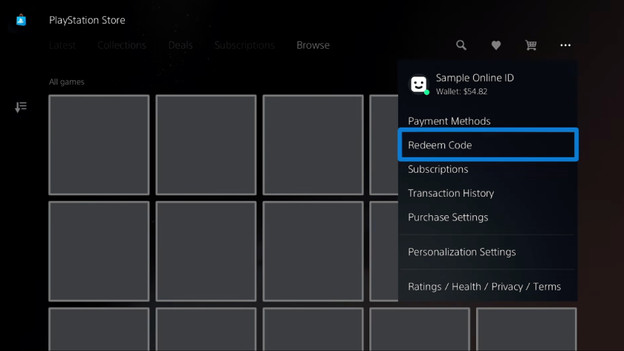
Activate the bonus on the PS5
- Sign in with the PlayStation account you want to use to play GTA VI.
- Open the PlayStation Store and press the triangle button.
- Select ‘More’ and then ‘Redeem Code’.
- Enter the code from the box.
- Select ‘Redeem’.
This is how you link the game and the pack to your account. Did you purchase the game via the PlayStation Store before 20 November 2026? You'll have to install the pre-order bonus along with the game.
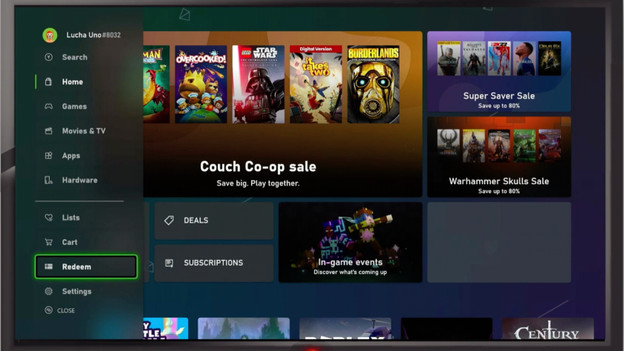
Activate the bonus on the Xbox
- Sign in with the Microsoft account you want to use to play GTA VI
- Press the Xbox button and open the Store.
- Press the View button and select ‘Redeem’ from the side menu.
- Enter the 25-character code from the box.
- Select ‘Next’ and follow the on-screen instructions.
This is how you link the game and the pack to your account. Did you purchase the game via the Microsoft Store before 20 November 2026? You'll have to install the pre-order bonus along with the game.
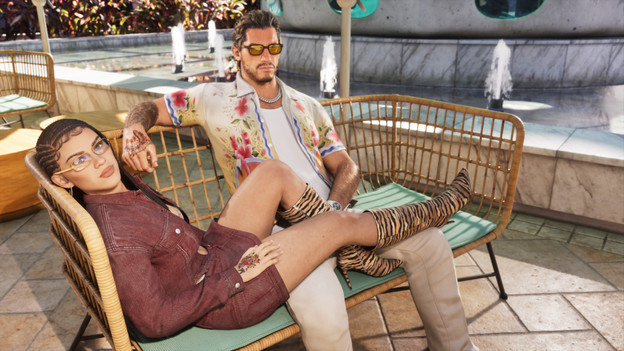
Upgrade naar de Ultimate Edition
With the Ultimate Edition upgrade, you can add extra vehicles, weapons, and locations to GTA VI. You're only purchasing the extras. That's why you need the Standard Edition. Did you buy the Standard Edition in a box? First, redeem the download code as explained above. There's no disc in the box.
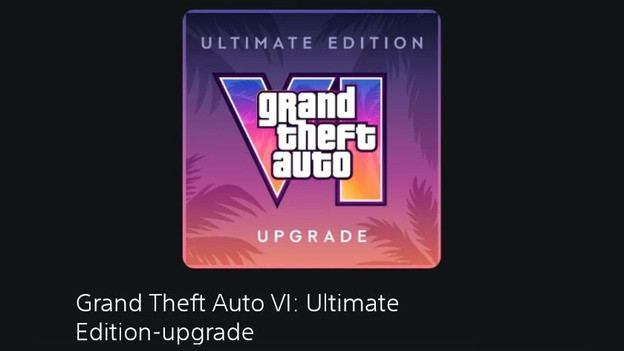
Buy the upgrade on the PS5
- Sign in with the PlayStation account that has the Standard Edition.
- Open the PlayStation Store.
- Search ‘Grand Theft Auto VI: Ultimate Edition Upgrade’.
- Choose the standalone upgrade, not the complete Ultimate Edition.
- Check the product name and price.
- Complete your purchase by following the on-screen steps.
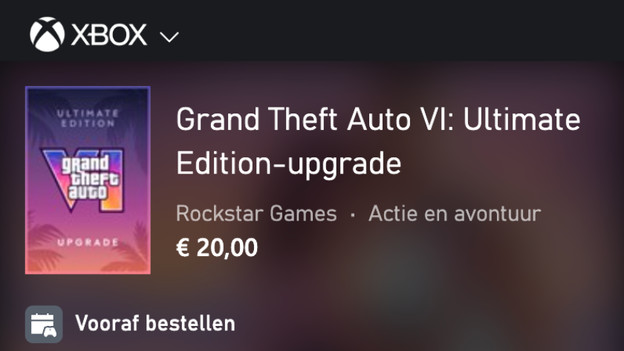
Buy the upgrade on the Xbox
- Sign in with the Microsoft account that has the Standard Edition.
- Open the Microsoft Store on your Xbox Series X|S.
- Search ‘Grand Theft Auto VI: Ultimate Edition Upgrade’.
- Choose the standalone upgrade, not the complete Ultimate Edition.
- Check the product name and price.
- Complete your purchase by following the on-screen steps.
Article by Prescious
Gaming Expert.