Written by Laurence
Edited on
27 January 2025
·
13:10
How do you set up the LG Game Mode?
Do you play fast games like FIFA, Mario Kart, or Call of Duty on your LG TV? If so, Game Mode is a useful function. This makes the game respond faster to the buttons you press. In this article, you can read how to enable Game Mode.
Why should you switch on the LG Game Mode?
A TV uses various techniques that improve the image quality. The disadvantage is that it takes time for the TV takes to process these techniques. This creates a small delay between the TV and game console. This delay is called an input lag. It's about milliseconds, but this can determine the difference between winning or losing a game. When you use Game Mode, most image technologies are turned off. This way, the game responds extra quickly when you press a button.

Step 1: press the 'Settings' button
You can recognize the button by the icon that resembles a gear wheel.
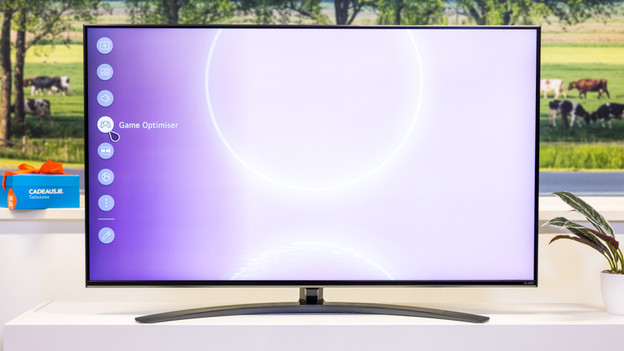
Step 2: select Game Optimizer
Select the option 'Game Optimizer' to turn on the LG game mode.
Article by Laurence
Television Expert.