Written by Laurence
Edited on
21 March 2025
·
16:32
How do you reduce the energy consumption of your LG TV?
A lower energy consumption is better for the environment and for your energy costs. That is why LG TV's have several settings that let you lower their energy consumption. You can activate the standby mode or lower the screen brightness, for example. In this article, you'll read how you set up your TV as energy-efficient as possible in 9 steps.
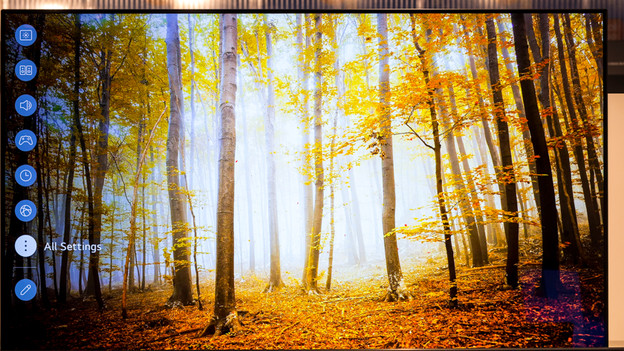
Step 2: open 'All settings'
On the left side of the screen, you'll see a row of different icons. Use the arrow key on your remote to go down until you reach All settings. Select this option by pressing the OK button.
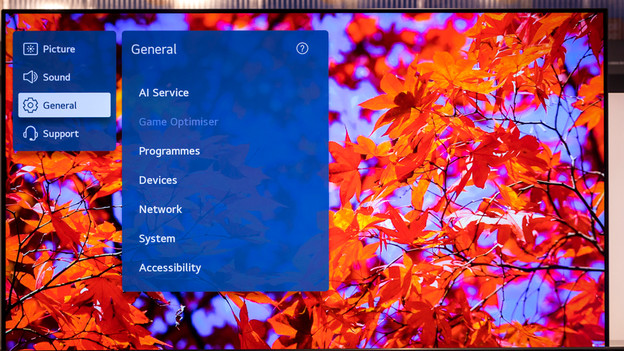
Step 3: open General
Use the arrow key to move down until you reach General. Select this option.
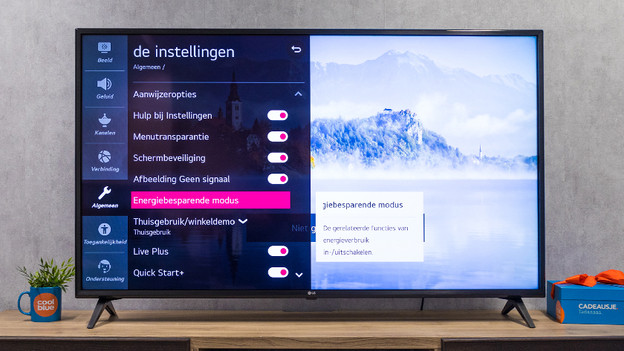
Step 4: open Energy Save mode
Use the arrow key to move down until you reach Energy save mode and select this option.
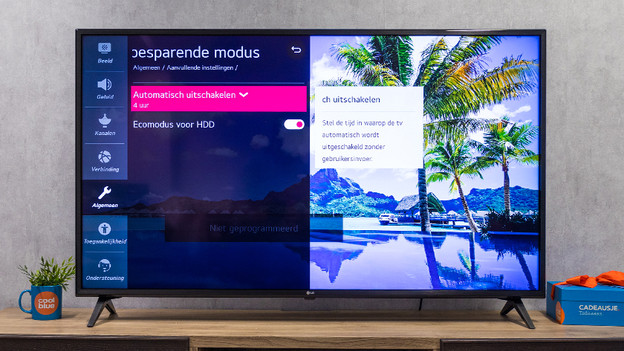
Stap 5: set up Auto Power Off
This function automatically turns off the TV when there hasn't been any user input like zapping for a specific period of time. You decide after how many hours this happens.
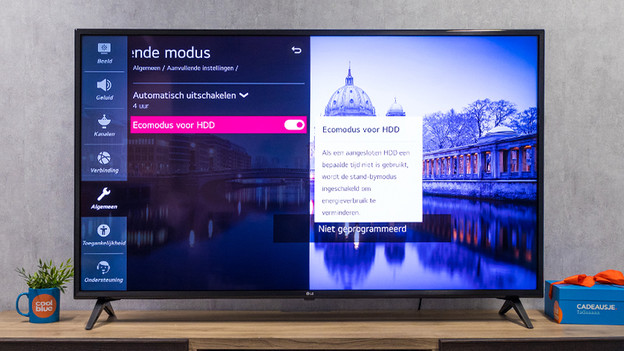
Step 6: activate Eco Mode for HDD
This is a handy function when you're connecting a hard drive to the TV. When you haven't used the hard drive for a specific period of time, the TV will automatically switch to standby mode.
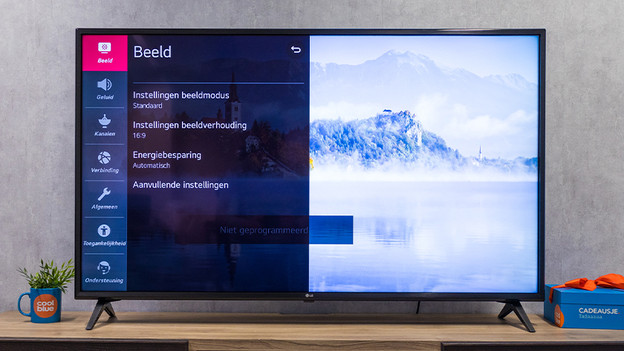
Step 7: go to Picture Mode
The Picture Mode also determines the energy consumption of the TV. The brighter the image, the higher your energy consumption. If you want to change this mode, press the Back button until you're in the All settings menu. Go to Picture and select this option.
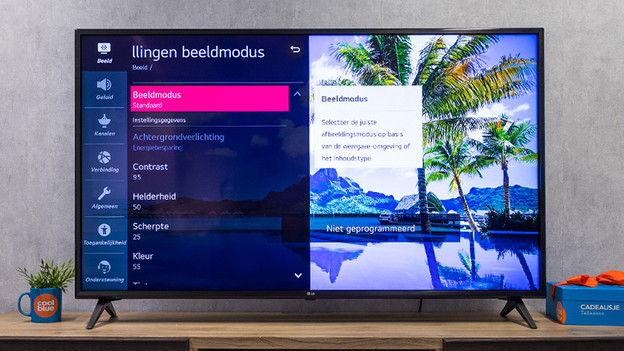
Step 8: go to Picture Mode Settings
Select Picture Mode Settings. This option is at the top of the list of options.
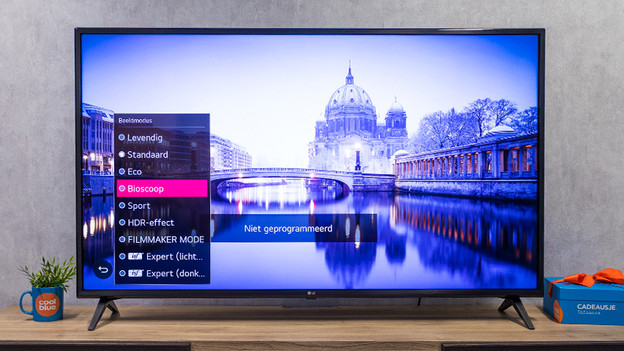
Step 9: change the Picture Mode
In the Picture Mode menu, you can find different modes. The mode that saves you the most energy is the Eco mode. This way, the TV actively adjusts the brightness of the screen. If you're too distracted when the brightness keeps changing, the Cinema mode is a good alternative. This mode has a lower level of brightness than Dynamic or Standard.
Article by Laurence
Television Expert.