Written by Jorn
Edited on
1 October 2025
·
11:04
How do you choose the right throw ratio of a projector?
The throw ratio is one of the most important properties of a projector. The throw ratio determines where in the living room, meeting room, or class room you should place the projector. In this article, we'll explain why this property is so important and how you can choose the right throw ratio.
Choose the throw ratio
Deciding which throw ratio you should get isn't the easiest part of choosing a projector, but it's important. The right throw ratio will allow you to place the projector in the desired spot in the room, and to provide projections in the right size. This article has 7 steps:
- Step 1: what is throw ratio?
- Step 2: how does the zoom function affect the throw ratio?
- Step 3: measure the viewing distance.
- Step 4: determine the image.
- Step 5: check if the viewing distance matches the desired inch-size.
- Step 6: measure the distance from the projector to the projection screen.
- Step 7: calculate the throw ratio.
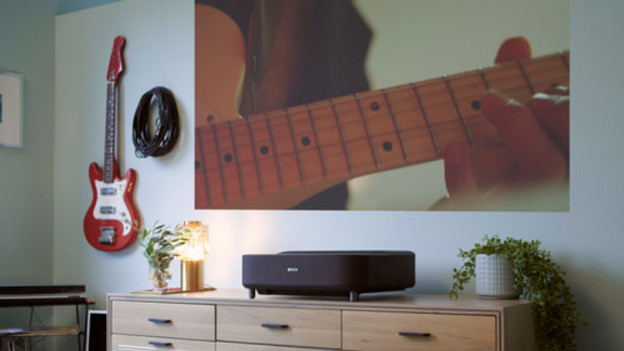
What's throw ratio?
Check the throw ratio to make sure the projector fits in your room. Not all projectors project the same projection size with a similar projection distance.The throw ratio indicates how far away the projector should be placed from the wall or screen for a 1m wide projection. For example, if the projector has a projection distance of 1.50:1, you'll have to place it at 1.50m distance for a 1m wide projection.
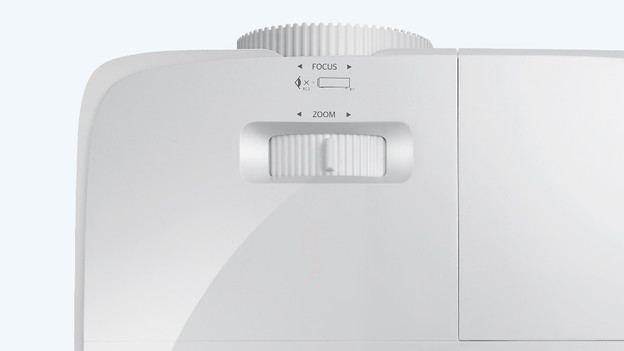
Zoom function and throw ratio
If you place the projector further away, you'll make the projection larger. This is the same effect as when you use a flashlight on the wall and step back. With a zoom function, you can make the projection larger or smaller without moving the projector. In that case, the projector has a minimum and maximum ratio, like between 1.50 and 1.65m for a 1m wide projector, for example. We indicate this as 1.50-1.65:1. A zoom function makes you more flexible in placing your projector.
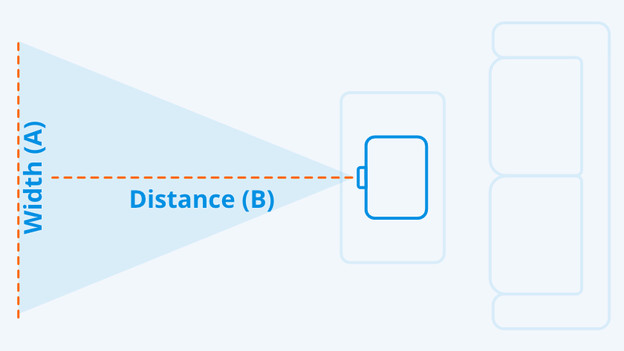
Determine the projection width (A)
We'll get you to work. Grab a tape measure and calculator (on your phone). Start with the projection size. If you have a projection screen already or buy one with your projector, measure the width of it. If you're using a smooth wall as a projection surface, determine how large you want the projection to be. Do you need help? In the table at the bottom of this article, we've listed a number of common image sizes. Write down the width in centimeters, we call this number 'A'.
Image sizes (16:9 aspect ratio)
| Width (A) | |
|---|---|
| 30 inches | 66cm |
| 80 inches | 177cm |
| 100 inches | 221cm |
| 180 inches | 398cm |
| 200 inches | 443cm |
| 250 inches | 553cm |
| 300 inches | 664cm |
Measure the projection distance (B)
Determine the best place for the projector, so it's not in the way. For example, do you have a TV cabinet close to the screen or wall? You can put the projector on here. Or, do you want to mount your projector to the ceiling? What's the distance between the projection and the place you want to put the projector? Write the distance down in centimeters. We call this 'B'.
Calculate the projection ratio
Grab your calculator. Divide the number you wrote down for B by the number you wrote down for A. This is the throw ratio. The number will be within one of the 4 categories:
- Less than 0.5. This includes the ultra short throw and short throw projectors.
- Between the 0.51 and 1. This category only includes short throw projectors.
- Between 1.01 and 1.5. In this category, you'll find both short throw and normal throw projectors.
- More than 1.5. Here, you'll just find normal throw projectors.
Article by Jorn
Projector Expert.