Written by Andrea
Edited on
14 April 2023
·
11:34
How do you connect your Silvergear scale to the Fitdays app?
You've bought a Silvergear personal scale with a Bluetooth connection. If you want to use it optimally, you'll want to connect the scale to the Fitdays App. we'll explain how to connect the scale to the app in this article.
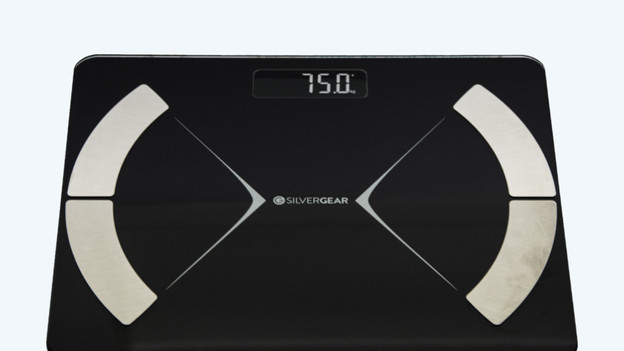
Connect the Silvergear personal scale in 4 steps
Go through the following steps to connect your Silvergear scale to the Fitdays app.
Step 1. Connect the app.
Step 2. Perform an accurate reading.
Step 3. Set the athlete mode.
Step 4. Solve problems with the body analysis.
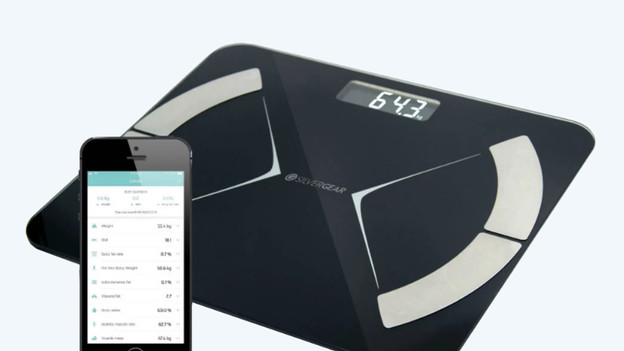
Step 1: connect the scale to the Fitdays app
- Download the Fitdays app in the Play Store of App Store, or scan the QR code in the manual.
- Fill out the information in the app to create an account.
- Open the app before you step on the Silvergear scale and make sure Bluetooth is turned on.
- Hold your phone with the app or place it next to you and step on the scale.
- As soon as you get on the scale, the reading starts. The data will know appear in the Fitdays app.

Step 2: perform an accurate reading
- Place 2 AAA batteries in the scale. These aren't included, so you have to purchase those separately.
- Make sure that the scale is on a hard and flat surface. Don't place it on a carpet.
- Step on the scale without any shoes or socks. The sensors have to be in direct contact with your skin.

Step 3: determine if you want to use the athlete mode
Do you work out more than 3 times a week and are you physically active in the long term? Switch to the athlete mode via the Fitdays app. The algorithm takes this into account when it calculates your body composition.
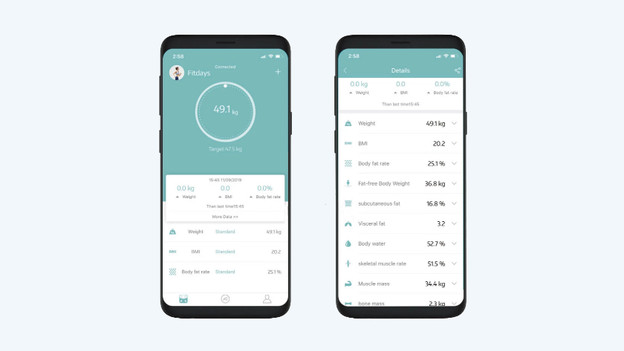
Step 4: solve problems with the body analysis
Won't the scale perform a body analysis or aren't the values being displayed properly in the app? Check the following points:
- Make sure that your phone has iOS 8.0 or Android 6.0 at least.
- Ensure that the app is open while you do the reading.
- Step straight onto the metal sensors with bare, dry feet. Check whether the sensors on the back aren't covered.
- Stand still on the scale for at least 10 seconds, until the number on the screen stops blinking.
- Is it still not working? Remove the batteries from the scale and put them back in after 1 minute.
Article by Andrea
Personal Scale Expert.