
Written by Mees
Edited on
12 October 2026
·
08:34
How do you install your Philips Skylight?
In this article, you can read how to install, connect, and set up your Philips Skylight. You can mount the lamp firmly, connect the remote, and set up the auto day rhythm correctly right away.
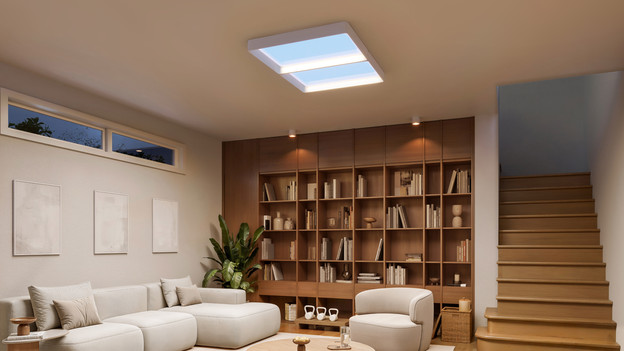
Install the Philips Skylight in 5 steps
Easily install your Philips Skylight yourself with the 5 steps below.
Step 1: secure the mount
Step 2: secure the safety cable to the lamp and mount
Step 3: connect the power cord
Step 4: connect the wire of the mount to the back plate
Step 5: place the lamp on the mount
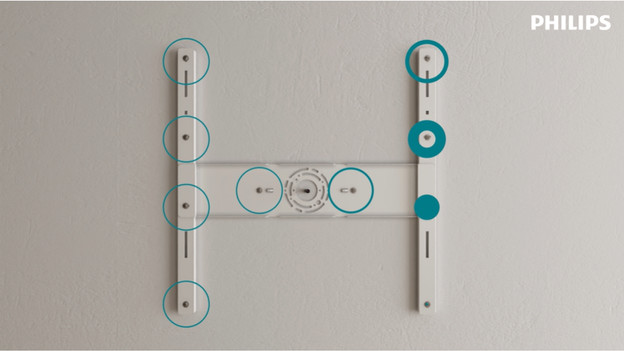
Step 1: secure the mount
Mount the mount to the right spot on the ceiling. Keep in mind that the spot on the ceiling should be a flat surface. Make sure the mount is straight and secured firmly beforehand. That way, you create a stable base for the rest of the installation.
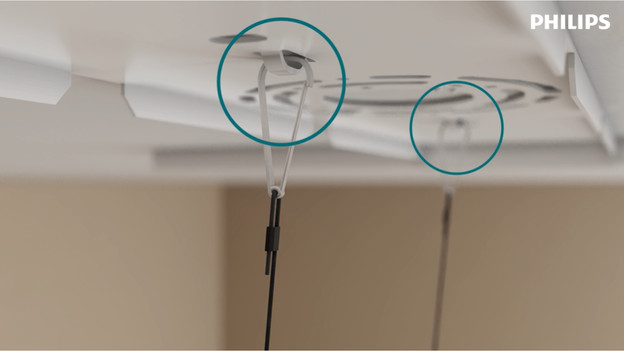
Step 2: secure the safety cable to the lamp and mount
Then secure the safety cable to the lamp and mount. That way, the lamp stays in place well while you connect the cables, and you can work more easily and safely.
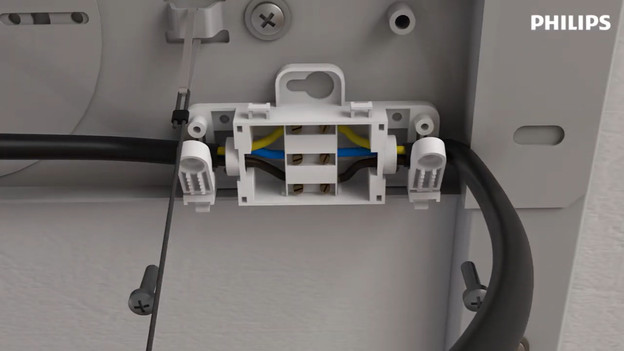
Step 3: connect the power cord
Connect the power cord to the lamp. Make sure the cord is attached firmly before continuing. That way, your lamp will work well.
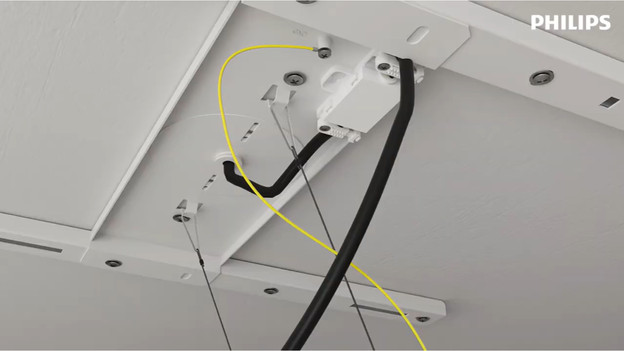
Step 4: connect the ground wire of the mount
Then connect the ground wire of the mount to the back plate of the lamp. That way, it's earthed well. After that, check again if all cables are secured well.
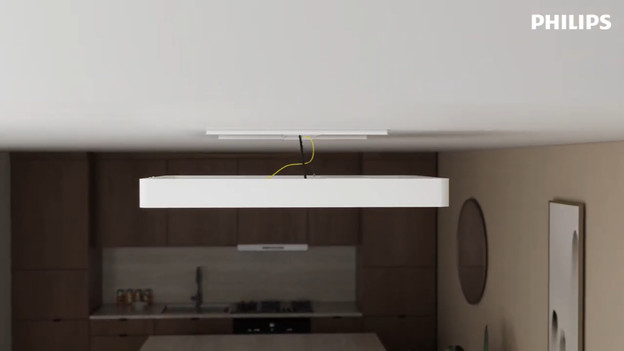
Step 5: place the lamp on the mount
Lastly, mount the lamp to the mount and secure it well. Check if the light neatly fits and hangs firmly. After that, your Philips Skylight is ready for use.
Article by Mees
Daylight Lamps Expert.