
Written by Jorn
Edited on
27 January 2025
·
13:10
How do you install the wall mount for the LG GX and G1 OLED TV?
Did you buy the LG GX or G1 OLED TV? You want to give it a nice place on the wall, of course. The installation of this TV and included wall mount looks complicated, so we're happy to help. In this article, we'll tell you how to install the OLED wall mount and LG TV in a few steps.
Install LG OLED wall mount in 7 steps
Follow these steps to mount the LG GX or G1 TV to the wall with the wall mount:
- Step 1: carefully unpack everything
- Step 2: stick the guide sheet to the wall
- Step 3: attach the wall mount to the wall
- Step 4: place the paper box and guide labels
- Step 5: connect the cables
- Step 6: place the TV onto the wall mount
- Step 7: connect more cables afterwards
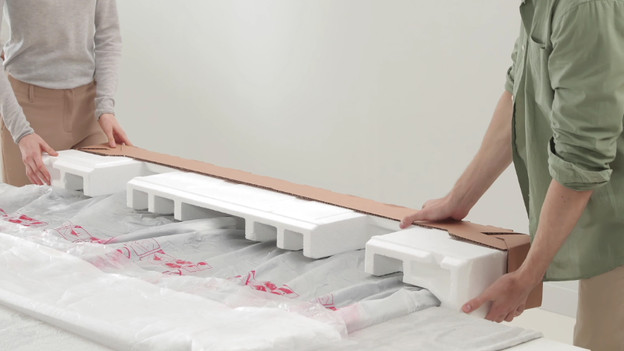
Step 1: carefully unpack everything
1: Slide the top of the box from the bottom. 2. Put the TV screen down on something flat and soft. 3. Take of the bottom of the box from the TV. 4. Make sure all parts are included.
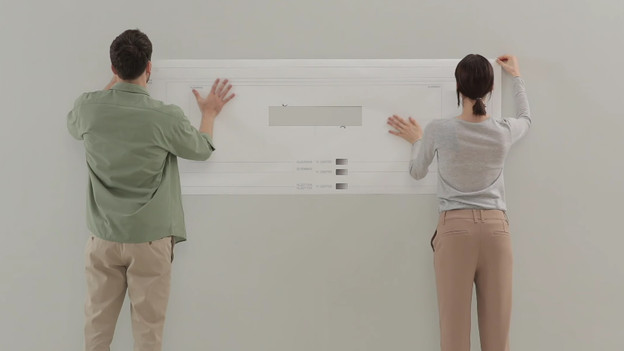
Step 2: stick the guide sheet to the wall
- Take the guide sheet, unfold it, and stick it on the place you want with scotch tape.
- Check which lines on the paper correspond with the inch size of your TV. The gray rectangle in the middle is where you put the wall mount.
- Cut that out, so you're left with a hole in the middle.
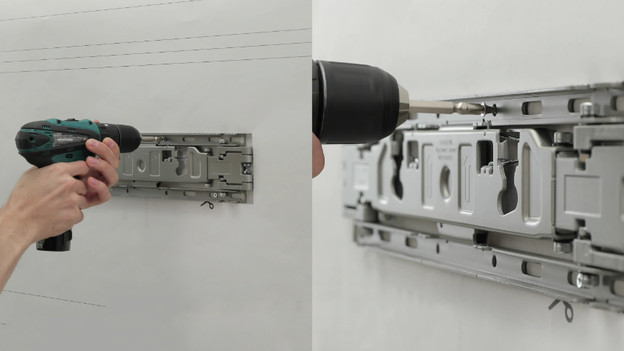
Step 3: attach the wall mount to the wall
- Mark the spots on the wall where the screws of the wall mount go.
- Drill holes in the whole and put in the plugs.
- Place the wall mount and screw it tight.
- Grab the middle part of the mount and unfold it, so you can put the cardboard box between it.
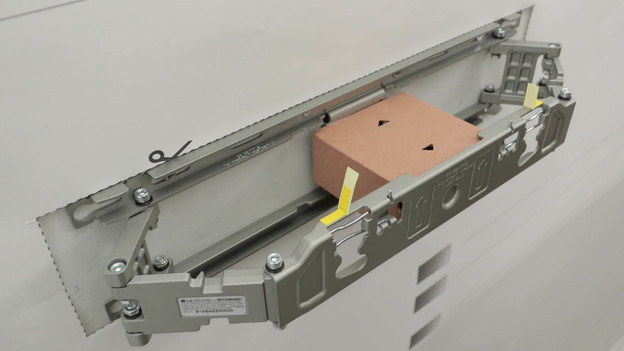
Step 4: place the cardboard box and guide labels
- Take the cardboard sheet, fold it like a box, and place it between the foldable part of the mount. Make sure the arrows on the box point outward.
- Gently push back the foldable part of the wall mount, to the box is stuck.
- Attach the yellow guide labels to the edge of the foldable part of the mount.
- Unlock the safety pins behind the guide labels.
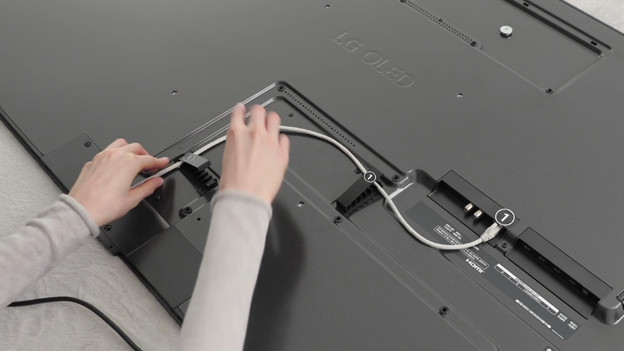
Step 5: connect the cables
- Plug the cables into the television and guide them away from the TV with the cable holders.
- Attach 2 new guide labels to the extended bolts behind the TV. These 4 yellow labels will help you decide where you put the television on the wall mount.
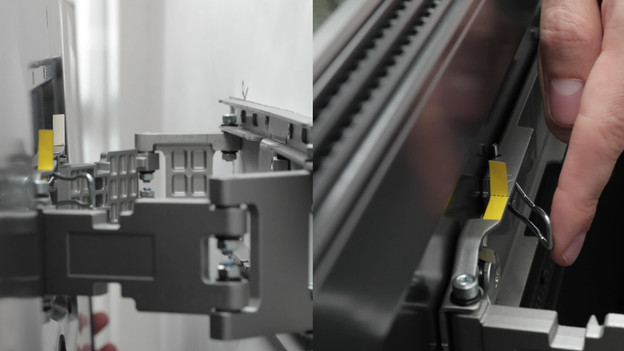
Step 6: place the TV into the wall mount
-
Gently pick up the TV together and place it into the wall mount, exactly where the yellow labels cross each other.
-
Gently push the top and bottom of the TV, until you hear a click.
-
Take the cardboard box away from the middle of the wall mount and push the safety pins back, so the TV is really secured.
-
Remove the paper guide sheet that's still around the wall mount.
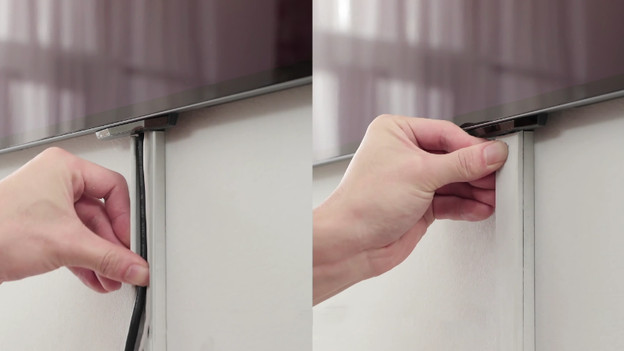
Step 7: connect more cables afterwards
- Grab the top and bottom of the television and gently push it towards the wall, until you hear a click.
- Level your LG OLED TV.
- You can hide the cables that come from underneath the TV with a cable duct.
- Do you want to add extra cables? Move your TV to the side a bit, plug in the extra cable, and hide it with the cable duct. You can put your TV back in place afterwards.
Article by Jorn
Television Expert.