Written by Laurence
Edited on
10 March 2026
·
14:55
How do you unpack a TV without damaging it?
Yay, you got your new TV! Of course, you don't want to damage it while you're unpacking. On this page, we'll explain how to do this in 6 steps.
Unpacking your TV in 6 steps
Unpacking your TV takes about 15 minutes and consists of 6 steps. You'll find the right stand and screws in the box. What you need to bring yourself:
- The help of a second person
- A box cutter
- A table with a blanket or a couch to place the TV on
- A set of screwdrivers

Step 1: carry the box
Together, carry the box to the place where you want to unpack the TV. Use the handles at the sides. Always transport the box upright and horizontally. If you put the box on its side, there's too much weight on the side of the TV.
Step 2: open the box
Use a box cutter to open the top of the box. Don't cut too deep, you don't want to damage the accessories that are packed on top. Are there any extra unpacking instructions on the box? Follow these. Some TVs have special clips at the bottom of the box. When you undo these, you can easily lift off the top of the box. This is mostly the case for TVs with an inch size from 65 inches. Such a TV is hard to lift out of such a large box.
Open the TV box with a box cutter
Open the TV box with clips


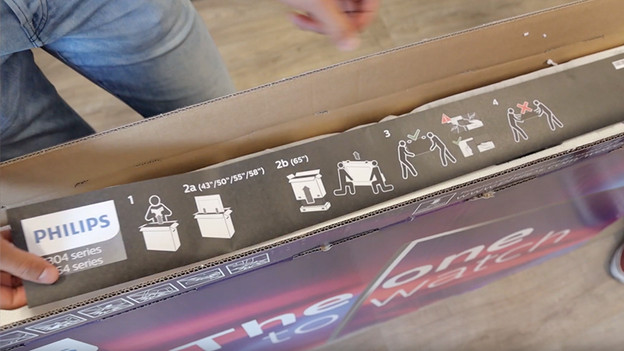
Step 3: remove the accessories
Your new TV is protected by 2 layers of polystyrene, one on the bottom and one on the top. The upper layer contains important accessories like the remote, stand, and power cord. Take all the accessories out of the box and carefully slide the top layer of polystyrene from the TV. Then slide the TB out of the bottom layer of polystyrene and look for a place at the bottom that you can put pressure on. Make sure you don't put any pressure on the corners of the TV and make sure you both have a good grip on the TV before completely lifting the screen up. Leave the plastic protective cover on.

Step 4: take the TV out of the box
Prepare a table with a thick cloth on it or a couch. The most important thing is that the surface is large enough for the entire TV and not too hard. This allows you to apply pressure while screwing in the stand or mount without bending the screen. Alternatively, you can refill the box with polystyrene and use it if it feels sturdy enough. Lift the TV out of the box together. Hold the bottom of the TV with 1 hand and guide the top with your other hand. Don't put any pressure on the corners of the TV. Remove the plastic cover and then lay the TV flat with the screen facing down on the chosen surface.
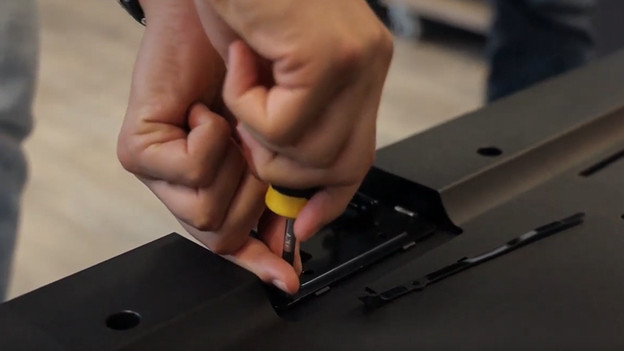
Step 5: attach the stand
The screw holes on the back or bottom of the TV are visible now. Attach the stand(s) to the TV with the screws. In the included manual, you can read how to do this. Note: don't tighten the screws too much. When it's secure, that's enough.
Are you hanging the TV on a wall mount? Read on here.
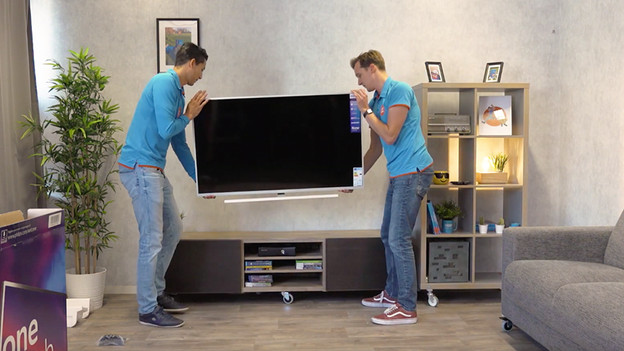
Step 6: place the TV on the TV cabinet
Carry the TV to the TV cabinet together. Hold the TV the same way you did when you lifted it from the box. Carefully put down the TV and test whether the leg stands can carry the weight. When you've put the TV down, remove the other protective materials. Think of stickers covering the screen, or a plastic later that protects the screen. Don't use the box cutter for this, just your fingers. Fingerprints on the screen are almost unavoidable while unpacking it, so clean the screen again with a microfiber cloth.

You're done!
Give each other a high five, because you're done! Don't throw away all the packaging material right away, but check whether there are any small accessories or screws left in the box first. Sit down and decide whether you're happy with how the TV is positioned. Not completely satisfied yet? Move the TV into position together.
Article by Laurence
Television Expert.