
Written by Dounia
Edited on
22 July 2026
·
06:00
What accessories do you need for your reMarkable?
You get the most out of your reMarkable with various accessories. There are various covers, such as the Book Folio or Type Folio. With a cover, you prevent scratches and damages to your reMarkable. With the Marker Plus, you can take notes and erase them as well. In this article, we explain which accessories there are and how you can use them with your reMarkable.

Which accessories are suitable for your reMarkable?
There are various types of accessories for your reMarkable, such as Book Folios, Type Folios, Markers, and pen tips. The accessories for the reMarkable 2 are unsuitable for the reMarkable Paper Pro and you can't use the accessories for the reMarkable Paper Pro with the reMarkable 2. This goes for all covers, pens, and pen tips.
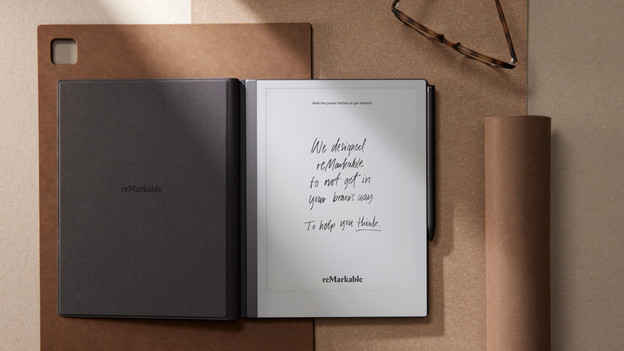
ReMarkable Book Folio
reMarkable has various types of covers. You can choose between the Book Folio and the Type Folio. The Book Folio is a book case that protects your reMarkable on the front and back. The side remains free, so you can easily attach your Marker. The Book Folio is available in various colors and materials. Choose a plastic or leather book case. Leather lasts longer than plastic and still looks fancy after long use.
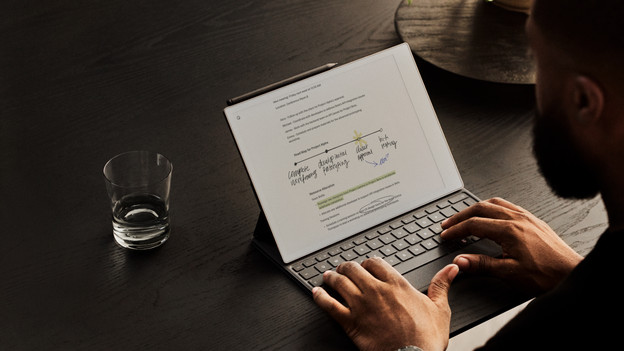
reMarkable Type Folio
With the Type Folio book case, you turn your reMarkable into a small laptop. That way, you can comfortably type long reports or notes. The Type Folio protects your reMarkable on the front and the back. This means the side of this book case remains free, so you can easily attach your Marker Plus to the side. The Type Folio of the Paper Pro has a backlit keyboard, so you can still comfortably type your notes in a dark space. You don't have to charge the Type Folio, so you can get started right away.

reMarkable Markers
With the Marker, you can easily use your reMarkable and take notes or mark pieces of texts. It feels like you're writing on real paper with the Marker. The difference between the Marker and the Marker Plus is that the Marker Plus has a built-in eraser at the back. That way, you can easily erase notes without selecting the eraser in the menu. The pen tips can wear with regular use. You can buy the pen tips for your Marker Plus and marker separately.