AMD upgrade kits
AMD upgrade kits.
Ryzen shine.Want to get started upgrading your gaming PC, but don't know which AMD components match? Check this page for the right AMD upgrade kit. These PC upgrade kits were composed to work together perfectly. This way, you can be sure the processor, motherboard, and RAM are compatible with each other. Keep the size of your computer case in mind. This is important for the placement of your motherboard.

AMD X570 upgrade kits with DDR4 RAM
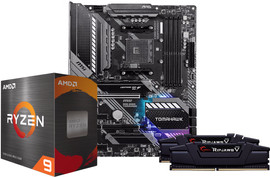
- AMD 5900X X570 DDR4 32GB upgrade kit
€ 30 bundle discount
Motherboard and CPU are overclockable
X570: more PCIe 4.0 slots and VRMs
Multitasking thanks to 32GB RAM
CPU has 12 cores and 24 threads
- AMD 5800X X570 DDR4 32GB upgrade kit
€ 25 bundle discount
Motherboard and CPU are overclockable
X570: more PCIe 4.0 slots and VRMs
Multitasking thanks to 32GB RAM
Only 8 cores, but 16 threads
- AMD 5600X X570 DDR4 16GB upgrade kit
€ 10 bundle discount
Motherboard and CPU are overclockable
X570: more PCIe 4.0 slots and VRMs
Only 6 cores and 12 threads
Limited multitasking due to 16GB RAM
AMD B550/B450 upgrade kits with DDR4 RAM
- AMD 5900X B550 DDR4 32GB upgrade kit
€ 25 bundle discount
Motherboard and CPU are overclockable
CPU has 12 cores and 24 threads
Multitasking thanks to 32GB RAM
B550: fewer PCIe 4.0 slots and VRMs
From
800,-
- AMD 5800X B550 DDR4 16GB upgrade kit
€ 25 bundle discount
Motherboard and CPU are overclockable
Only 8 cores, but 16 threads
Limited multitasking due to 16GB RAM
B550: fewer PCIe 4.0 slots and VRMs
- B550: fewer PCIe 4.0 slots and VRMs
€ 10 bundle discount
Motherboard and CPU are overclockable
Note: smaller Micro ATX motherboard
Limited multitasking due to 16GB RAM
B450: no PCIe 4.0 slots, only 3.0
From
599,-

Should you choose an AMDX570 or B550 motherboard?
The biggest advantage of an AMD X570 motherboard is the PCIe 4.0 support. Most B550 motherboards support PCIe 3.0 at most. You'll experience higher speeds with your video cards and SSDs as a result. Both motherboards support overclocking, but the X570 motherboards have a better cooling mechanism. This makes the X570 the right choice if you're looking for the whole package in terms of power. If that's not the most important thing for you but you do want a powerful motherboard, choose the B550.
Which 5000 series AMD processor should you choose?
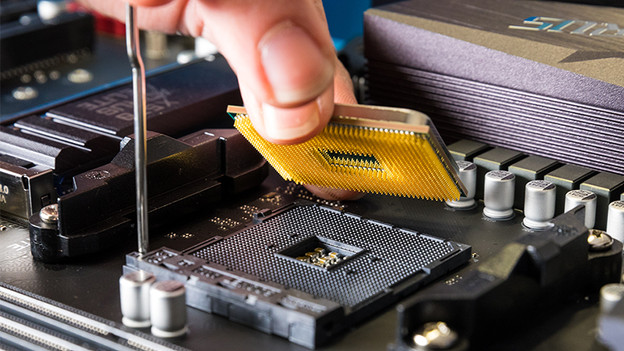
If you're looking for the best performances, choose the AMD Ryzen 9 5900X. The 5900X has 12 cores and 24 threads, which makes it suitable for the most demanding tasks. Want a slightly less powerful processor, but do want to game, multitask, or edit videos? Choose the AMD Ryzen 5700X. The AMD Ryzen 5 5600X is a nice alternative if you're a novice gamer or mostly edit photos.

How much RAM do you need?
The total RAM you need depends and what you're going to do with your setup. You'll most likely use it for gaming, working with multiple programs at the same time, or at least use more than just your internet browser. In that case, we recommend at least 16GB RAM. Professional use requires at least 32GB RAM, which is more future-proof than 16GB. Most motherboards support up to 128GB, in case you want to add an extra module.