You can use this powerline adapter to stream or game.
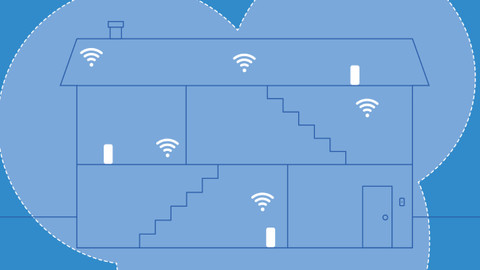
This WiFi powerline adapter has advanced functions such as fast roaming, so you have a fast wireless connection everywhere.
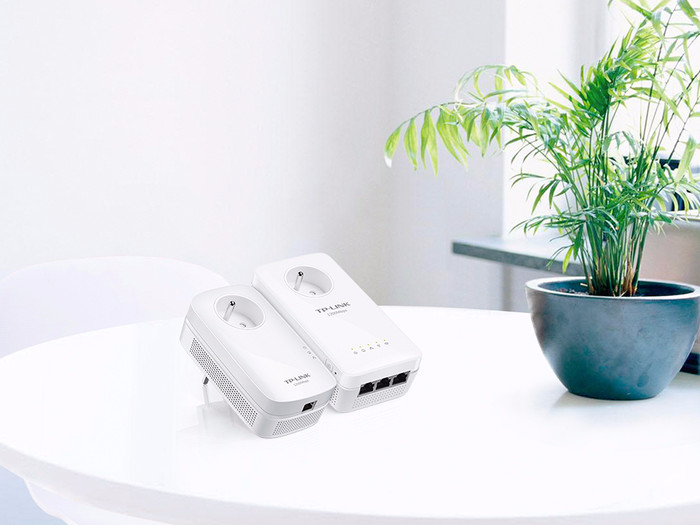
Thanks to the built-in socket, you don't have to use one of the sockets in your home.
At 15cm, the 2nd powerline takes up a lot of space.
The maximum speed of powerline adapters depends on the AC power in your house, as unearthed sockets provide a lower speed and you can't plug a powerline into a power strip.
Description
With the TP-Link TL-WPA8635P kit powerline adapters, you can create an extra WiFi network in your home in a place where you don't have wireless signal now. Simply plug the first adapter into the socket and connect it to your router. Plug the other adapter into a socket in the place where you want to set up your extra WiFi network, such as the attic or the garden house. Thanks to the 3 network ports on this adapter, you can also effortlessly connect several wired devices. This could be a TV receiver, game console, or IP camera. Thanks to the built-in sockets, you don't have to use one of your sockets.
I had the question of how I could extend my internet to the barn, 100m from my house, on the meadow.
Possible solutions that have been reviewed and reasons why/why not:
Pull network cable -> There is no pipe all the way at the back and I (and especially my wife) didn't like to open the newly landscaped garden.
Wifi directional antennas and extenders -> Major investment in both equipment and time with no guarantee it would work.
Powerline adapter -> Cheap and easy to try with the option to return it to Coolblue if this doesn't work.
After thorough consideration and a small question whether this would work via coolblue's facebook, I took the step to purchase the powerline adapter. I specifically chose this one because of the good price/feature ratio and the automatic phase coupling as I have 3-phase electricity. The latter turned out not to be necessary since both the basic module and the powerline module are connected to a socket on the same phase.
Of course delivered within the day by coolblue and immediately tested.
The installation instructions are simple: first connect both modules close to each other in a socket and base module with network cable to the network, then press the 'pair' button on both modules. There you go, modules paired.
Then leave the base module in place and plug the powerline module 100m further in the shed into a socket. Works!
Just quickly opened the web interface of the powerline and bumped into the downside here. Default administration username/password is very standard. When I see a WiFi network with the name TL-WPA8635P somewhere, I immediately know with which username/password I can get in there and can fully adjust the settings... that could be better, TP-link!
The first adjustment was therefore immediately the username/password combination!
Furthermore, I found all the settings I wanted and adjusted them to our needs. Top!
The Wifi speed is not great (35Mbps measured via speedtest.net), but I blame that on the length of the electricity cable over which the signal has to pass.
However, it is fast enough to make 2 video calls at the same time and have another video stream. Good enough for our purposes!
Review by:
Jan D'Hollander
Date:
13 May 2020
Translation:
Automatically translated from Dutch
Review is 9,6 out of 10.
9,6/10 ()
Highly recommended!
Quick installation
Guest network possible
you don't lose a socket
no
This product can be installed very quickly, advanced settings offer the possibility to set up a guest network and take over existing settings from my existing WiFi network. I bought these adapters to have WiFi network up to the lounge in the back of the garden without fiddling with repeaters that lower the speed. Class product that is completely worth the price.
Review by:
Dany
Date:
4 June 2018
Translation:
Automatically translated from Dutch
Review is 9,2 out of 10.
9,2/10 ()
Great product, just a little big
Ease of use/installation
Built-in sockets
The repeater is quite large
Easy to install, provided the router has a WPS function, otherwise an app must be installed on the mobile phone. Very small printed manual, but in correct Dutch, no Google translate this time.
All together a perfectly working and easy to install product, even without IT or network knowledge.
Review by:
Johan Nooijen
Date:
15 May 2019
Translation:
Automatically translated from Dutch
Specifications
The list with properties are filtered when you type