I had it within 24 hours of my order thanks to the fast delivery from coolblue as always! And this on a Sunday. This allowed me to read and test everything calmly.
unboxing:
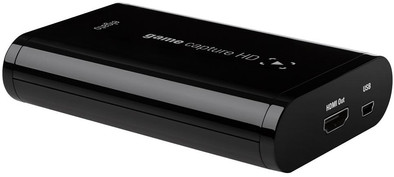
The box itself already looked very nice in terms of design. When I opened the box I was amazed at how small the elgato game capture card HD is. It's barely a hand big. The design is also very nicely finished. I also found in the box a quick start guide, USB cable, HDMI cable, PS3 cable and a component cable. Don't worry, you don't need them all. I think it's a very nice plus that you need so few cables. For this I had an HD PVR and it needed 3x as many cables.
set-up:
When I started connecting it, I was surprised how easy it was. You have connected everything correctly to 1,2,3, especially due to the quick start guide that is included in the box. The software is also very easy to download from the elgato website. (The link to the download on the site is also on the quick start guide)
As a result, it was ready for use within 10 to 15 minutes.
Settings:
When you open the software you will have to change a few settings depending on which console you use. This was the first time I was asked when opening the software. You will also most likely need to adjust your console settings. I use this game card for a PS3, because of this I had to put it on something else for image and sound (see quick
Start guide).
Tip: if you only see a black screen. When starting up the PS3, press and hold the power button until you hear a 2nd beep. As a result, your image and sound will go to factory settings and you can adjust the PS3 settings.
Putting into use:
Now that everything is set up in connection and you can start recording.
You can record with live commentary and even stream at the same time. Note that recording + streaming downscales the resolution.
For the rest, you can edit the recorded videos in the program by cutting, renaming, and uploading directly to eg Youtube.
And which is also a big plus. If you forgot to record a beautiful moment, you can go back to the missed moment and simply record it!
Less points:
I used a monitor screen without built-in speakers and external speakers for sound from my ps3. Because you use the component port on the ps3, I could no longer connect my external speakers and therefore had no sound while playing. (but sound for recording in the software). There was no way to solve this, so I had to buy a monitor with built-in speakers. So if you use a PS3 (not applicable to Xbox or PS4) in combination with this game capture card, make sure you have a TV or monitor with built-in speakers, if you want sound while gaming!!!
Another small downside is that you can't edit that much in the software itself. Elgato is aware of this problem and would do something about it in the future.
The last niggle I'm experiencing. When you record a video, it quickly becomes a large file. If you want to upload these videos on your youtube account it will not work because they are too big. This is quickly remedied by putting recorded videos in a program that can shrink files.
(I myself use, among other things, "Handbrake")
General decision:
Because of the many advantages and the few (small) disadvantages, I think that the Elgato game capture card HD is definitely recommended!!!
So, this is my review. Hopefully this was useful for you.