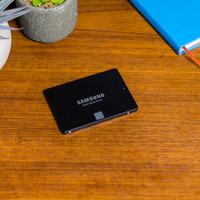
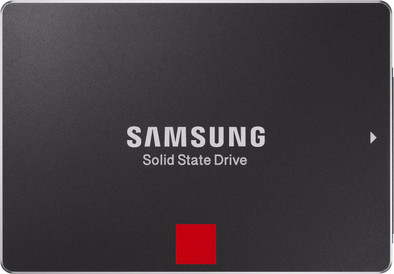
Samsung SSD 850 Pro 1TB 2.5-inch
Never available again
View alternatives in the sidebar
View alternatives in the sidebar
Total storage capacity | 1000 GB | |
|---|---|---|
Maximum read speed | 550 MB/s | |
Maximum write speed | 520 MB/s |
According to our solid state drive (SSD) expert
The Samsung SSD 850 Pro 1TB 2.5-inch is an internal SSD for laptops and desktops in business environments. The drive is 25% more durable than the 850 EVO series due to the longer time between failures (MTBF). With 550MB/s, you'll read files faster than with the 850 EVO SSD series. Finally, Samsung will give you a 10-year warranty on your SSD. The drive has AES 256-bit encryption, which keeps company data or other business documents protected in the event of theft. If you're temporarily not using the disk, the SSD switches to energy-saving mode, which makes it use up to 25% less power. Via the included Samsung Magician software, you can duplicate your files to your Samsung SSD.
5 stars
48
4 stars
7
3 stars
3
2 stars
0
1 star
1
Ideal in order to give back more "power" to a Mac Pro 4.1 (2009) used concurrently by 6 users.
I moved my Mac (10.9) + all Home users drives to this wonderfull SSD.
Two options for installing this SSD into a Mac Pro :
Advantage of the first option : Cheap and easy, but limited by the SATA-2 speed interface of the Mac Pro (300 MB/s) Advantage of the second option : You could get a throughput of 500 MB/s with one SSD and 800 MB/s with two SSD + You keep your original Mac Caddies for traditional HDs.
I finally installed the second option.
How I did it : 0. Very IMPORTANT : Make a full backup of your system with Time Machine on an external drive; I do aslo a backup of all my critical stuff on Backblaze Cloud service.
I tested the speed of the new SSD standalone with the Apricorn card : Read 497 MB/s - Write 506 MB/s. What is also impressive versus the HD is the access time which is very shorter.
I didn't activated the TRIM on this non-Apple SSD as this require to disable the kext signing security setting from Mac OS 10.10. I made intensive write testing with some VMs installed through VMWare Fusion on this SSD drive and even after some load VM testing, I saw some temporary performance degradation; but a few quiet time later the garabage collector seems perform its job quite well and everything was back to initial performance again.
With a guarantee of 10 years on this SSD and the support directlty available from Coolblue during this full period (Confirmed by the Coolblue Hot Line), I fully advice this one for an old Mac Pro. The whole familly was very surprised by this new very performing machine.
It is still quite expensive, but for this performance and very long guarantee period, it worth the investment.
Note of my Mac Pro 2009 configuration :
enjoy it!
Thierry Abeels
11 January 2015
Automatically translated from Dutch
On the one hand I am happy with the purchase: the SSD works quickly and silently. All in all, the installation went smoothly. I only bought it to use as a c: drive in my Dell desktop, so that booting would be faster. However, that didn't work. Despite the cloning, the PC kept looping during boot. Just install it as a scratch disk. It still takes the same amount of time to boot, but my software now works a bit faster.
Marc Amant
2 March 2016
Automatically translated from Dutch
Used to replace HDD in laptop with SSD.
Cloning did not work with the Samsung tool but via https://www.cnet.com/how-to/how-to-upgrade-ssd-windows-10/ Was I able to find the correct method, namely by using Macrium Reflect. See http://www.macrium.com/Download.aspx?type=home With this tool my Toshiba Harddisk cloned identically and 2 year old laptop is now super fast at startup, windows updates and virus scanner.
Frank Van Hevel
21 December 2016
Automatically translated from Dutch
Product number | 483381 | |
|---|---|---|
Manufacturer code | MZ-7KE1T0BW | |
Brand | Samsung | |
Warranty | 10 years | |
Processing of your defect | Carry-in warranty |
Total storage capacity | 1000 GB | |
|---|---|---|
SSD-controller | Samsung | |
Memory type (SSD) | Multi Level Cell (MLC) |
Depth | 69,8 mm | |
|---|---|---|
Height | 7 mm | |
Width | 100,1 mm | |
Color | Black |
Cache memory | 0 GB | |
|---|---|---|
Maximum read speed | 550 MB/s | |
Maximum write speed | 520 MB/s | |
Output operations per second (IOPS) | 100000 | |
Input operations per second (IOPS) | 90000 | |
Mean Time Between Failure (MTBF) | 2000000 hours |
Energy-efficient |
|---|
Receive more coverage in case of damage than with your standard warranty. Coolblue takes care of everything: from taking out the insurance to repairs. Is a repair not possible? You receive the purchase price as CoolblueCredit.
XCover is allowed to arrange and process insurances on behalf of the insurer. The insurances are governed by Belgium law. If you have a complaint, you can contact the or our customer service.
First, add your solid state drive (SSD) to your shopping cart. On the next page, choose the Protection Plan below. You always have a 30-day return window and pay no deductible in case of damage.
The insurance can be canceled every year, even if you have paid in advance. If you cancel earlier, you will receive a refund for the overpaid amount.