A year and a half ago I bought a Medion Akoya notebook at an, at first sight, an interesting price, especially since it included a full Office 2013, PhotoDirector 3 and a few other useful apps preinstalled on it. The complete software package, the compact dimensions, the fairly solid construction and the low weight made it a good travel device, I thought.
However, the thing soon turned out to be incredibly slow, partly due to the Windows 8 operating system that apparently demanded a bit more than the 2 GB RAM present in the device and the slow 5000 rpm HDD. As a result, the notebook was only used for occasional surfing on the internet and that was about it. This remained so until some time ago I gathered up the courage and opened the device, threw out the 2 GB memory card and replaced it with an 8 GB one. This move turned it into a very usable device and I started to wonder if installing an SSD would boost performance even further.
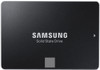
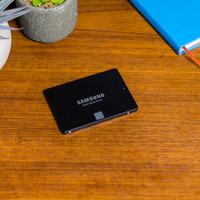
After the necessary research, I decided to purchase a Samsung 840 EVO or 850 EVO and that's how I ended up on the Coolblue website. Their handy comparison application ensured that the choice fell on a Samsung 850 EVO 250 GB. Since a SATA to USB cable is not included as standard with this SSD, I eventually ordered the bundle Samsung 850 EVO 250 GB + Docking Station.
As a new customer, this also gave me the opportunity to test the online shop and the handling. I have only one comment on this: nothing short of fantastic! Order placed at 9.35 pm, almost immediately received an order confirmation by mail followed by a packing and shipping confirmation and the next day at 9.47 am the package was delivered to my home! Class!
The Samsung 850 EVO comes with a CD-ROM which contains a clear multilingual manual (a minus is that a Dutch language is missing), the Data Migration software and Magician disk management software. Installing the software is child's play, just follow the instructions and you're done. After this, the SSD can be connected to the notebook via a USB-SATA cable or, as in my case via the SATA docking station, and the cloning of the HDD to the SSD can be started. The cloning itself is done in just five steps, provided the amount of data on the source disk does not exceed the size of the target disk (SSD), and is at least as smooth as the software installation. Migrating the data itself took about half an hour, and this for about 60 Gigabytes.
After this came “the tricky part”, namely opening the device, and the HDD could be replaced by the SSD. This also went quite smoothly in my case. No adapter states were needed. Simply remove the frame with the original HDD, unscrew the HDD, then put the SSD in, put everything back in place and close it. Starting up the device also went smoothly, just like before, but faster. Operation successful!
After booting, it is still necessary to adjust the settings of the operating system to the SSD. This can be done quite easily and quickly by using the Magician disk management software. This software also includes a benchmark application which allows to test the performance of the system. With OS Optimization on Maximum Performance and Advanced Feature on Rapid mode, my device now gets a Sequential Read of, believe it or not, an 822 MB/s and a Sequential Write of 792 MB/s! This is way above the stated values and I am not sure to what extent this is correct as I have not verified the result with another benchmark program. Towards Random Read / Random Write, the results with 16832 IOPS and 11317 IOPS respectively seem much less spectacular. The somewhat lesser AMD A4 processor may play a role in this.
What is certain is the phenomenal difference in speed that I have noticed with almost all applications since the conversion. For example, booting up takes a mere 10 seconds, powering up from hybernate takes one or two seconds! PhotoDirecor 3, Word, Excel, view photos and videosÂ… everything now runs extremely fast and smooth! The battery also appears to last a lot longer. With normal use, an hour is easily added.
Finally, a tip for Windows 8.1 users: since this operating system itself already takes up quite a bit of space on the SSD and especially because there are still 23 gigabytes reserved above for so-called “About Provisioning” (disk space which is intended to optimize the performance and the lifespan of the SSD and in which no data can be written by the user), a 250 GB SSD seems to be preferable to, for example, a 120 GB version.
In conclusion, I can say that I am more than satisfied with the purchase of the 850 EVO. The relatively high “euro to gigabyte ratio” compared to a classic HDD is more than made up for by the phenomenal speed gain and ease of use of the system. In short, highly recommended!