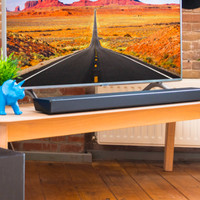
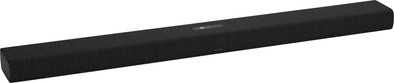
Harman Kardon Citation Soundbar Black
Never available again
View alternatives in the sidebar
View alternatives in the sidebar
Product number | 818402 | |
|---|---|---|
Manufacturer code | HKCITATIONBARBLKEU | |
Brand | Harman Kardon | |
Warranty | 2 years | |
Processing of your defect | Via Coolblue |
Height | 6,2 cm | |
|---|---|---|
Width | 115 cm | |
Depth | 11,5 cm | |
Weight | 4,1 kg | |
Color | Black | |
Quality category | High-end |
Separate subwoofer |
|---|
Sound quality according to customers | Mediocre | |
|---|---|---|
Number of audio channels | 3 | |
Number of subwoofer channels | 1 | |
Sound reproduction | Surround | |
Surround sound | Virtual surround sound | |
Hi-Res audio | ||
Radio |
HDMI connector | ||
|---|---|---|
HDMI ARC (Audio Return Channel) | ||
Digital optical connector | ||
Network connector | ||
USB port |
Bluetooth | ||
|---|---|---|
Built-in WiFi | ||
Plays from network | ||
Multi-room audio | ||
Multi-room functions | Make a stereo pair, Surround sound mode, Zones separately, Zones simultaneously | |
Number of zones (audio) | 10 | |
NFC | ||
DLNA | ||
Spotify Connect | ||
AirPlay | ||
Google Cast |
Smart home platform | Google Assistant | |
|---|---|---|
Compatible with smartphone / apps | ||
Controls via app | ||
Controlled via Android app | ||
Controlled via Apple app | ||
Controlled via Windows app |
Best tested |
|---|
anything for a smile
Built-in WiFi | ||
|---|---|---|
Bluetooth | ||
Width | 115 cm | |
Height | 6,2 cm | |
HDMI ARC (Audio Return Channel) | ||
Sound reproduction | Surround | |
Quality category | High-end |
According to our soundbar expert
Thanks to the high-end sound quality, the audio of this soundbar is very good.
With the built-in Google Assistant, you can control the soundbar via voice commands.
Add the soundbar to the Harman Kardon multi-room system and stream your music throughout the entire house.
The soundbar doesn't support AirPlay
You can't connect the soundbar to the Citation One for a 5.0 or 5.1 surround setup, because you need the Citation Towers or Citation Surround for that.
You bring the sound of your series, movies, and music to life with the Citation soundbar. Thanks to the built-in subwoofer, the sound effects really come into their own. With the built-in Google Chromecast, you can stream music to the soundbar via streaming services like Spotify. You can easily control the soundbar with voice controls or via the touch control panel. Connect the soundbar to your smartphone via WiFi or Bluetooth to use Google Assistant. That way, you can control your music with your voice and receive answers from the Assistant to your questions about the weather, traffic, or your own calendar. Connect the soundbar to the Citation Surround speakers or the Citation Sub for a 5.1 home cinema sound setup. Thanks to the WiSA technology, the sound quality remains up to standard with a WiFi connection.
The sound quality is quite good. Especially in combination with the subwoofer. It is good in terms of convenience and design. Only the HDMI arc connection does not work in combination with our Samsung TV. And it hangs sometimes, doesn't respond to anything. Turning it on and off helps. And sometimes he doesn't see the optical connection.
Kristian Kievith
14 November 2020
Automatically translated from Nederlands
I connected the Citation bar via HDMI-ARC and a wired network cable. I use it standalone, so without other devices connected.
I really like the sound of this soundbar. Netflix sounds like a movie and I also experience the virtual surround sound perfectly in a game. I'm not used to real surround (except in the bios) so I can't compare that well. It is also nice that it is always on, which of course costs extra energy, so you can always stream directly or ask Google a question. As soon as I switch on the TV the sound switches to the bar.
I don't like the orange LEDs on the front. These light up as soon as the microphone (from google) is muted. However, this is always the case if you play sound via HDMI-ARC (from TV or game console), so those LEDs will light up. Google Assistant does not work, but by pressing the button on the remote control, it can be called up again quickly.
The display on top of the bar is of course nice, but you can't see what you set when you operate it from the couch. I always have to get up to see which setting I'm changing.
In terms of connection, I still miss a USB port, but not very much.
Marcel
19 May 2020
Automatically translated from Nederlands
Works well but have regular breaks in the sound as I watch TV, both via optical cable and HDMI cable, with music streaming I have no problems.
Marc Haverals
14 January 2021
Automatically translated from Nederlands