Never available again
View alternatives in the sidebar
View alternatives in the sidebar
According to our monitor expert
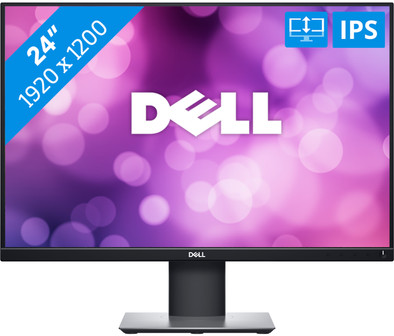
Organize and keep a clear overview of your working day with the Dell P2421 24-inch Full HD monitor with Dell Display Manager software. This software gives you the option to open 5 different windows at the same time and divide them in preset window layouts. This way, you don't have to switch between windows and tabs as often. You can set up an ergonomic posture by rotating, pivoting, or adjusting the height of this Dell monitor. Do you use other devices to do your work? No problem. The P2421 offers various ways to connect peripherals to the monitor, such as VGA and DVI ports. This means you don't need an adapter to connect other devices Thanks to the blue light filter and flicker-free technology, your eyes are less strained with intensive use. So working for an extra hour or watching a movie is no problem.
Sharpness | WUXGA | |
|---|---|---|
Curved | ||
Aspect ratio | Standard (16:9) | |
Refresh rate | 60 Hz | |
Response time | 8 ms | |
Panel type | IPS panel | |
Color depth | Less than 17 million colors (less than 8-bit) | |
Built-in speakers |
5 stars
6
4 stars
1
3 stars
0
2 stars
0
1 star
0
I bought two to be able to work well at home as well as at work. They are beautiful large screens with just a little more image area due to the 1920 x 1200 resolution. Because the screen has different connections (VGA / DVI / HDMI and a display port), I can connect both the laptop and the fixed computer to the screens without having to use cables. to switch.
J. Voetel
9 January 2021
Automatically translated from Dutch
The monitor is easy to install because it does not weigh much and can be mounted quickly and easily on the stand. Compared to some other displays quite complete, including some cables. Downside is the limited color reproduction, which is sometimes noticeable with photo and video material.
pascal haakmat
16 January 2021
Automatically translated from Dutch
See pluses.
Rob
10 February 2021
Automatically translated from Dutch
Product number | 874214 | |
|---|---|---|
Manufacturer code | 210-AWLE | |
Brand | Dell | |
Warranty | 3 years | |
Processing of your defect | Via Coolblue |
Recommended display resolution | 1920x1200 | |
|---|---|---|
Sharpness | WUXGA | |
Aspect ratio | Standard (16:9) | |
Refresh rate | 60 Hz | |
Response time | 8 ms | |
Panel type | IPS panel | |
Local dimming | ||
HDR support | ||
Contrast ratio | 1000 | |
Touchscreen | ||
Screen reflection | Anti-glare | |
Blue light filter | ||
Flicker-free technology | ||
Color space | sRGB | |
Color depth | Less than 17 million colors (less than 8-bit) | |
Adaptive Sync | ||
Resolution width | 1920 pixels | |
Resolution height | 1200 pixels | |
Anti-reflection type | Anti glare | |
Viewing distance | 43 - 115 cm | |
Horizontal viewing angle | 178 ° |
Height | 37,08 cm | |
|---|---|---|
Width | 53,1 cm | |
Depth | 16,6 cm | |
Weight | 3,5 kg | |
Color | Black | |
Including stand | ||
Material | Plastic | |
Cable management | ||
Appearance | Neutral | |
Curved |
Number of HDMI connectors | 1 | |
|---|---|---|
Number of Female Standard DisplayPort 1.2 ports | 1 | |
Number of female standard USB-A ports | 4 | |
Female standard USB-A port version | 2.0, 3.0 | |
Number of female standard VGA ports | 1 | |
Type of USB port | Standard USB-A, Standard USB-B (3.0 form) | |
Number of USB ports | 5 | |
Suitable for daisy chaining |
Included by default | DisplayPort cable, USB cable | |
|---|---|---|
Not included by default | HDMI cable, USB-C cable |
Adjustable in height | ||
|---|---|---|
Tiltable | ||
Pivotable stand | ||
Pivot function | ||
VESA mount option | ||
VESA mount | 100x100mm |
Energy label | D | |
|---|---|---|
Energy consumption standby | 0,3 W | |
Energy consumption active | 18 W | |
Energy consumption per 1000h | 15 kWh | |
Annual energy consumption | 21,9 kWh | |
Annual energy costs | 8,76 euros |
Built-in speakers | ||
|---|---|---|
Webcam | ||
Split screen | ||
Kensington lock | ||
Best tested |
Recommended for use | Internet, email, and text processing, Office work, Watching movies in Full HD |
|---|
