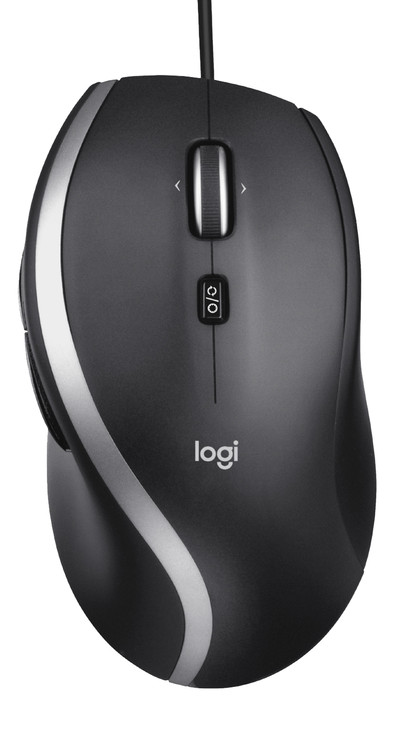
Logitech M500s Advanced Wired Mouse

Never available again
View alternatives in the sidebar
View alternatives in the sidebar
How large is a mouse exactly? It's often difficult to see on a photo. That's why we thought of the thumb rule below.
Choose a mouse that takes up more than half of the surface of the dimensions of your hand. You can find the dimensions of the mouse under the specifications.
Your hands are often 2 times longer from your wrist to the tip of your middle finger than that it's wide from your little finger to the knuckle of your thumb. The closer the length and width a mouse come to 60% of the length and width of your hands, the more likely it is that the mouse feels comfortable in your hand.

Product number | 876504 | |
|---|---|---|
Manufacturer code | 910-005784 | |
Brand | Logitech | |
Warranty | 2 years | |
Processing of your defect | Via Coolblue |
Mouse model | Standard | |
|---|---|---|
Input | Optical | |
Number of buttons | 7 | |
Ergonomic design | ||
Type of ergonomics | Standard ergonomic | |
Left or right-handed | Right-handed | |
Maximum dots per inch (DPI) | 4000 dpi | |
Adjustable DPI | ||
Mouse controls | Buttons, Scroll wheel | |
Suitable for gaming | ||
Scroll fast | ||
Rechargeable | ||
Programmable buttons | ||
Number of programmable buttons | 7 | |
Lighting peripherals | ||
Silent mouse | ||
Horizontal scrolling | ||
Mouse surface | Any surface | |
Product family | M Series |
Connection type | Wired | |
|---|---|---|
Braided cable | ||
Cable length | 1,8 m |
Plug and Play | ||
|---|---|---|
Compatible with operating system | ChromeOS, Windows, macOS |
Power supply type | USB port PC/laptop |
|---|
Color | Gray | |
|---|---|---|
Mouse size | Large | |
Width | 6,9 cm | |
Height | 4,2 cm | |
Depth | 12,6 cm | |
Material | Plastic | |
Finish | Matte | |
Weight | 144 g |
anything for a smile
Our digital expert will help you, but it can sometimes make mistakes, like humans do.
According to our mouse expert
Work comfortably: the ergonomic design keeps your arm, hand, and wrist in a natural position.
Scroll faster: with the free-spinning scroll wheel, you can move through long pages faster.
Navigate horizontally: with the horizontal scroll wheel, you can quickly move through spreadsheets and pages.
Less freedom of movement: the cable lets you move your mouse less freely across your desk.
No quiet buttons: this means you'll hear more clicking sounds while you work.
You can scroll continuously, but also with the stepped setting you can scroll far through the weight of the scroll wheel with a single swipe.
Remon
24 June 2021
Automatically translated from Nederlands
First the good news: the scroll wheel goes really fast, and continues to rotate (for a long time) when you let go of the wheel. If you have a lot of web pages to search, this is your mouse. I even reduced the scroll wheel speed from 3 lines to 1 in the mouse settings, and it was still lightning fast. This also mentions the disadvantage: the wheel continues to rotate for many seconds, even if you then move your mouse over other applications. Suddenly you see your Excel, Word, Powerpoint ... pages scrolling in the background. You are scrolling through your Excel or PowerPoint, want to copy something with Ctrl-C, and suddenly you are zoomed in by a factor of 1000, because the wheel is still spinning for seconds, and scrolling with the Ctrl key pressed is the zoom function in Office . It really is a learning curve to put the wheel back when you don't need it. Then comes the next problem: the wheel has no hysteresis. If you keep your finger on the wheel, you are constantly going up and down. Even when moving your mouse, the scroll wheel sometimes gives a few hits. Are you giving a presentation with the mouse, and suddenly you are 1, 2 or 3 slides further because the wheel has moved. The worst thing is that with me the wheel had a minor imbalance. When I scroll through pages and I stop, the wheel tends to roll back a bit. And that made it completely useless. In short: great fast mouse for browsing, difficult learning curve in normal use, and even counter-productive for office or graphics work and gaming.
Jurgen Van Gorp
15 September 2021
Automatically translated from Nederlands
A fine mouse, unnoticeably comfortable, but if you have another type in your hand you know that this one is perfect.
Elize Bader
10 February 2021
Automatically translated from Nederlands