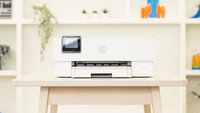
HP LaserJet Pro MFP 3102fdn
Never available again
View alternatives in the sidebar
Choose the better printer that also allows you to print in color
HP Color LaserJet Pro MFP 4302fdw
Better model
View alternatives in the sidebar
Better model
Print technology | Laser | |
|---|---|---|
Printer type | All-in-one | |
Type of ink | Toner cartridges | |
Automatic duplex printing | ||
Automatic document feeder (ADF) | ||
Automatic duplex scanning | ||
Color printer | ||
Maximum print size | A4 |
According to our printer expert
The HP LaserJet Pro MFP 3102fdw is a fast 4-in-1 printer for your home office or small office. You can print and copy up to 33 pages per minute. Do you want to copy or scan a large document? You can put up to 50 pages at the same time in the automatic document feeder. You can also fax your work documents with the LaserJet Pro MFP 3102fdwe. You print automatically in duplex, which saves paper. This printer doesn't have WiFi, so you can only print wired with a USB cable or a network cable.
5 stars
7
4 stars
1
3 stars
0
2 stars
0
1 star
0
HP has strict security measures to ensure that everything is stored safely. This is also one of the reasons to choose HP. Certain functions are locked and can only be accessed if you enter a password. The paper tray is quite large with a capacity of 250, I can use it for a few days. I print and copy a whole mountain of documents every day and the speed at which this is accomplished is satisfactory. Another feature is that the printer shuts itself down when inactive. Still a small energy guzzler if it goes unnoticed. HP has provided me with a solid printer and I make eager use of it.
Bart
16 January 2025
Automatically translated from Dutch
The HP printer can do a lot and fulfills the functions excellently. The printer has been given a place in my office and is a proven value in my environment. By printing double-sided, I save a lot of paper per month. I find the savings reasonable, but the impact on the environment is especially important. Wifi is crucial because it is in the office. Not only when it comes to printing via PCs but also via mobile. Sometimes I have to print something that I receive via mobile or because I see something that I want to share. Then I can easily send this directly to the printer via my mobile. Scanning and copying I do occasionally and to my satisfaction.
Daan
15 January 2025
Automatically translated from Dutch
The HP LaserJet printer pleasantly surprised me with its compact size and versatile features. The device is surprisingly small for what it can do, which makes it perfect for both home use and a small office. The installation is virtually hassle-free - you can be printing within minutes. The HP software is very user-friendly and provides useful information such as the remaining toner levels. The control panel on the printer itself is also pleasant and intuitive to use. In terms of performance, this printer excels in speed and print quality. The large document feeder is a godsend for those who have to copy or scan a lot. The double-sided printing works excellently and saves a lot of paper. The print quality is excellent and consistent. An important point of attention is the Wi-Fi connectivity - not all models have this function. If you want to print a lot from your smartphone or tablet, check carefully whether your model has Wi-Fi support. Of course, you can still connect the models without Wi-Fi via a cable. The printer is also energy-efficient thanks to the automatic switch-off function when it is not in use. This is a nice feature that is good for both the environment and your energy bill. In summary, this is a reliable, fast printer that excels in ease of use and print quality. The compact size and many functions make it suitable for various usage scenarios. Just be careful whether you choose a model with or without Wi-Fi, depending on your specific needs.
Jurre
7 January 2025
Automatically translated from Dutch
Receive more coverage in case of damage than with your standard warranty. Coolblue takes care of everything: from taking out the insurance to repairs. Is a repair not possible? You receive the purchase price as CoolblueCredit.
XCover is allowed to arrange and process insurances on behalf of the insurer. The insurances are governed by Belgium law. If you have a complaint, you can contact the or our customer service.
First, add your printer to your shopping cart. On the next page, choose the Protection Plan below. You always have a 30-day return window and pay no deductible in case of damage.
The insurance can be canceled every year, even if you have paid in advance. If you cancel earlier, you will receive a refund for the overpaid amount.
Product number | 943912 | |
|---|---|---|
Manufacturer code | 3G629F | |
Brand | HP | |
Warranty | 2 years | |
Processing of your defect | Via Coolblue |
Printer size | Large | |
|---|---|---|
Width | 41,8 cm | |
Depth | 39,8 cm | |
Height | 31,3 cm | |
Color | White | |
Weight | 10,5 kg |
Printer type | All-in-one | |
|---|---|---|
Photo printer | ||
Print quality photos | Low | |
Portable (mobile use) | ||
Recommended for use printers | Business printing |
Toner cartridge line | HP 139 | |
|---|---|---|
Print technology | Laser | |
Type of ink | Toner cartridges | |
Number of cartridges/toner cartridges | 1 | |
Color printer | ||
Print speed black (ISO) | 33 ppm | |
First black page ready after | 7 seconds | |
Speed class | Excellent | |
Maximum print resolution height | 1200 dpi | |
Maximum print resolution width | 1200 dpi | |
Maximum print size | A4 | |
Automatic duplex printing | ||
Borderless printing | ||
Maximum print size duplex printing | A4 |
Scan functionality | ||
|---|---|---|
Automatic duplex scanning | ||
Maximum optical scan resolution width | 1200 dpi | |
Maximum optical scan resolution height | 1200 dpi | |
Scanner type | File scanner, Flatbed scanner | |
Maximum scan size | A4 (21x29.7cm) | |
Automatic document feeder (ADF) | ||
Maximum paper size ADF | A4 | |
Scan sizes | A4 | |
Scan speed (PPM) | 19 ppm | |
Color depth output | 24 bpp | |
Scan to | Cloud, Email, Folder, Image, Network, PC (network), PDF, USB | |
ADF capacity | 50 | |
OCR |
Copying functionality | ||
|---|---|---|
Copy speed black (ISO) | 33 ppm | |
Copy speed color (ISO) | 0 ppm | |
Maximum copy resolution height | 600 dpi | |
Maximum copy resolution width | 600 dpi |
Fax functionality |
|---|
Built-in screen | ||
|---|---|---|
Color screen | ||
Touchscreen |
Compatible with operating system | Android, ChromeOS, Linux, Windows, Windows Phone, iOS, macOS | |
|---|---|---|
Connection type | Wired | |
Apple AirPrint | ||
Email print | ||
WPS (Wireless Protected Setup) | ||
Female standard USB-A port version | 2.0 | |
Ethernet port | ||
Number of Ethernet ports | 1 | |
Bluetooth | ||
USB port |
Manual input tray | ||
|---|---|---|
Output capacity output drawer | 150 | |
Maximum print size standard paper tray | A4 | |
Input capacity standard paper tray | 250 | |
Number of standard paper trays | 1 |
Memory card reader |
|---|