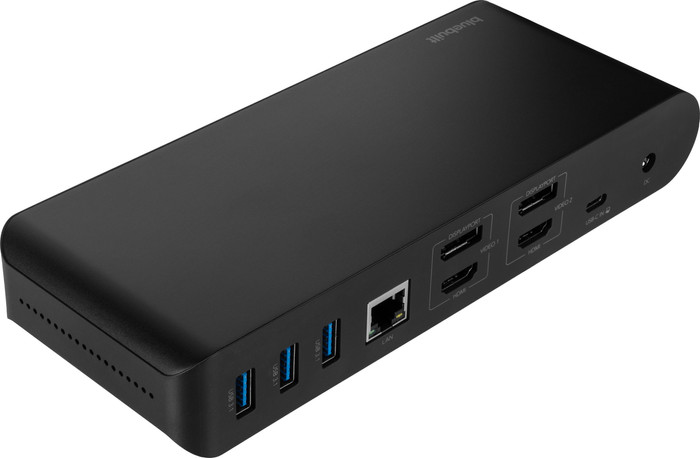
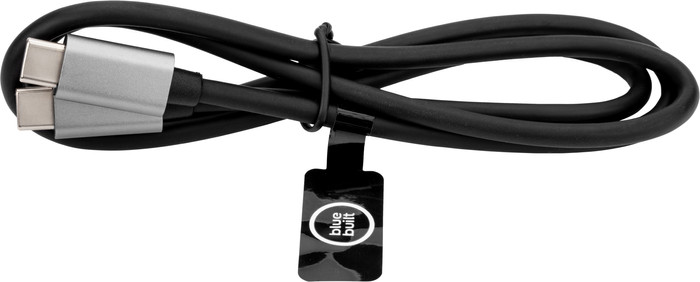
With this dock, you can connect 2 extra 4K monitors to your laptop via DisplayPort or HDMI.
You can charge your laptop or MacBook with this dock if your laptop supports Power Delivery.
You can work with accessories like a keyboard and an ergonomic mouse, which you can connect via the USB-A ports.
You have to install DisplayLink software before you can use this docking station.
This docking station is unsuitable for gaming on your extra screen.
Description
Note: the docking station works best if you install the DisplayLink driver before use. You can easily download it from the DisplayLink website.
You can easily expand your workplace with the BlueBuilt DisplayLink Docking Station Pro with USB-C. With this docking station, you can connect up to 2 monitors via DisplayPort or HDMI. You can get a maximum resolution of 4K at 60Hz. This allows you to create more space for all your windows. You also have enough USB ports for peripherals and memory cards. You can easily and quickly connect your mouse, keyboard, and USB flash drive. Does your laptop support Power Delivery? You can charge your laptop with this BlueBuilt Pro dock. This way, you don't have to look for a socket. Via the Ethernet port, you can also connect a cable for a stable wired internet connection. The BlueBuilt DisplayLink Docking Station with USB-C works on all Windows laptops and MacBook models with a USB-C port that transmit a video signal. This is how you check if your laptop has a suitable USB-C port.
What can you do with this docking station?
Connect up to 2 monitors
Charge a laptop with Power Delivery up to 100W (if your laptop supports Power Delivery)
Work with wired internet
Connect a mouse and keyboard
Charge a phone
Read a memory card
Connect headphones
If you connect 1 monitor to this docking station, you have a maximum resolution of 4K at 60Hz.
If you connect 2 monitors to this docking station, you have a maximum resolution of 4K at 60Hz.
Super docking station! I have a macbook pro myself and had first bought another one for less than 30 euros. As expected it was poor quality and I could not connect 2 monitors. After research and advice from coolblue we ended up with this one. A bit on the expensive side but good quality with easy installation. I would recommend it. However, you do not get an installation booklet but by email, not a problem for me but something to keep in mind.
Marco
27 November 2024
Automatically translated from Dutch
Review is 8,7 out of 10.
8,7/10 ()
Good product especially for its price
Easy to install. Connect and see immediate results!!
Tried others too, but they started less smoothly.
Image refreshes slightly slower and sometimes stutters.
Works as I wanted. Laptop closed and still able to work like a desktop.
Fred
27 December 2024
Automatically translated from Dutch
Review is 8,7 out of 10.
8,7/10 ()
A nice and well-priced small dock
Solid and well-built
Small footprint
Doesn't get hot (just a little warm)
Has to be used flat on the desk
Bought this to use with a new MacBook Air and all works as it should. It allows me to get a MacBook at a reasonable price and get all the ports I need that otherwise would need a much more expensive MacBook Pro at twice the price.
Small downside is the need for DisplayLink SW and whilst this is an industry standard SW, it at least allows this dock to be device agnostic.
There's more expensive docks out there but if you just want a few extra standard ports for you laptop, this is a good choice.
Well Done CoolBlue!
Oliver
6 February 2025
Specifications
The list with properties are filtered when you type
Product
Product number
950309
Manufacturer code
BBDS14IN1B
Brand
BlueBuilt
Warranty
5 years
Processing of your defect
Via Coolblue
Suitable for laptop type
Made for laptop models
Apple MacBook, Chromebook, Microsoft Surface, Windows laptop
Ports of docking statio
Laptop docking station suitable for
Connect 1 monitor, Connect 2 monitors and MacBook, Connect 2 monitors and a Chromebook, Connect 2 monitors and a Windows laptop
Extra functionalities docking station
Charge laptop via docking station, Charge laptop via own charger, Charge phone via docking station, Connect headphones, Connect wired network
Type of main connector
USB-C
Supported video technology on Docking Station
DisplayLink, MST, SST
Number of USB ports
6
USB function
Charge, Charging an external device, Data transfer, Device connection, Play media, Power source, Record audio