Written by Bob
Edited on
26 May 2023
·
15:02
How do you choose a Samsung Galaxy S22 wireless charger?
Your new Samsung Galaxy S22 doesn't include a charger, only a charging cable. That means you'll have to choose a suitable Samsung S22 charger yourself. Depending on which S22 device you have, the Samsung 25W or 45W is the fastest charger. With a wireless charger, you can charge without cables. We'll help you choose the right Samsung Galaxy S22 charger.
Compare the Samsung wireless chargers
- 15W charger
Fully charged in 2 hours
1 device at a time
- 15W double charger
Fully charged in 2 hours
2 devices at the same time
From
53,-
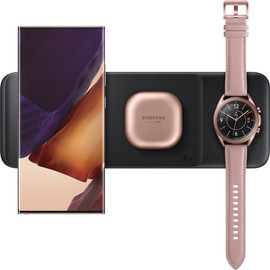
- 9W trio charger
Fully charged in 2.5 hours
3 devices at the same time
From
59,-


Choose Samsung S22 wireless charger
Ask yourself the following questions when you choose an S22 charger:
- How fast do you want to charge?
- Do you want an included cable?
- Do you want to charge wirelessly as well?

Do you want to fast charge?
With an original Samsung 15W wireless charger, you can fully charge your empty battery in 2 hours. Other wireless chargers take at least 3 hours. Cheap chargers from the supermarket or budget websites even take over 4 hours. If you want to charge at maximum speed, you need an original Samsung charger. The 15W chargers from other brands use a different fast charging technique, so they charge your device less quickly.

Do you want to charge multiple devices?
On a large wireless charger, you can charge multiple devices at the same time. You can put one of these wireless chargers on your nightstand and charge your smartphone, Samsung Watch and/or wireless earbuds at the same time, for example. Or you can put it on your desk and charge your work phone and your private phone. Choose a charger with a special Samsung Watch stand to charge your smartwatch. Other wireless chargers can't charge smartwatches.

Do you want extra functions?
When you choose a charger, have a look at the extra functions as well. For example, you can choose a charger with a stand, in case you want to place your device upright during charging. That way, you can keep an eye on your notification or watch a video while it charges. Do you have devices that don't support wireless charging, such as a tablet or headphones? Choose a wireless charger with an extra USB charging port, so you can charge these devices as well.
Article by Bob
Wireless Charger Expert.