
Written by Manoek
Edited on
21 July 2026
·
14:15
Which Intel processor do you need in your laptop?
Intel has 3 different types of processors that are all suitable for various usage situations. The more powerful the processor, the faster you can process tasks. Do you want to choose an Intel processor, but don't know which one suits you best? In this article, we'll help you make the right choice.
Choose an Intel processor
Which Intel processor suits you best depends on what you're going to use your laptop for. Consider the following:
- Which tasks are you going to perform?
- Are you going to use AI during work?
- Do you want an energy-efficient laptop?
Which processors are there?
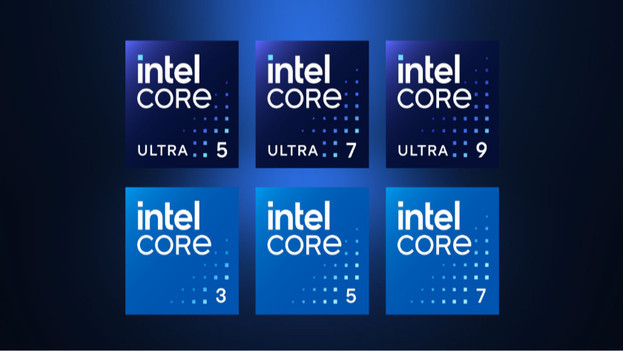
Intel Core Ultra: AI processors
The Intel Core Ultra processors are the Intel AI processors. They have a special NPU chip that processes AI tasks fast. There are various generations of the Intel Core Ultra processor. Every new generation is faster and more powerful. AI processors also ensure a longer battery life in laptops.
Intel Core: new generation
Intel has stopped putting an 'i' in front of the name since the 14th generation. These newer processors are a bit faster than the older generation processors. You can use these processors for various tasks, from browsing the internet to graphic design.
Intel Core i: old generation
Intel started with the Intel Core i processors, such as the Intel Core i3, i5, i7, or i9. These processors are slightly older than the newer generations, but they're still suitable for various tasks. From browsing the internet to processing graphic design tasks.
What are you going to use your Intel processor for?
You need a different processor per usage situation. For example, you don't need a powerful processor for light tasks. If you perform more demanding tasks, you need a more powerful processor.
- Browsing the internet, text processing: Intel Core 3 or Intel Core i3
- Creating spreadsheets and presentation or editing photos: Intel Core 5, Intel Core i5, or Intel Core Ultra 5
- Video editing and performing other graphic design tasks: Intel Core 7, Intel Core i7, or Intel Core Ultra 7
- Gaming: everything from an Intel Core 5, Intel Core i5, or Intel Core Ultra 5 with a dedicated video card
- Using AI locally: all Intel Core Ultra processors
What's Intel Evo?
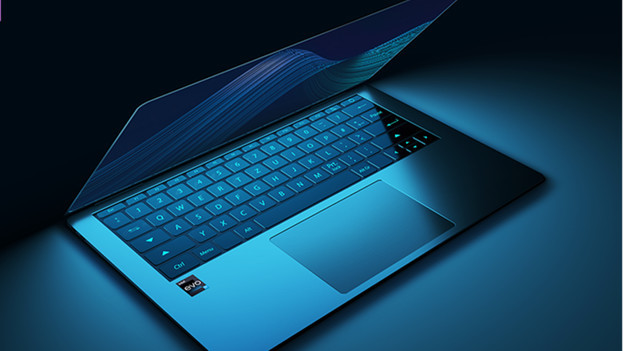
Intel Evo is a label for premium laptops. Intel works on laptops that meet high standards with known manufacturers. This way, you know that it's of high quality when you get an Intel Evo laptop. Intel Evo laptops are often more energy-efficient than other laptops, so the battery lasts longer. These laptops have a newer generation processor and a Thunderbolt 4 connector. Intel Evo laptops are also suitable for on the go, because they weigh maximum 1.5kg.
Article by Manoek
Laptop Expert.
