Written by Giorgos
Edited on
19 November 2024
·
09:19
Compare the ASUS TUF Gaming, ROG Strix, and ROG Zephyrus
If you want an ASUS gaming laptop, you can choose from 3 different series. The ASUS TUF gaming laptop is sufficient for a novice gamer. If you like to play demanding games, choose an ROG Zephyrus because of the better video card. Do you like to play at the highest settings? Choose the ASUS ROG Strix with the best cooling and metal casing. In this article, we'll compare the 3 ASUS gaming series.
Compare the ASUS gaming laptops
- ASUS TUF Gaming A15 FA507NVR-LP061W
You can play medium demanding games at 60 fps, thanks to the RTX 4060.
Thanks to the 144Hz refresh rate, you can enjoy smooth images.
Keep playing in the dark thanks to the backlit keyboard.
For medium demanding games, we recommend an RTX 4070.
The keyboard doesn't have 4-zone RGB lighting.
- ASUS ROG Zephyrus G14 GA403UI-QS024W
You can play demanding games at 60 fps thanks to the RTX 4070.
Thanks to the 144Hz refresh rate, you can enjoy smooth images.
With the 2.5K OLED screen, you can enjoy sharp images and realistic colors.
For modding and graphics packs, we recommend an RTX 4080.
On a 14-inch screen, you can see less details than on a larger laptop or external monitor.
- ASUS ROG Strix G18 G814JIR-N6003W
You can play demanding games at 60 fps thanks to the RTX 4070.
Thanks to the 240Hz refresh rate, you can game with the smoothest images.
You can adjust the RGB lighting per zone.
For modding and graphics packs, we recommend an RTX 4080.
Due to its heavy weight and large size, this laptop is less easy to take with you.
Comparison ASUS TUF Gaming, ROG Zephyrus, and ROG Strix laptops
| ASUS TUF gaming | ASUS ROG Strix | ASUS ROG Zephyrus | |
|---|---|---|---|
| Screen size | 14 to 17 inches | 16, 17, and 18 inches | 14 and 16 inches |
| Processor | AMD Ryzen 5, AMD Ryzen 7, AMD Ryzen 9, AMD Ryzen AI 9, Intel Core i5, Intel Core i7 | AMD Ryzen 9, Intel Core i7, Intel Core i9 | AMD Ryzen 7, AMD Ryzen 9, AMD Ryzen AI 9, Intel Core i9, Intel Core Ultra 7 |
| RAM | 16GB | 16 and 32GB | 16 and 32GB |
| Video card | RXT 4050, RTX 4060, RTX 4070 | RTX 4060, RTX 4070, RTX 4080, RTX 4090 | RXT 4050, RTX 4060, RTX 4070, RTX 4080, RTX 4090 |
| Storage capacity | 512GB or 1TB | 1 or 2TB | 512GB, 1TB, or 2TB |
| Keyboard backlight | Regular lighting | RGB 4-zones and RGB adjustable per key | RGB lighting and RGB 4-zones |
| Refresh rate | 144 and 165Hz | 144 and 240Hz | 120, 165, and 240Hz |
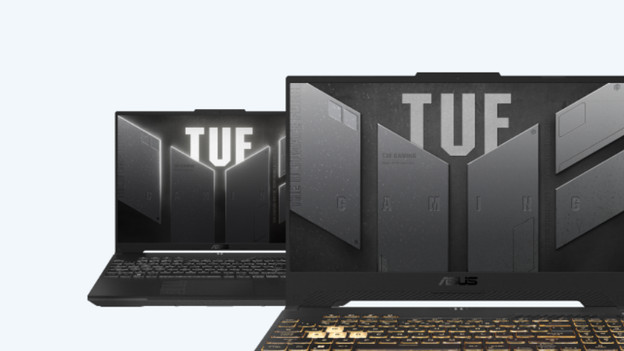
ASUS TUF gaming: for the average gamer
If you're not an avid gamer, choose the ASUS TUF gaming series. With the choice between an RTX 4050, RTX 4060, and RTX 4070, there's a suitable video card for every type of game. You can play light games with an RTX 4050, while the RTX 4070 ASUS TUF laptop is suitable for demanding games at at least 60 fps. You also can see your keys in the dark well, thanks to the keyboard backlight. If you choose a TUF gaming laptop with colored keyboard, you can adjust this color via the ASUS Aura software. This way, you always have a suitable color for in your gaming setup.
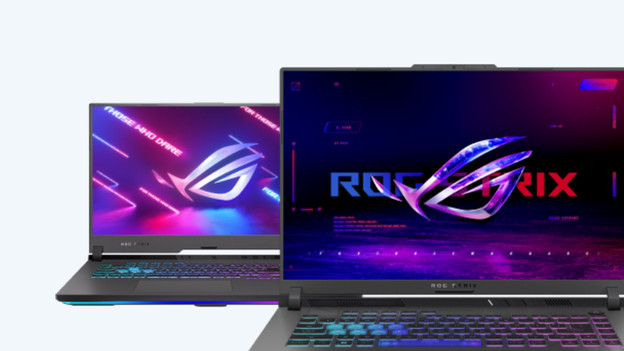
ASUS ROG Strix: for demanding games with better cooling
With an ASUS ROG Strix gaming laptop, you can smoothly play your favorite games at the highest settings. Thanks to the metal casing and extra cooling elements, the laptop can get rid of heat better. Thanks to this, the laptop slows down less quickly when you play at the highest settings. The metal casing also gets damaged less easily, like when the laptop falls down by accident. You also have powerful parts just like the Zephyrus, such as the choice up to an RTX 4090 video card. Fans of RGB can also adjusts the lighting per key. This way, you know exactly which setting fits which color.
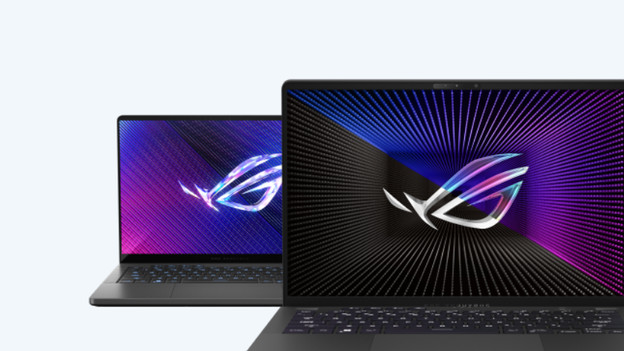
ASUS ROG Zephyrus: combination of power and portability
The ASUS ROG Zephyrus series combines portability and power. With the choice up to RTX 4090, you can also add graphic packs to your games or play with at least 60 fps in 4K. In addition to the extra powerful parts, you also have laptops with a 240Hz screen. The movements are extra smooth on the screen, so you can always be the first to see what happens on the playing field. The gaming laptops also weigh a little less, so you can take them to work. Do you have RGB accessories? The Zephyrus fits right in thanks to the built-in RGB lighting.
Conclusion
The power of an ASUS TUF gaming laptop is enough for the average gamer. You can play all your favorite games at at least 60 fps in Full HD and adjust the keyboard backlight to your liking. For extra graphic power, choose an ASUS ROG Zephyrus. Thanks to the higher refresh rate, games also run more smoothly. For the best performance, choose an ROG Strix laptop. Thanks to the metal casing, your laptop is better cooled and you play at the highest settings without lags.
Article by Giorgos
Laptop Expert.