Written by Rowan
Edited on
19 June 2023
·
10:59
Compare the MacBook Air 15 inches (2023) to the MacBook Air 13 inches (2022)
The MacBook Air (2023) is very similar to its smaller predecessor, but a couple of things have been improved. For example, it's larger now. On the improved 15.3-inch screen, you won't miss a single detail. The larger MacBook Air also has more speakers. Are you curious about the other differences between these 2 models? You can read it in our comparison.
MacBook Air 15 inches (2023) vs MacBook Air 13 inches (2022)
- Apple MacBook Air 15 inches (2023) M2 (8-core CPU/10-core GPU) 8GB/512GB Black
With the M2 chip, you can work in demanding programs like Final Cut Pro.
On the 500 nits Liquid Retina display, you can see high contrasts and many details.
The larger 15-inch screen is still relatively light at 1.51kg.
With 10 graphical cores, apps and graphic tasks don't slow down.
The storage and RAM aren't expandable, because they've been built-in into the chip.
From
1.799,-
- Apple MacBook Air (2022) M2 (8-core CPU/8-core GPU) 16GB/512GB Space Gray
With the M2 chip, you can work in demanding programs like Final Cut Pro.
On the 500 nits Liquid Retina display, you can see high contrasts and many details.
This 13-inch MacBook just weighs 1.2kg, which means you can easily take it with you.
With 8 graphical cores, apps and graphic tasks may respond slower.
The storage and RAM aren't expandable, because they've been built-in into the chip.
From
1.759,-
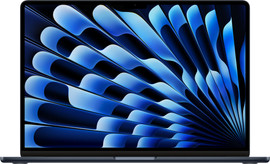
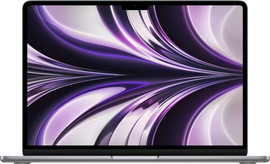
Comparison between the MacBook Air 15 inches (2023) and the MacBook Air 13 inches (2022)
| MacBook Air 15 inches (2023) | MacBook Air 13 inches (2022) | |
|---|---|---|
| Processor | M2 chip | M2 chip |
| CPU | 8-core | 8-core |
| GPU | 10-core | 8 or 10-core |
| RAM | Up to 24GB | Up to 24GB |
| Storage | Up to 1TB | Up to 1TB |
| Screen | 15.3-inch Liquid Retina | 13.6-inch Liquid Retina |
| Weight | 1.51kg | 1.24kg |
| Audio | 6 speakers with Dolby Atmos support | 4 speakers with Dolby Atmos support |
| Battery life | 18 hours | 18 hours |
| Colors | Black, White Gold, Space Gray, or Silver | Black, White Gold, Space Gray, or Silver |
Design
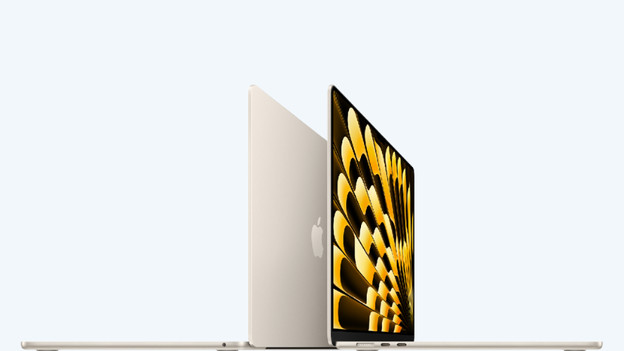
MacBook Air (2023): larger, but still lightweight
The size is what makes this MacBook differ from its predecessors. On the 15.3-inch Liquid Retina display, you won't miss a single detail when you edit your creations or while you watch your favorite series. This larger MacBook Air also has more rooms for speakers. It has no less than 2 more than the 13-inch model, which makes the music or video extra spacious. In terms of the design, not much has changed. The MacBook Air still has a slim design, a Magic Keyboard, and a MagSafe connector. Yet, it's not much heavier at 1.51kg.
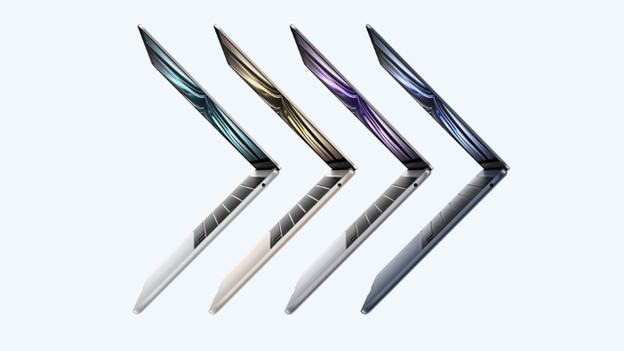
MacBook Air (2022): compact and ideal for on the go
The design is straight, sleek, and angular. Thanks to the slim bezels, you have as much screen space as possible without the MacBook Air taking up a lot of space itself. This 13.6-inch MacBook just weighs 1.24kg, which makes it very easy to take with you. You can continue your projects on the train without worries. You can charge the MacBook Air (2022) via the MagSafe connector. This magnetic cord clicks easily in and out of the port without having to use much force.
Graphics power

MacBook Air (2023): a powerful starter model
This MacBook Air also has an M2 chip. The only difference is that the starter model has more graphical cores. Thanks to this, apps and graphic tasks never respond slower. In addition to editing videos in iMovie or Final Cut Pro, you can also edit photos in Photoshop. Or watch your favorite Netflix series in Full HD. Both movies and series look even more realistic on the 15.3-inch screen.
MacBook Air 13 inches (2022): video editing and basic tasks
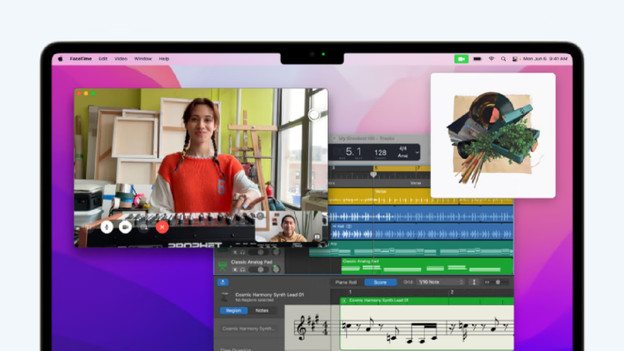
The MacBook Air (2022) has an M2 chip. This chip has an 8-core CPU and an 8 or 10-core GPU. With 10 graphical cores, apps and graphic tasks don't slow down. With 8 graphical cores, apps and graphic tasks may respond slower from time to time. You can edit videos in Final Cut Pro, browse the internet, and keep up with your email. With this MacBook Air, you can render your videos fast too.
Conclusion
The MacBook Air (2023) and MacBook Air (2022) are very similar. Especially in terms of size, they differ a lot. Which MacBook you choose depends on your usage situation. Do you value screen space and do you want a richer sound coming from the speakers? Choose the 15.3-inch MacBook Air (2023). Are you on the go a lot and do you value portability? Choose the 13.6-inch MacBook Air (2022).