
Written by Manon
Edited on
13 October 2025
·
14:38
Expert review of the DJI Mini 4 Pro
The DJI Mini 4 Pro is a compact drone that you can easily take with you. It has different recording modes, which allow you to easily create videos. For example, you can plan a route with Waypoint. The drone then flies this route itself. With the extensive editing options, you can take your videos to the next level. You can read what I think of the drone here.
DJI Mini 4 Pro + Smart Controller
- The Smart Controller has a built-in screen, so you don't need a smartphone to fly.
- With the Cruise Control function, the drone flies automatically in one direction.
- You can record razor-sharp footage in 4K resolution at 60 frames per second.
- Due to the low weight of the drone, the risk of the wind affecting it's movement is higher.
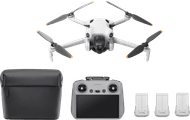
799,-
First impression of the DJI Mini 4 Pro
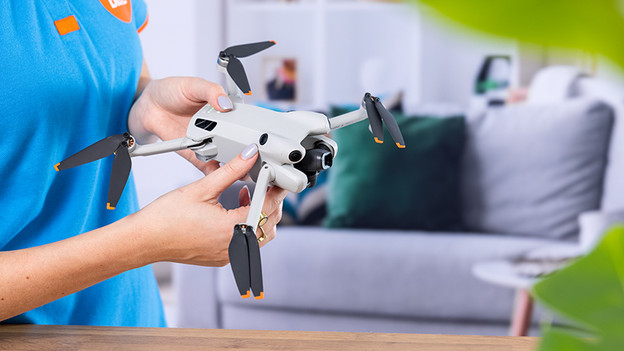
The DJI Mini 4 Pro weighs 249g, just like all other DJI Mini drones. But the drone has extensive specifications, including extensive obstacle detection and a Waypoint flight mode. You can use this to plan a route. I test the drone with the Smart Controller. This remote control has a screen. The screen looks very bright and sharp. I like this remote because I don't need a phone to see what I'm recording.

360-degree obstacle detection
Thanks to the 360-degree obstacle detection, I can fly without having to worry. The drone detects obstacles all around it. If the drone almost hits a tree, it'll stop flying. I especially like the extensive obstacle detection when I use the ActiveTrack function. As the drone follows me, it automatically avoids trees and road signs. If you want to fly between objects or openings, turn off obstacle detection. In the sports mode, you also don't have obstacle detection.
Sharp videos in 4K at 60 fps
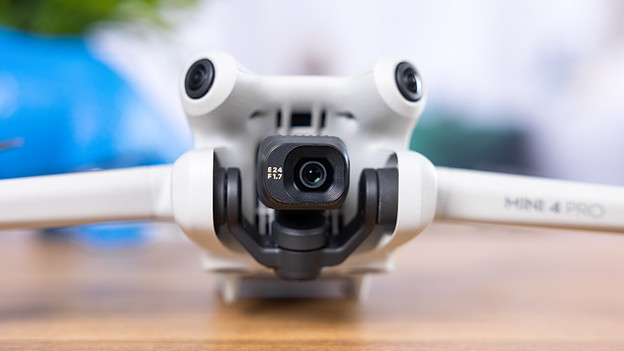
I find the video quality of the Mini 4 Pro very sharp. In 4K, I can record at 60 fps. The slow motion videos look smooth. For example, I choose Full HD at 200 fps or 4K at 100 fps. If I use the default color space, I don't edit my footage. I can post them on social media right away. Want to extensively edit your video images yourself? Choose the color space D log M.

Portrait mode for social media
I can make portrait videos in the portrait mode. I use this for Instagram Stories and TikTok, for example. With the touch on the screen, I can rotate the camera 90 degrees. I don't lose any image quality, because the camera uses the entire sensor for the portrait footage. This makes them look detailed and sharp. I can quickly send them to my phone via QuickTransfer. Other useful functions are QuickShots and MasterShots. In those modes, the drone makes several movements itself, one after the other.
Quiet drone thanks to low weight
The drone only weighs 249g, so it requires little power to fly. This also means that the drone makes little noise. I think this is important because I don't want to disturb people and animals while flying. I also find the drone very stable, even though it's very light. I expected the drone to be quickly carried away by the wind, but that wasn't too bad. Keep in mind that this can happen when there's a strong wind.

Plan a route with Waypoint flight mode
A nice addition to the DJI Mini 4 Pro is the Waypoint flight mode. I use this to plan a route in advance, and the drone then flies the route itself. I can set all kinds of different things, including the speed, altitude, and orientation of the camera. If I save this route, I can fly the drone exactly the same route every time. For example, I take exactly the same shot both during the day and in the evening. I then let these blend together.
Conclusion
The DJI Mini 4 Pro is a complete drone for beginners and advanced users. It has obstacle detection, so you won't fly into a tree easily. This is useful if you've never flown a drone before, but also if you use a flight mode. In the flight mode, the drone makes movements itself. This means that there's a chance that it'll hit an object. Videographers have extensive editing options. For example, you can adjust the colors and lighting. In the portrait mode, you can easily create portrait videos for social media.
799,-
Article by Manon
Drone Expert.
