
Written by Maurits
Edited on
16 July 2025
·
10:32
How do you adjust the sound of your Bose earbuds and headphones?
You want to get the most out of your Bose earbuds and headphones. For example, you want to adjust the bass settings or hear more of the ambient noise. In this article, we'll explain how to adjust the sound of your Bose headphones and earbuds in 7 steps.

Adjust the sound in 7 steps
You can adjust the sound of your Bose headphones or earbuds with the following 7 steps.
Step 1: download the Bose Music app
Step 2: connect your earbuds or headphones to the app
Step 3: adjust the equalizer
Step 4: enable spatial audio
Step 5: adjust the noise canceling
Step 6: adjust the shortcut function
Step 7: enable multipoint pairing
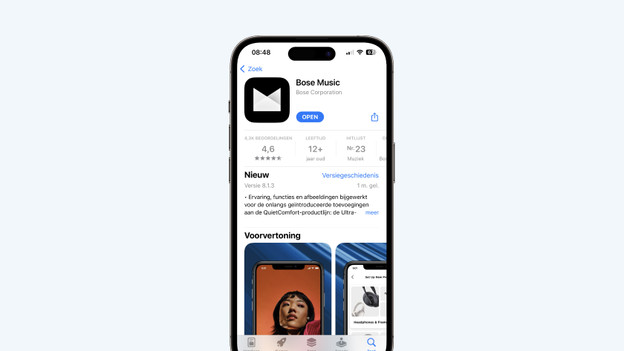
Step 1: download the Bose Music ap
First, download the Bose Music app. You can do this in the Google Play Store or App Store. You'll use this app to go through steps 2 to 7.
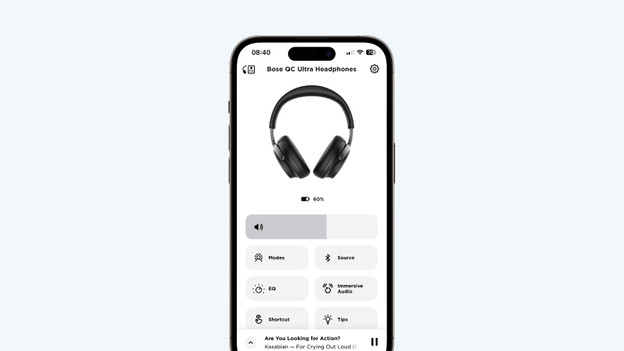
Step 2: connect your earbuds or headphones
Connect your earbuds or headphones to your smartphone via Bluetooth. In the app, you can choose 'Connect product' followed by 'Headphones and Frames'. Select your earbuds or headphones and choose 'Set up connection'.
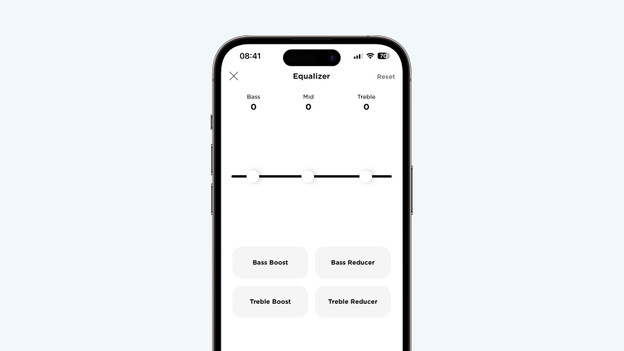
Step 3: adjust the equalizer
Select 'EQ' in the Bose Music app. Here, you can emphasize the bass, medium-tones, or treble.
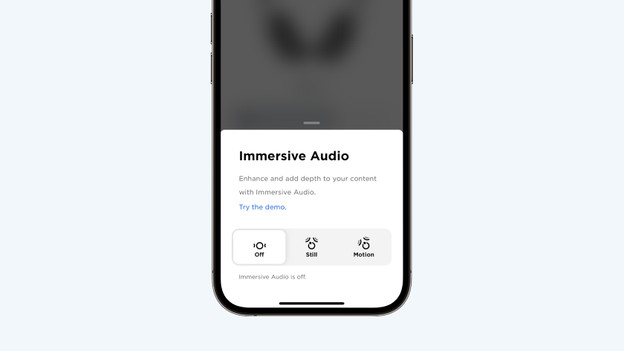
Step 4: turn on spatial audio
You'll listen to spatial audio if you enable spatial audio. You can enable this via the Bose Music app. Select 'Immersive audio' and choose 'Static' or 'Dynamic'. Both options ensure spatial audio. Choose 'Static' if you want to enjoy spatial audio while you're sitting down. Choose 'Dynamic' if you want to listen to spatial audio while walking around.
Step 5: adjust the noise canceling
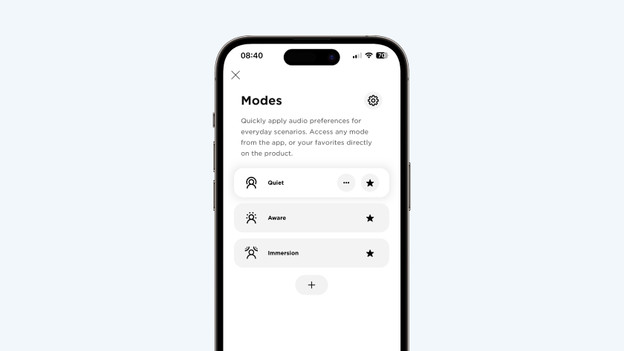
Go to 'Modes' in the app. This contains 3 noise canceling options. Choose 'Silent' if you don't want to hear anything from your surroundings. If you want noise canceling while you listen to music via Bose Immersive Audio, choose 'Immersion'. Want to hear ambient noise? Select 'No NC'. And with the + icon, you can set how much you want to reduce ambient noise.
Step 6: adjust the shortcut function
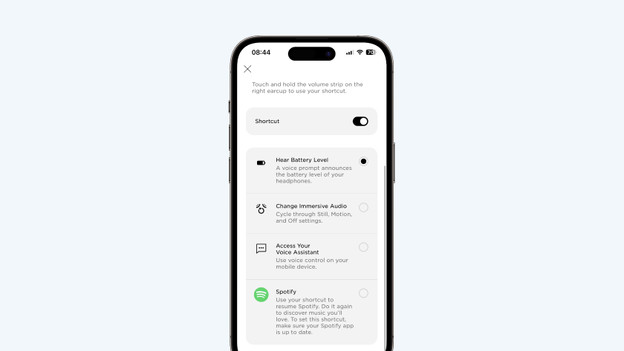
You can adjust the shortcut in the app both for Bose headphones and earbuds. For example, you can choose to be able to enable spatial audio via the earbuds. With headphones, you can choose to hear your battery level, for example.
Step 7: enable multipoint pairing
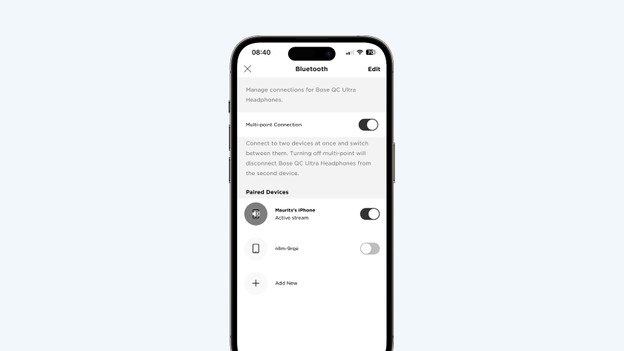
Do you want to connect your Bose headphones to 2 devices at the same time? You can enable multipoint pairing under 'Source'. Now, turn on the devices you want to set up a connection with.
