Written by Rowan
Edited on
20 August 2026
·
14:35
How do you connect your Wisberg dryer to the app?
With a Wisberg dryer that you can control via an app, you can easily arrange everything remotely. Choose cycles and see exactly when your laundry is dry. First, install the Wisberg app and connect your dryer. In this article, you can read step by step how you can do it quickly and easily.
Connect Wisberg dryer to app in 4 steps
Easily connect your Wisberg dryer via the Wisberg app with these 4 steps:
- Step 1: download the app
- Step 2: make your dryer ready for use
- Step 3: create an account and register
- Step 4: connect your dryer to WiFi
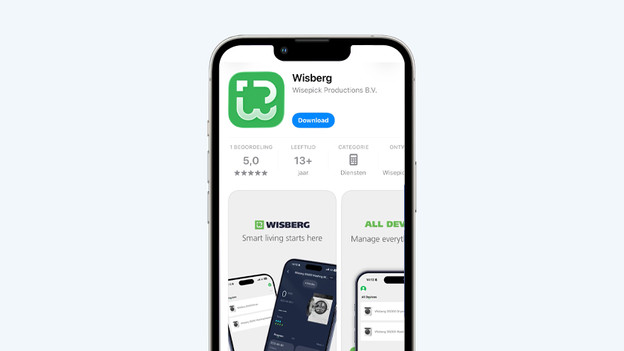
Step 1: download the Wisberg app
Go to the App Store or Play Store and search for Wisberg. Download the app on your smartphone and turn on Bluetooth.
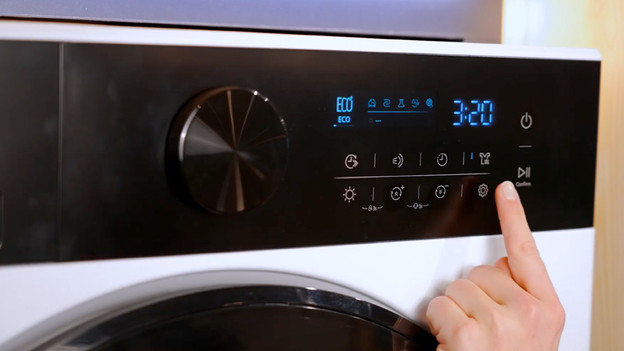
Step 2: make your dryer ready for use
Press the on button of your dryer. Move the control button and unlock the display this way. Via the symbol of the gearwheel, you can find the settings. Tap this gearwheel that you can find at the bottom right. With the dial, you can now look for the WiFi symbol. When you find this, press the on/off button.
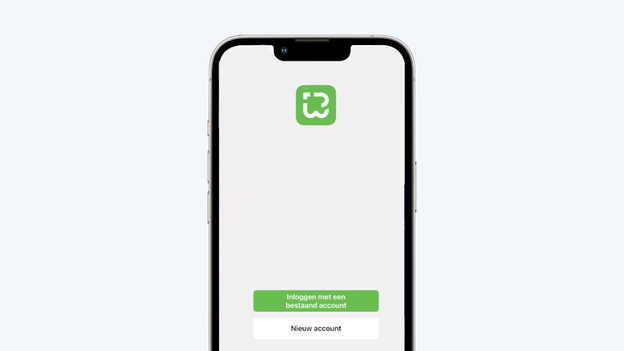
Step 3: create an account and register
Create an account now via the Wisberg app on your smartphone. Enter your email address and open your email. You'll receive a code of 6 numbers. Enter this code in the Wisberg app and set a safe password. After that, your account is ready for use.
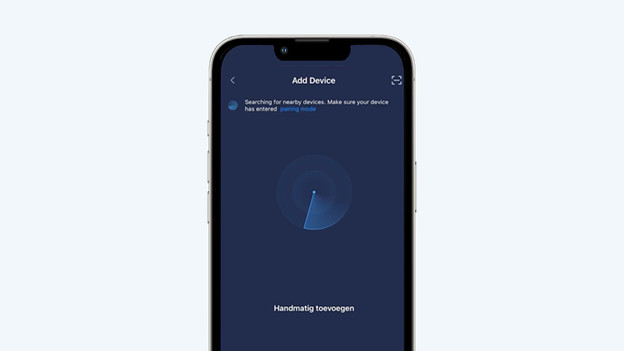
Step 4: connect your dryer with WiFi
Now add your Wisberg dryer in the app. Tap on the plus at the top right and choose 'Add Device'. Wait until you see your dryer and tap on it. After that, choose your WiFi network. Press the buttons 'Time+' and 'Time-' on the display of your dryer at the same time and do this for at least 3 seconds. Your Wisberg dryer is now ready for controls via the app.
Article by Rowan
Dryer expert.